SharePoint document management system built for your business
AscenWork builds and implements SharePoint Document Management Systems for enterprises. We configure document capture, automated workflows, security, and compliance controls inside Microsoft 365, so businesses can replace scattered files and shared drives with one governed, searchable system for enterprise document management solutions.
Here’s what SharePoint DMS benefits look like once it’s properly configured
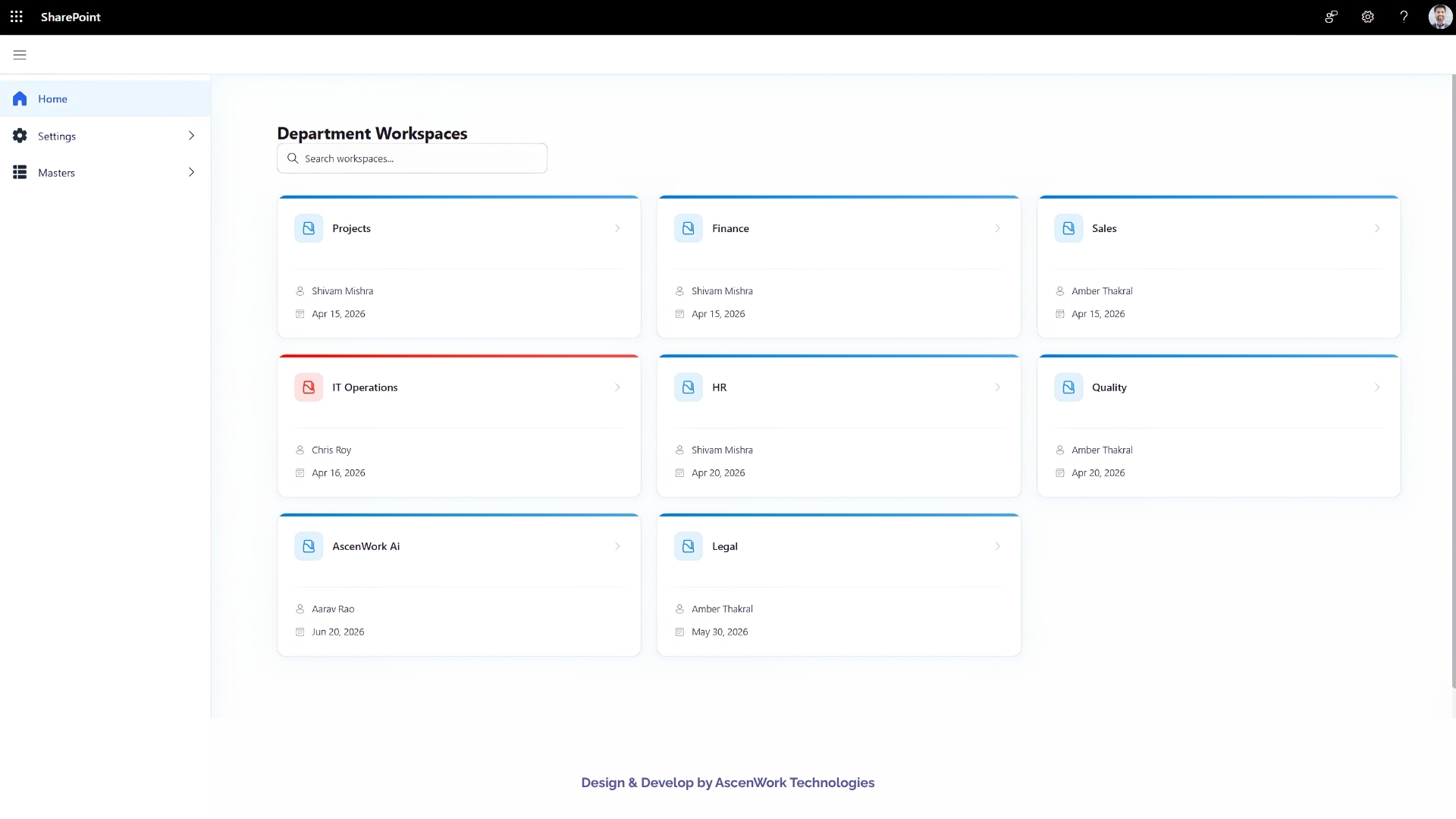
A properly configured SharePoint document management system replaces scattered shared drives and email attachments with one governed place to create, approve, store, and secure documents, running entirely inside the Microsoft 365 licensing you already pay for. It can be deployed in the cloud through SharePoint Online or on-premises through SharePoint Server, depending on your compliance and infrastructure needs.
Book a free 30-minute consultation to scope your SharePoint DMS
Book Your Free Discovery Call
1. Document Creation and Processing
- Capture. Scanned paper, PDFs, images, and emails get converted into a consistent, searchable format the moment they enter the system, with metadata applied automatically.
- Validation. Automated checks catch missing fields, wrong formats, or unsigned documents before they become part of your official record, routing anything incomplete to the right reviewer.
- Templates. Standardized templates for contracts, policies, invoices, and internal letters so every team produces consistent, compliant paperwork without starting from a blank page.
- Real-time collaboration. Multiple people can co-author the same document at once, with full tracking of who changed what and when.
- Workflow automation. Approval, review, and sign-off routes run automatically based on document type or department, with a timestamped record of every approval.
- Notifications. Automated alerts tell the right people the moment a document is created, updated, or approved.
2. Storage and Retrieval
- Structured libraries. Document libraries organized around your departments, projects, or document types, not a generic default folder tree.
- Multi-format support. Word, PDF, Excel, PowerPoint, image files, CAD drawings, and other formats stored and indexed in one place.
- Metadata and indexing. Documents tagged by attributes such as title, author, type, and date, so files are findable by what they are, not where they were saved.
- Enterprise search. Search across documents, metadata, and full text, including results from integrated systems like your ERP or HR platform.
3. Security, Compliance, and Governance
- Versioning. Every edit saved as a distinct, recoverable version.
- Check-in/check-out. Documents locked during active editing to prevent two people overwriting each other’s work.
- Backup and recovery. Recent versions recoverable without a separate backup tool.
- Restricted data sharing. Sensitive data such as PHI or PII automatically flagged and access-restricted.
- Access control. Permissions set at the document or library level, from read-only to full control.
- Data encryption. Documents encrypted at rest, with a unique key per file.
- Two-factor authentication. An additional login layer beyond a password.
- Audit trail. Every document action logged: viewed, edited, shared, printed, deleted.
- Retention and deletion policies. Automated retention and deletion rules matched to your industry’s compliance requirements.
Talk to us about which of these your document process is missing
Get a free quote
Connecting your SharePoint document management system to the tools you already run avoids duplicate data entry and keeps records consistent across departments.
- SharePoint DMS + Power Automate and Power BI. Since we build both workflow automation and Power BI reporting as core services, your document approval data can feed directly into dashboards your leadership already uses, without a separate integration project.
- SharePoint DMS + ERP. Centralized document storage plus co-authoring and approval workflows improve collaboration across finance, procurement, and legal teams.
- SharePoint DMS + OCR. Paper documents and mixed-format files get converted into a unified, searchable format, cutting down manual data entry.
- SharePoint DMS + e-signature platforms. Signing gets built into the approval workflow itself, instead of happening outside the system.
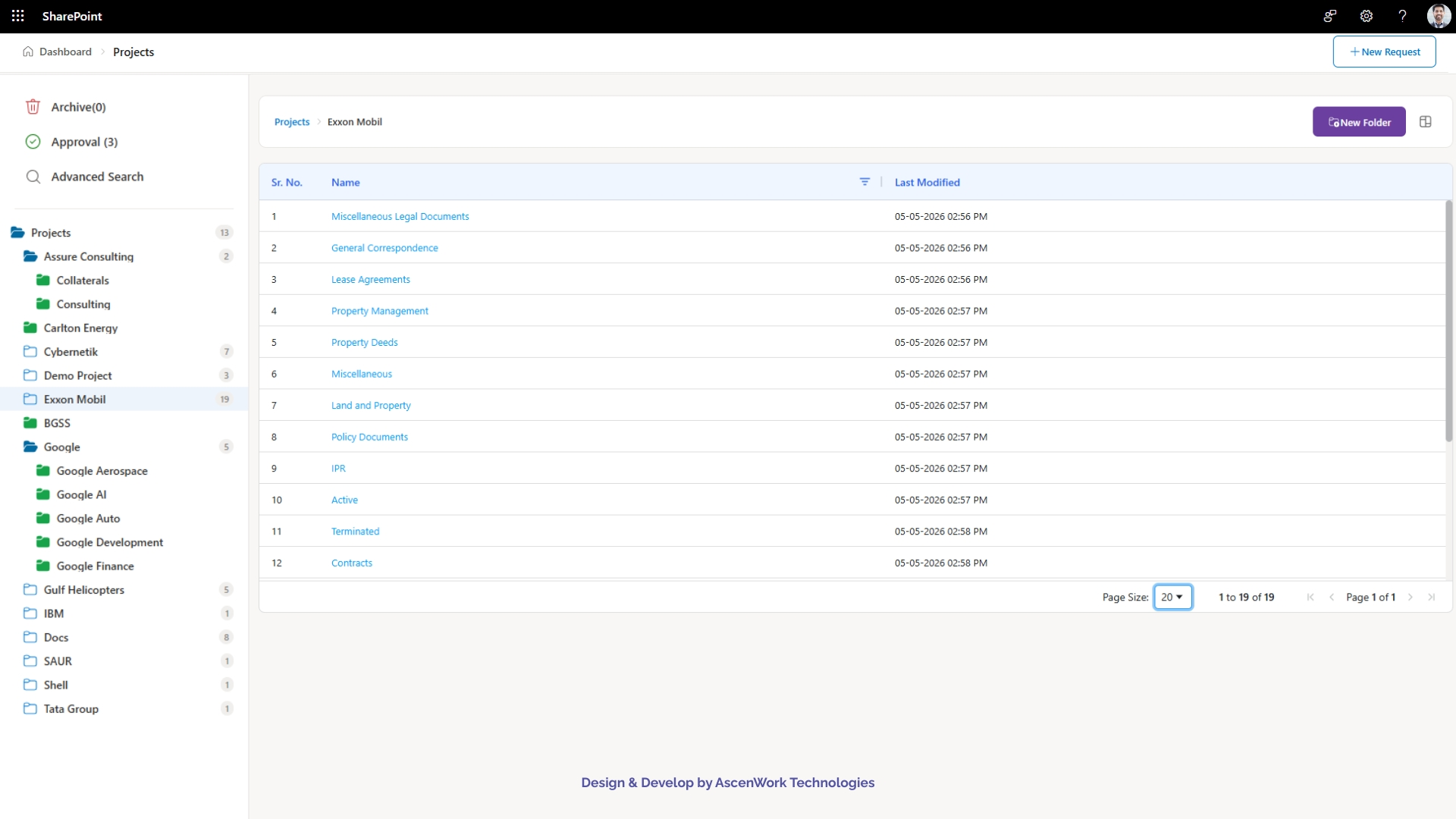
SharePoint is highly configurable, and no two document management builds should look the same. We design document structuring rules, custom workflows, and branded interfaces around your specific process, not a one-size-fits-all template.
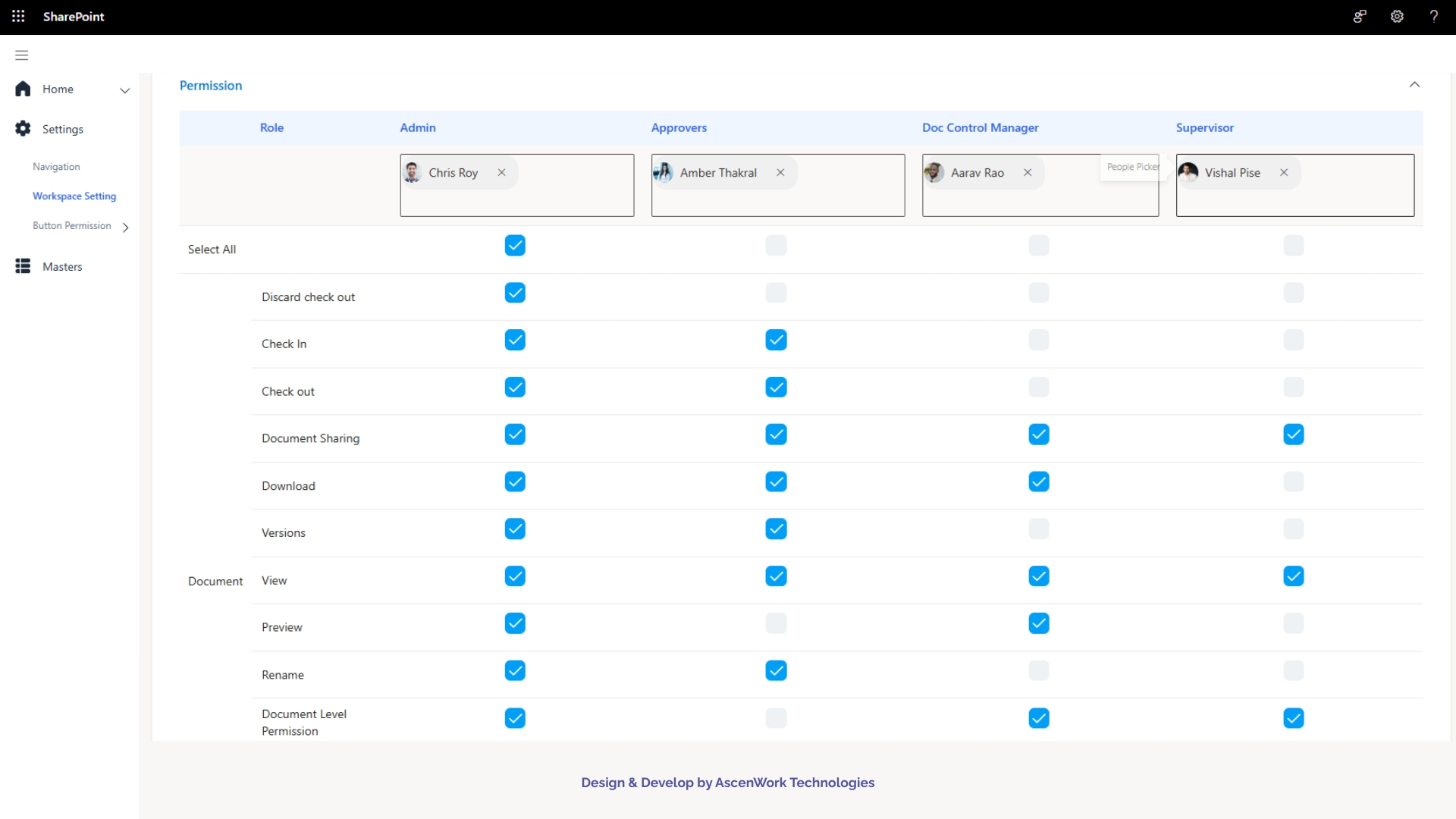



Document Approval Automation for a Multi-Department Organization
Compliance-Ready Document Repository for a Regulated Business
Field Documentation System for a Distributed Workforce
Enterprise Document Management
Contract Management
Policy Management
Records Management
Healthcare
Capture and validation for patient records and clinical documentation, structured repositories for lab results and imaging, and access controls built around confidentiality requirements.
Legal Services
Contract lifecycle management, document tagging, advanced search for case files, and audit trails that hold up under client and regulatory scrutiny.
Manufacturing
Document-driven approval workflows for engineering specs, quality documentation, and supplier records, cutting down manual sign-off chains.
Oil & Gas
Vendor and field documentation management, including structured handling of scanned or handwritten reports.
Financial Services
Retention-driven governance for regulatory filings and client records, with strict access controls around sensitive financial data.
Multi-Department Enterprises
Document workflow automation across procurement, HR, and operations, standardizing approvals across a large, distributed organization.
Discovery
We analyze your current document-driven processes and translate document management needs into a technical specification.
Workflow design
We map out approval, review, and sign-off workflows specific to your document types and departments.
Workflow build
We configure SharePoint's native workflow tools or build custom workflows where the standard tools fall short.
Integration
We connect your SharePoint DMS to the systems you already use, such as ERP, ticketing, or HR platforms.
Migration
We map and migrate existing documents and permissions from your current system into SharePoint.
Support
We provide post-launch support and ongoing optimization as your document processes change.
Business Outcomes
100% faster document approval turnaround,” “90% reduction in time spent searching,” “95% improvement in audit and compliance readiness” are extremely specific numbers with nothing behind them, no client reference, no methodology, nothing. Right now these read as invented statistics, and if a prospect or a fact-checking algorithm can’t trace where “100% faster” comes from, it actively hurts your credibility rather than helping it.Frequently Asked Questions About SharePoint Document Management System
Cost depends on document volume, number of integrations, and compliance requirements. Since it runs inside your existing Microsoft 365 licensing, you’re paying for implementation and configuration rather than a new software subscription. Request a quote for a figure specific to your setup.
Timelines range from a few weeks for a small team with simple workflows to several months for a large enterprise with multiple integrations. See the Timeline & Investment table above for typical ranges.
Yes, document migration, including metadata mapping and permission setup, is part of our implementation process.
Yes, we configure retention policies, access controls, audit trails, and sensitivity labeling to match healthcare, legal, financial, and other regulated-industry requirements.
In most cases, no. A properly configured SharePoint document management system covers capture, versioning, workflows, security, and retention without adding a second platform or license.
Yes, e-signature integration is a standard part of our workflow configuration process.
Yes, hands-on training and a post-launch review are included in every implementation.
Yes, we offer managed support for ongoing governance updates and user assistance after your SharePoint DMS is live.
It scales from small teams to large enterprises. The configuration changes based on your document volume and process complexity, not the underlying platform.