

Copilot Studio agents that answer from your own content
We build agents that answer staff and customer questions from your documents, and start requests such as leave, IT tickets and approvals, in Microsoft Teams or on your website.
Talk to a Copilot Studio consultant
Clients using Copilot Studio












What we do
Ways we work on Copilot Studio
Agent work has three parts: the knowledge the agent uses, the actions it can take, and the people it hands over to. Pick the one that matches your gap.
Agent development
Agents for HR, IT, policies and customer questions, grounded in your own content.
Agent development →Actions with Power Automate
Agents that do things: raise a ticket, start a request, look up a record.
Power Automate →SharePoint content
A tidy SharePoint library is the best source for agent answers.
SharePoint consulting →Microsoft 365 Copilot
Rollout and adoption of Copilot across your teams.
Microsoft 365 Copilot →Power BI Copilot and BI agent
An agent that answers questions about your reports in plain language, within what each person may see.
Copilot and BI agent →AI strategy
Choose the first agent ideas, the content each one needs, and what a good answer looks like.
AI strategy →Where to start
Where to start with Copilot Studio
Start from the problem you want an agent to solve. If none of these fits, send us a note and we will point you the right way.
Staff keep asking HR the same questions
Leave, policies, benefits.
Start with an HR agent
Employee productivity →IT gets repeat requests
Passwords, access, how-to questions.
Start with an IT help agent
Support and maintenance →Our documents are hard to search
People cannot find the right policy.
Start with content and an agent
Classic SharePoint modernization →We want an agent that can act
Not only answer questions.
Start with actions
Power Automate workflows →We are not sure which agent to build first
Many ideas, no priorities.
Start with strategy
AI strategy →We need extra hands to build agents
The agents are planned but you need more delivery capacity.
Add dedicated developers
Staff augmentation →How we work
Useful answers, checked before launch
An agent is only as good as the content and rules behind it. We start there, then test with the questions your people actually ask.
- Grounded in your contentAnswers come from your documents and sources, not from guesses.
- Respects permissionsPeople get answers only from content they are allowed to see.
- Tested with real questionsWe test with questions from your teams and fix weak answers before launch.
- A hand-off to a personWhen the agent cannot help, it passes the person to your team.
Case studies
Copilot Studio projects we have delivered
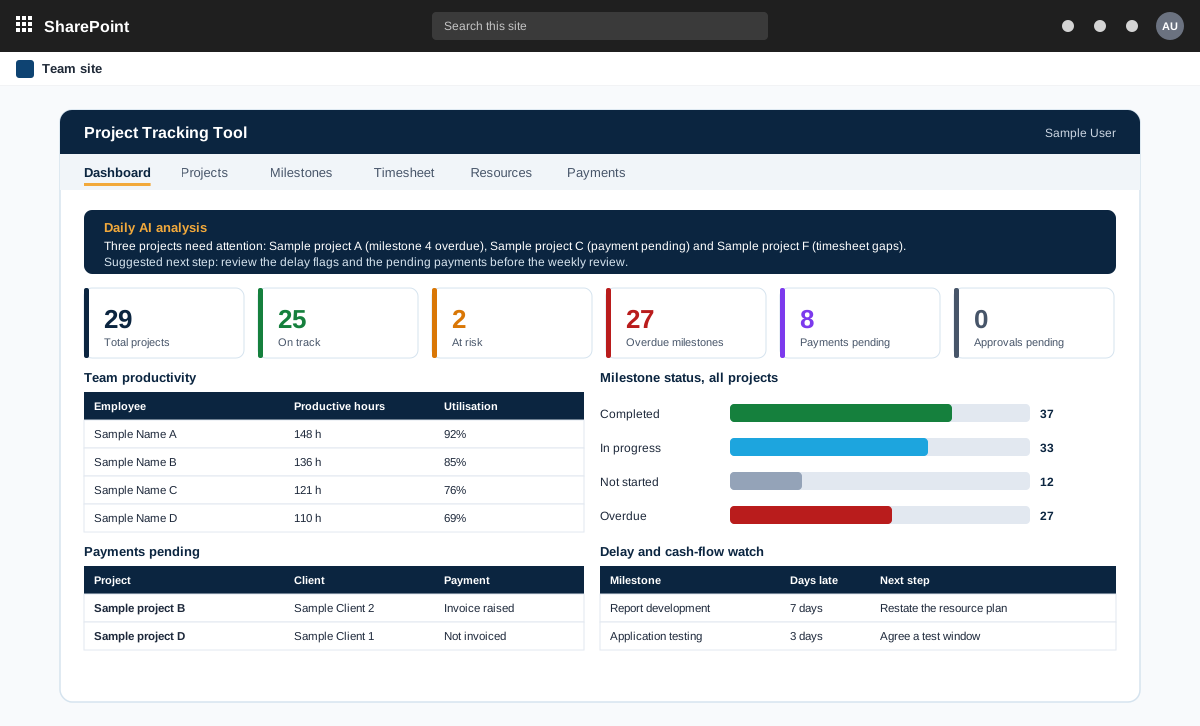
Project management tool on SharePoint with AI analysis
A project management tool built on SharePoint in the customer tenant. It tracks projects, milestones, timesheets and payments, and adds AI analysis through an n8n workflow.
Read the case study →SharePoint · Aviation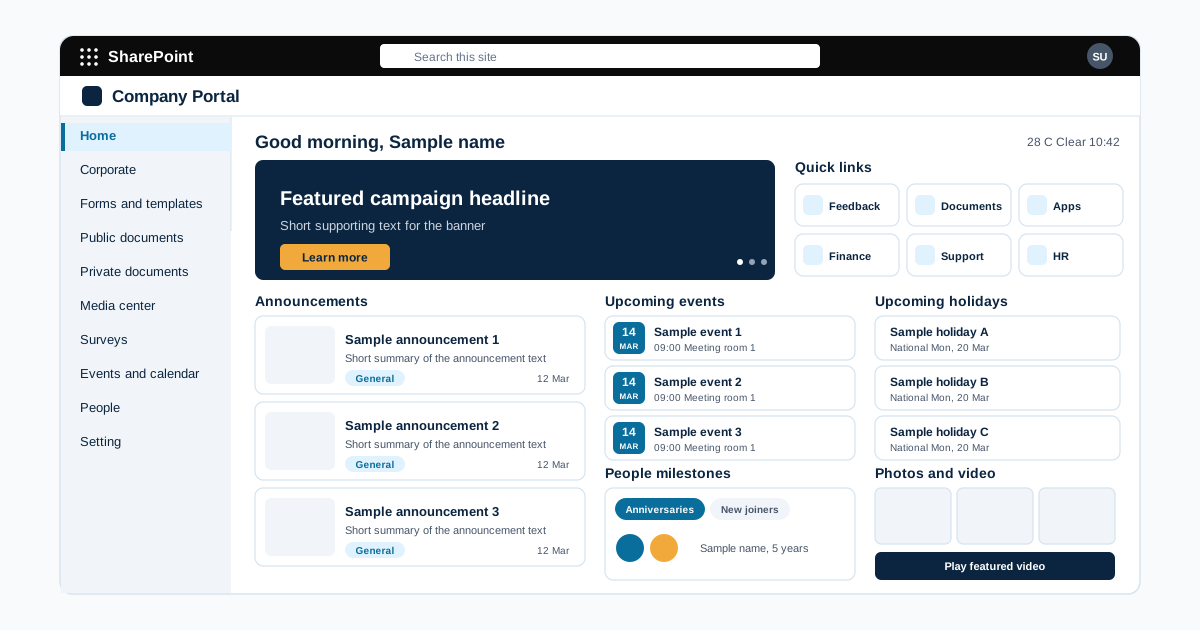
Company intranet portal on SharePoint Online for an airport operator
An airport operating company wanted one place for news, corporate information, business systems, media, surveys, events and a staff directory. We built a SharePoint Online intranet with an admin panel, so named editors publish content under controlled rights.
Read the case study →SharePoint · Power Automate · Food and beverage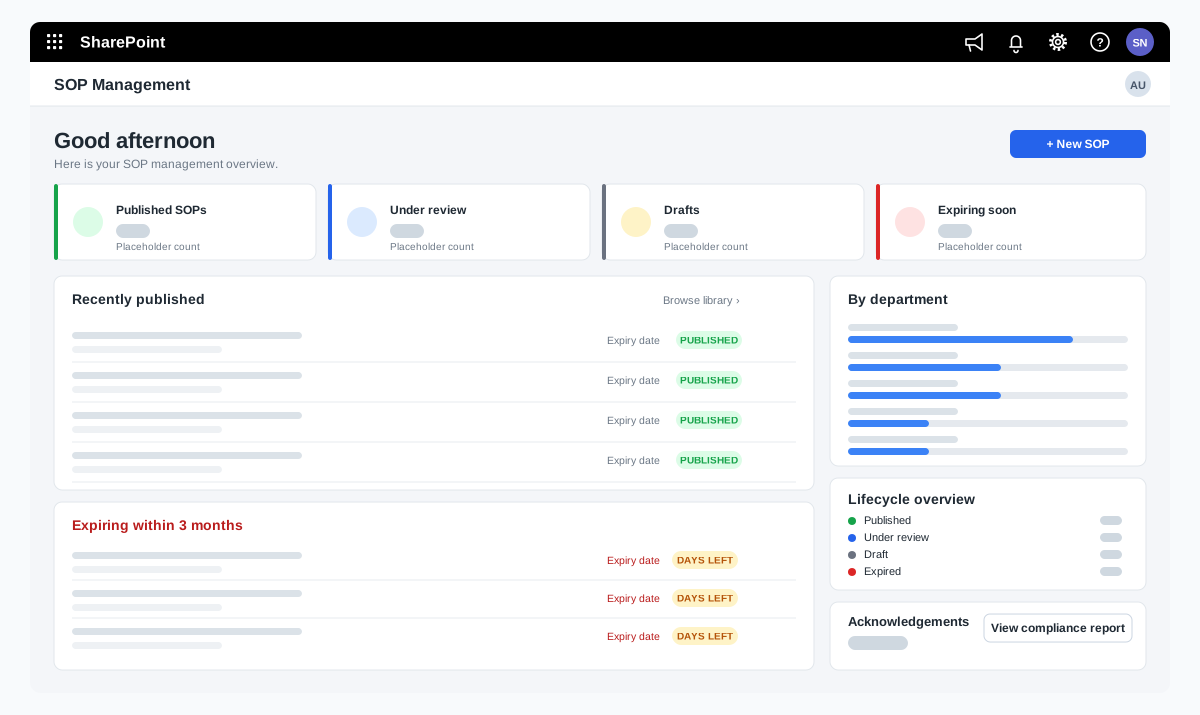
SOP management on SharePoint for a food manufacturer
A bakery ingredients manufacturer wanted procedures that are approved, read and proven to be understood. We adapted our SOP Management product on SharePoint and added reading time with a quiz, renewal and revision, and print-ready controlled copies.
Read the case study →Knowledge and testing
An agent is only as good as the knowledge behind it
Most weak agents were given too little or the wrong content. We choose and test the knowledge before launch.
- Sources chosen and checkedOnly current, approved documents and systems are connected.
- Real questions for testingThe agent is tested on questions your staff actually ask.
- A clear handover to a personWhen the agent is unsure, it passes the question on with the context.
- Usage reviewed each monthUnanswered questions reviewed, so the knowledge keeps improving.
Copilot Studio questions we hear often
What is Copilot Studio?
Copilot Studio is Microsoft's tool for building agents: assistants that answer questions from your content and take actions, in Microsoft Teams, on a website and in other channels. It replaced Power Virtual Agents.
Can an agent answer from our own documents?
Yes. Agents can use content in SharePoint and other sources, and respect who is allowed to see what. Clean, current documents give better answers.
Can an agent do more than answer questions?
Yes. An agent can start a process, such as a leave request or an IT ticket, using Power Automate and your systems.
Can agents be wrong?
Yes, like any AI tool. We reduce the risk with clean content, clear limits on what the agent answers, and testing, and we help you decide what needs a human check.
Do we need special licences?
Copilot Studio is licensed separately from Microsoft 365. We check your current licences on the first call and tell you what applies.
What affects the cost of a Copilot Studio agent?
The number of agents and use cases, how much content has to be prepared, and which systems the agent connects to. One focused agent is often a good first step. Copilot Studio is licensed separately by Microsoft. After a short scoping call we send a proposal with one price for the core scope, separate prices for optional add-ons, and the assumptions written down.
Related
More ways we can help
Contact