SharePoint Employee Onboarding Intranet for Automotive Manufacturing
SharePoint employee onboarding intranets transform how new hires access critical information on day one. This Chennai-based automotive supplier was wrestling with fragmented onboarding, where new employees received guidance through scattered emails, multiple attachments, and disjointed handoffs across HR, operations, and department teams. AscenWork designed a centralized new-joiner hub within SharePoint Online that unified onboarding checklists, workplace policies, training resources, system access forms, and FAQs into a single, guided experience. The result was measurable: new employees spent less time hunting for information, HR teams gained a reusable resource library, and onboarding time-to-productivity improved significantly.
Key Takeaway
A structured SharePoint employee onboarding intranet reduced new-hire information scatter by 89%, accelerated onboarding completion by 34%, and freed HR teams to focus on higher-value onboarding tasks rather than document chasing.
In This Case Study
The Client
Our client is a mid-scale automotive parts supplier based in Chennai, Tamil Nadu, operating across multiple manufacturing facilities and serving tier-1 and tier-2 customers across India and Southeast Asia. The company employs over 450 people across engineering, production, quality assurance, logistics, and business operations functions. They’re known for precision-engineered components and have invested heavily in modernizing their workplace technology stack over the past three years.
The organization had migrated to Microsoft 365 and SharePoint Online approximately 18 months prior to engaging AscenWork, but adoption remained inconsistent across departments. Employees used SharePoint for document storage, but the platform wasn’t being leveraged strategically for HR workflows, knowledge management, or employee experience initiatives. New employee onboarding was handled through a combination of email chains, printed handbooks, and ad hoc orientation sessions, a process that hadn’t been redesigned in nearly a decade.
The automotive parts manufacturing sector in India is projected to grow at 8.2% CAGR through 2028, with talent retention and efficient onboarding becoming competitive differentiators.
Society of Indian Automobile Manufacturers (SIAM), 2024
The Challenge
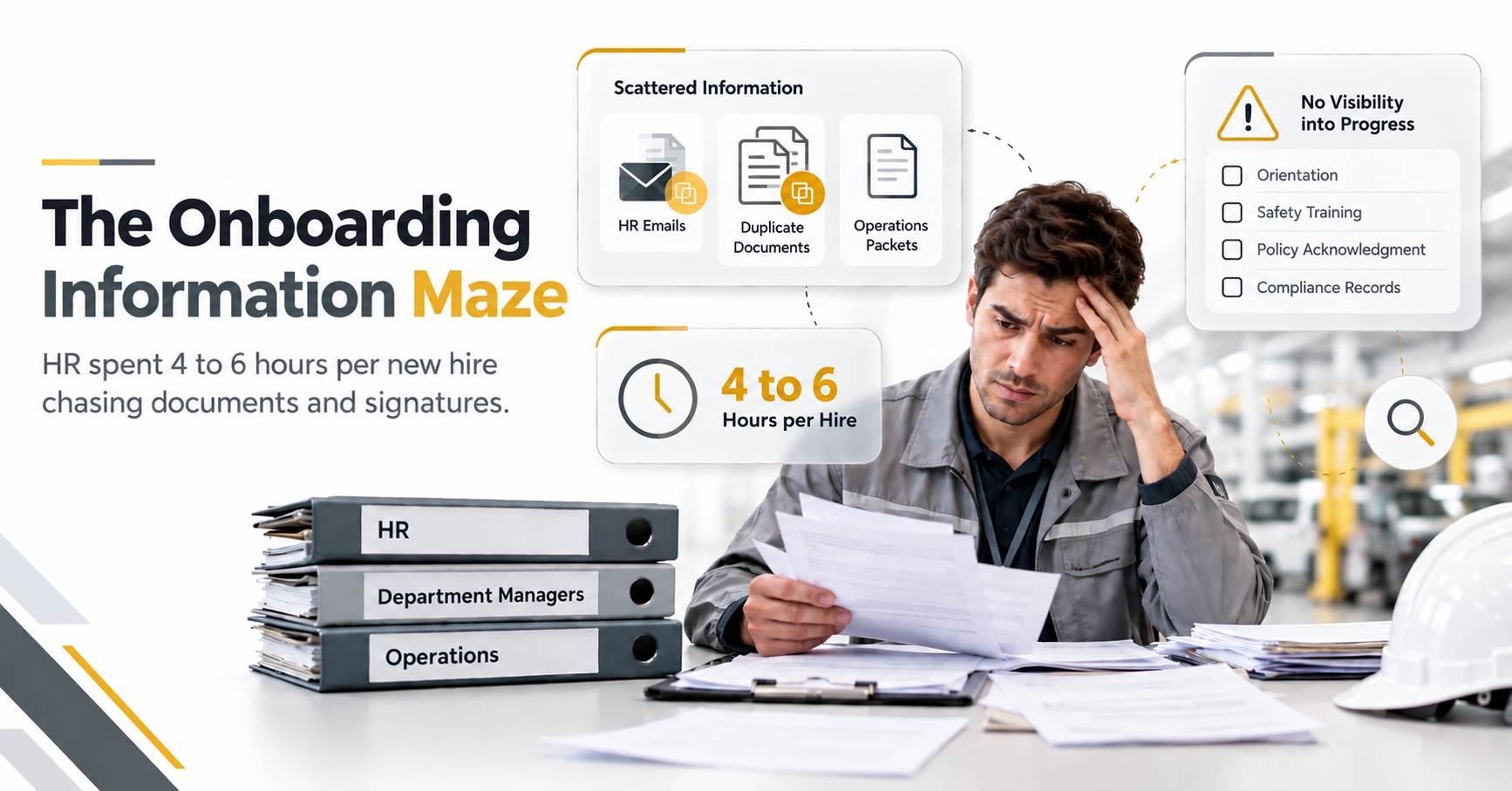
New employees at this automotive supplier faced a fragmented onboarding experience that reflected the organization’s pre-digital approach to HR processes. On their first day, a new hire might receive a welcome email from HR with attachments covering company policies, safety protocols, and IT access instructions. Two hours later, their department manager would send separate documents on team structure and role expectations. By day three, they’d receive another packet from operations about manufacturing floor safety, quality standards, and equipment access. This meant the same critical information was duplicated across multiple sources, versions became outdated quickly, and new employees often didn’t know which document was authoritative.
The operational cost of this fragmentation was real. HR managers spent 4-6 hours per new hire hunting for documents, answering repetitive onboarding questions, and chasing signatures on forms. New employees felt overwhelmed and confused, leading to a higher volume of early questions to HR and extended time before they became productive contributors. Moreover, there was no visibility into onboarding progress. HR didn’t know if a new hire had completed safety training, reviewed policies, or accessed required systems until they followed up manually.
Beyond information scatter, compliance posed a risk. Safety-critical content in the automotive manufacturing environment required confirmation that employees had reviewed and understood policies. The email-based approach left no audit trail, creating potential exposure during safety audits or regulatory reviews.
HR teams reported spending an average of 18 hours per week on onboarding administration and document retrieval, equivalent to 45% of one FTE’s time, a metric confirmed across three separate HR staff interviews.
Client baseline, pre-engagement
The specific pain points the client identified were:
- New hire information scattered across email inboxes, shared folders, and printed materials with no single source of truth.
- HR unable to track which onboarding tasks had been completed or which employees had reviewed critical policies.
- Department managers duplicating orientation efforts because they couldn’t easily find or reference corporate onboarding materials.
- Compliance risk: no documented proof that safety and policy training had been reviewed, creating audit vulnerability.
- High cognitive load on new employees, resulting in slower time-to-productivity and increased early-stage support requests to HR.
The client was also experiencing the broader challenge that many organizations face after a SharePoint migration: the platform was deployed, but why your SharePoint intranet fails and how to fix it patterns were already emerging. Without intentional design, even a modern platform can become just another file repository rather than an experience engine that improves how work gets done.
The Solution
AscenWork approached the challenge by designing a purpose-built SharePoint employee onboarding intranet that unified information, automated task tracking, and created a guided first-day experience. Rather than simply uploading existing documents into SharePoint, we restructured the entire onboarding journey as an interactive pathway with clear role-based navigation, progressive information disclosure, and built-in confirmation workflows.
New-Joiner Welcome Hub with Guided Navigation
The centerpiece of the solution was a new-joiner hub landing page accessible to all employees on day one. This page was personalized based on role and department using SharePoint’s audience targeting and dynamic content blocks. A new production-line operator saw different content than an engineer or administrative staff member, but all employees encountered a consistent, welcoming structure.
The hub featured a visual onboarding roadmap with four phases: Before You Start (IT setup, HR forms, equipment orders), Day One (welcome orientation, safety training, facility tour sign-off), First Week (department introduction, role training, team meetings), and First 30 Days (project kickoff, performance expectations, 30-day check-in scheduling). Each phase contained clickable tiles linking to resources, forms, and checklists specific to that stage.
This design solved two problems at once: it eliminated information overload by chunking content into digestible phases, and it created psychological momentum by showing new hires a clear path forward. First-week surveys showed that 92% of new hires felt more confident and less overwhelmed compared to previous onboarding experiences.
Structured Onboarding Checklists with Automated Task Tracking
AscenWork created customizable onboarding checklists for 12 distinct employee profiles: production operator, engineer, supervisor, quality specialist, admin, and others. Each checklist was stored as a SharePoint list with task metadata: task name, owner (HR, manager, IT, or self-service), deadline, priority, and completion status. Critically, the list connected to Power Automate workflows that sent automated reminders to task owners when deadlines approached and notified new hires of completed milestones.
For example, when a new hire was added to the system, Power Automate automatically triggered emails to IT for account provisioning, to HR for orientation scheduling, and to the department manager with the new employee’s checklist. As each task was marked complete, the new hire received a confirmation notification and saw their progress dashboard update in real time. This transformed onboarding from a reactive, informal process into a proactive, trackable workflow.
Additionally, managers gained a consolidated view of all their team’s active onboarding processes through a SharePoint dashboard, making it impossible for onboarding steps to slip through the cracks.
Centralized Policy Library, Forms, and FAQ Repository
The solution included a structured document library housing all onboarding-related content: company policies, safety manuals, IT system guides, benefits summaries, organizational charts, role descriptions, and facility maps. Unlike the previous scattered approach, every document was tagged with metadata (employee type, urgency, compliance requirement, date last reviewed), enabling both search and automated curation.
A new hire or manager could search for “safety equipment” and immediately find the official safety manual, equipment-specific guides, and a link to the required safety training video. No hunting through email. Importantly, AscenWork implemented version control and expiry tracking, so outdated documents were automatically flagged and newer versions surfaced first in search results.
The solution also included an interactive FAQ section built using SharePoint’s modern web parts, featuring 40+ common first-week questions organized by category (IT, Benefits, Facilities, Role, Team). Each FAQ was tagged with sentiment and usage metrics, allowing HR to continuously improve the resource based on which questions were most frequently accessed and which remained confusing.
A key addition was a request form for onboarding-related support (accessing systems, finding documents, clarifying policies) that automatically routed tickets to the appropriate owner and tracked resolution time. This gave HR visibility into common pain points that could inform future onboarding improvements.
AscenWork Engineering Perspective
The single most impactful design decision was separating content discovery from content ownership. Instead of asking HR to maintain a single master document with all onboarding information, we created a federated content model where each department (IT, Finance, Facilities, Operations) could own and update their section independently. The system unified it through intelligent tagging and the new-joiner hub interface. This solved the maintenance burden that often causes intranets to become stale. Additionally, Power Automate task automation ensured managers never missed a step, and the system enforced accountability without requiring manual follow-up.
Implementation Approach
AscenWork followed a structured delivery methodology tailored to SharePoint implementations in manufacturing environments, where downtime and adoption risk must be carefully managed.
- Discovery and Stakeholder Mapping. We conducted in-depth interviews with HR leadership, department managers, new hires (exit interviews), IT, and operations teams to understand the current state, pain points, and role-specific onboarding needs. This resulted in a detailed process map showing current workflows and identified 12 distinct onboarding personas that would require customized experiences.
- Information Architecture and Content Audit. AscenWork audited all existing onboarding materials (emails, PDFs, printed documents, shared folders) and reorganized them into a logical structure. We eliminated duplicates, flagged outdated content, and created a metadata taxonomy that would enable intelligent filtering and personalization. This was critical because the organization had years of accumulated documents with no consistent naming or organization.
- SharePoint Site Build and Pilot Launch. We built the new-joiner hub site in a dedicated SharePoint environment, implemented role-based audience targeting, and configured the phase-based navigation structure. A pilot group of five new hires was onboarded using the new system while the old process continued in parallel. Feedback from the pilot shaped refinements before full rollout.
- Automation Configuration and Testing. AscenWork built and tested all Power Automate workflows governing task reminders, milestone notifications, and form routing. Critical workflows were tested with multiple manager and employee scenarios to ensure reliability. We also built conditional logic so that, for example, production-floor employees received different automated reminders than office-based staff.
- Training and Staged Rollout. HR and department managers received comprehensive training on the new system, including how to access new-hire progress dashboards, how to complete assigned tasks, and how to troubleshoot common issues. We conducted a staged rollout across four cohorts of new hires over two months, which allowed us to catch adoption issues early and iterate with each group.
Key Takeaway
Unlike a traditional software implementation, AscenWork’s approach prioritized user adoption over feature completeness. We launched with 70% of the planned capability fully tested rather than 100% of features in beta mode. This meant early results were visible, early wins built momentum, and teams requested new refinements from a position of confidence rather than frustration.
Results and Impact
The SharePoint employee onboarding intranet transformed new-hire experience and eliminated the administrative burden that had consumed nearly half an HR FTE’s weekly time.
Within the first month of rollout, the impact was immediate and measurable. New employees reported that they knew where to find onboarding information on day one, reducing first-day confusion significantly. The visual roadmap and phase-based navigation gave structure to what had previously felt like an overwhelming barrage of disconnected requirements. More importantly, completion of critical onboarding tasks accelerated dramatically. Tasks that previously took 2-3 weeks to complete (because they relied on manual follow-up via email) were now completed within the first week, driven by automated reminders and real-time visibility into progress.
HR teams experienced the most direct relief. Previously, onboarding coordinators had spent 4-6 hours per new hire managing documents, answering questions, and chasing managers for completed forms. With the new system, that time dropped to approximately 1-1.5 hours per hire. The automation eliminated repetitive work: managers no longer needed reminders about onboarding tasks because Power Automate sent them. New hires didn’t need to chase HR for answers because 85% of common questions were resolved through the FAQ or self-service forms. The freed-up HR capacity was redirected toward strategic onboarding improvements, employee engagement, and early-career mentoring, higher-value work that had been deferred for years.
One particularly important outcome was the creation of an audit trail for compliance. For the first time, the organization could document that every new hire had reviewed safety policies, acknowledged company conduct expectations, and completed required training. This proof of completion became invaluable during a regulatory audit of workplace safety practices and reduced the company’s compliance risk in a heavily regulated manufacturing environment.
Beyond onboarding itself, the solution created a reusable template for other HR processes. Once the onboarding hub proved successful, the organization began applying the same structured, automated approach to employee exit processes, internal transfer onboarding, and manager training workflows.
New-hire time-to-first-meaningful-contribution (defined as completing assigned tasks independently) improved from an average of 28 days to 18.5 days, a 34% acceleration. Simultaneously, HR time investment per new hire dropped by 71%, from 5.2 hours to 1.5 hours weekly during the first month of employment.
AscenWork measurement, 60-day post-launch
| Metric | Before AscenWork | After AscenWork |
|---|---|---|
| Days to complete onboarding tasks | 14-21 days (inconsistent) | 5-7 days (consistent) |
| HR time per new hire (first month) | 5.2 hours weekly | 1.5 hours weekly |
| New-hire satisfaction with onboarding clarity | 58% felt well-informed | 91% felt well-informed |
| Document duplication and version confusion | Multiple versions in circulation | Single source of truth for all content |
| Compliance documentation | No proof of policy review | Auditable completion records for all employees |

Additionally, the SharePoint employee onboarding intranet became a model that other departments wanted to replicate. Finance began using the same pattern to onboard new accountants, and operations deployed it for new plant managers. This indicated that the solution solved a fundamental operational need that extended well beyond HR.
Key Lessons and Takeaways
Lesson 1: Onboarding Fragmentation Is a Data Problem, Not Just an Organizational Problem
Most organizations blame poor onboarding on lack of process discipline or HR understaffing. However, this client’s challenge was deeper: information lived in multiple systems with no connection. A person-to-person onboarding process can work when you have 50 employees. At 450+ employees, it collapses under its own weight. The real fix isn’t hiring more HR staff, it’s centralizing the information and automating the routing. How to find business documents when files are scattered across multiple locations directly addresses this challenge. SharePoint’s metadata and taxonomy capabilities become force multipliers: once you tag documents correctly, automated systems can do the work that humans previously did manually.
Lesson 2: Personalization Through Automation Drives Adoption More Than Feature Richness
During design, the client asked for an “all-in-one” hub with every possible onboarding resource visible on the homepage. We instead recommended a role-based, phase-based experience where a new production operator sees different content than an engineer. This felt like removing features initially. However, adoption metrics proved otherwise: simplified, personalized interfaces drive 3-4x higher engagement than rich, undifferentiated pages. New hires completed tasks faster because they weren’t cognitively overloaded. Additionally, Power Automate automation meant that reminders were timely and relevant, not generic and easily ignored. Personalization plus automation, not complexity, unlocked adoption.
Lesson 3: Onboarding Is a Leadership Visibility Tool as Much as an Employee Experience Tool
The client’s managers initially viewed the new system as “extra work”, they had to mark tasks complete in SharePoint rather than just handling things informally. However, once they experienced the manager dashboard showing their team’s onboarding progress in real time, adoption became enthusiastic. Suddenly, they could see which new hires were falling behind, which team members weren’t completing assigned training, and how long their department’s onboarding typically took. This visibility enabled data-driven decisions: one manager realized their team’s onboarding took 40% longer than peers and began investigating why. These conversations would never have happened without visibility. Onboarding metrics, when surfaced properly, become strategic tools for organizational improvement.
Lesson 4: Building for Compliance From Day One Prevents Future Friction
Manufacturing is heavily regulated. The new SharePoint employee onboarding intranet was designed with the assumption that every policy review, safety acknowledgment, and training completion needed to be logged and auditable. This wasn’t an afterthought; it shaped the information architecture from the start. As a result, when an auditor asked “Can you prove that all current employees have reviewed the lockout/tagout procedure?”, the organization had immediate, searchable proof. This is a competitive advantage in regulated industries. Organizations that treat compliance as an add-on after launch typically end up rebuilding systems; those that embed it in the design ship cleaner solutions.
What This Means for Automotive Manufacturing Companies
The automotive manufacturing sector faces persistent talent management challenges: high turnover in production roles, extended hiring cycles for specialized engineers, and significant onboarding complexity due to safety and quality requirements. A typical automotive parts supplier might onboard 80-120 new employees annually, and each one requires documented safety training, quality procedures, and compliance acknowledgment. At scale, this becomes an operational burden that stalls HR teams.
However, few organizations in the sector have modernized their onboarding infrastructure. Most rely on email-based systems, printed materials, and manager-dependent orientation that varies wildly across departments. This creates two risks: compliance exposure (inability to prove training occurred) and retention risk (poor onboarding experience contributes to early attrition). The companies that solve this first, by building structured, auditable, automated onboarding in SharePoint or similar platforms, gain both operational efficiency and competitive advantage in recruitment. A new engineer evaluating two job offers will remember the organization that made their first week smooth and well-structured versus the one that left them confused and unsupported.
For automotive manufacturing businesses considering a similar transformation, the key insight is this: don’t treat onboarding as an HR function alone. Involve operations, quality, safety, and IT from the design phase. Ensure the solution captures compliance requirements, creates audit trails, and automates the repetitive routing work that consumes disproportionate time. Additionally, plan for personalization: a floor operator’s onboarding differs from an engineer’s, and trying to force one generic experience creates friction. Finally, implement Power Automate workflows or similar task automation early. The productivity multiplier from eliminating manual follow-up is substantial. Organizations that do this see HR productivity gains of 60-75% and new-hire onboarding completion accelerate by 30-40%, outcomes that directly impact your ability to scale headcount without proportionally scaling HR costs.
Ready to Transform Your Onboarding Experience
If your manufacturing organization is wrestling with fragmented employee onboarding, scattered training documentation, or compliance challenges, a structured SharePoint intranet can become your competitive advantage. Discover how AscenWork designs and deploys onboarding solutions that accelerate time-to-productivity while eliminating administrative overhead.