HR Analytics Dashboards for Workforce, Hiring & Employee Performance
HR teams need more than spreadsheets to understand workforce performance. HR dashboards bring information from employee records, recruitment, payroll, attendance, and other HR systems into a centralized reporting view. These dashboard templates are designed around practical HR use cases such as headcount tracking, recruitment, attrition, employee performance, workforce planning, compensation, and engagement. They can be adapted to your data and implemented with tools such as Power BI, Excel, HRMS platforms, and SQL-based data sources.
Built around real HR reporting needs. Easy to customize and ready to adapt to your data.
Get a Custom HR Dashboard & Analytics Report
HR teams often work with workforce information spread across HRMS platforms, payroll systems, recruitment tools, spreadsheets, and employee records. When these sources are reviewed separately, it becomes difficult to understand headcount changes, hiring performance, employee turnover, workforce costs, and engagement trends. A centralized analytics view helps HR managers and business leaders monitor trends, compare departments, identify workforce risks, and make faster decisions.
Key benefits include:
- Monitor headcount, hiring, and workforce trends
- Track employee attrition and retention
- Analyze recruitment pipeline and hiring performance
- Compare workforce metrics across departments and locations
- Monitor employee performance and engagement
- Analyze compensation and workforce costs

HR dashboards can support different stages of the employee lifecycle, from recruitment and onboarding to performance, retention, and workforce planning. Instead of relying on a single report, HR teams can create focused views for the metrics that matter to each function and decision-maker.
Workforce Overview
Recruitment & Hiring
Employee Attrition & Retention
Employee Performance
Compensation & Workforce Cost
Attendance & Leave
Get the HR Dashboard Template
Get Free Demo
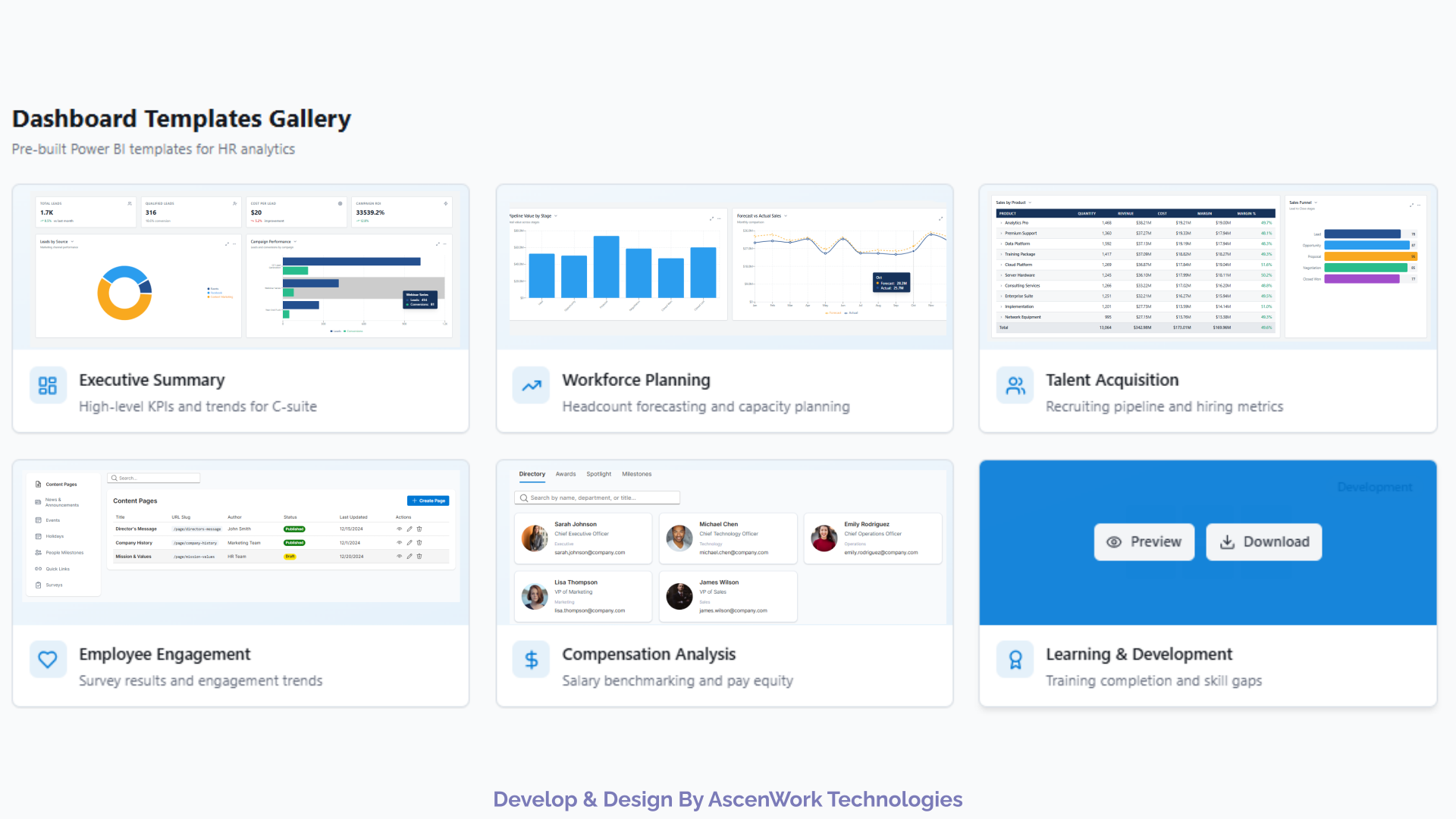
Explore HR dashboard templates and examples designed around common workforce reporting requirements. These dashboard views help HR teams analyze headcount, recruitment, attrition, employee performance, engagement, compensation, and workforce planning. he examples can be adapted to different HR datasets and reporting environments, including Excel, HRMS platforms, SQL databases, and Power BI.
Common dashboard screens include:
- Workforce overview dashboard
- Recruitment and hiring dashboard
- Employee attrition and retention dashboard
- Attendance and leave dashboard
- Employee performance dashboard
- Compensation and workforce cost dashboard
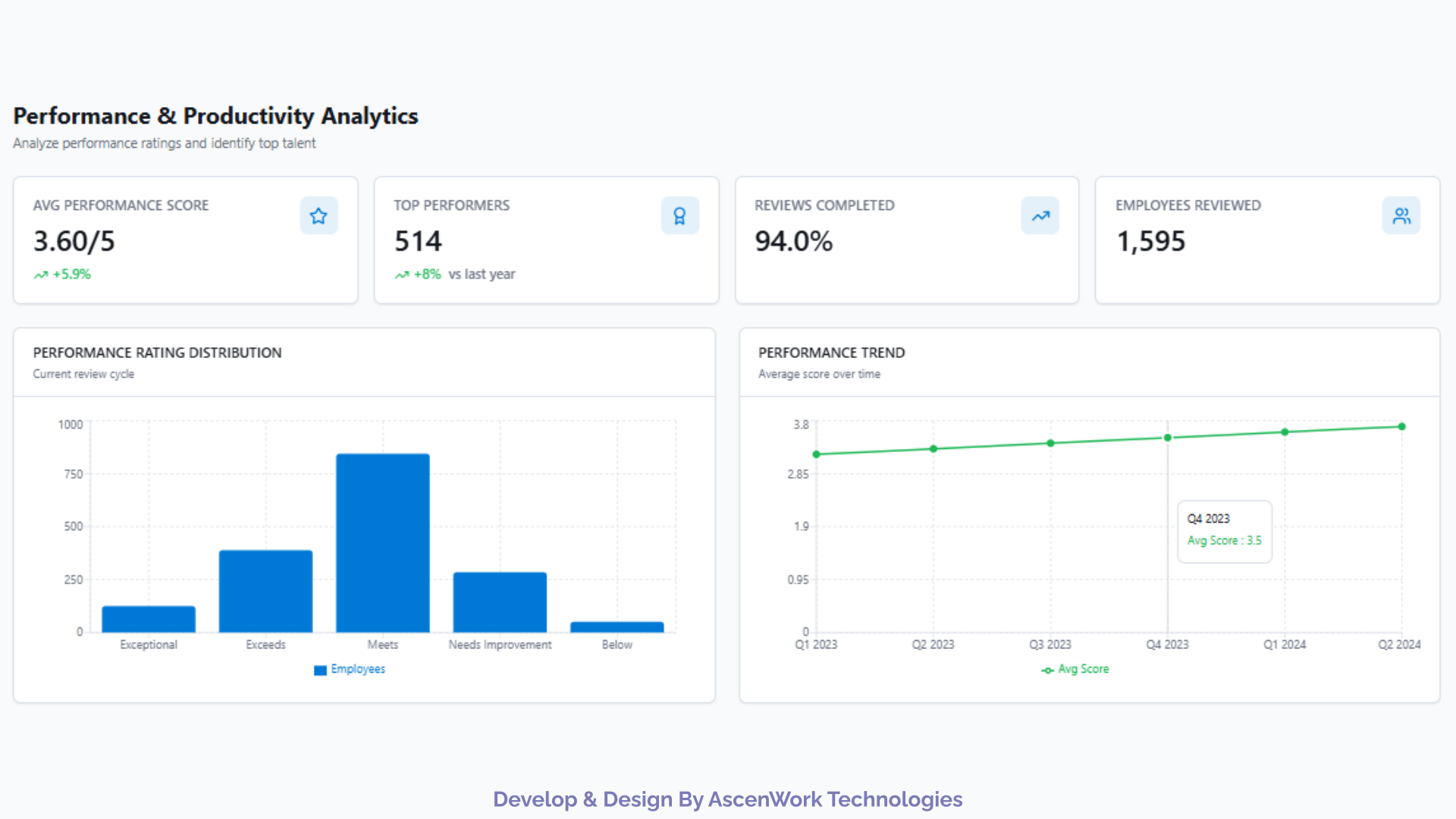
Employee performance dashboards help HR teams understand performance trends across departments, roles, teams, and reporting periods. Instead of reviewing employee performance data through separate spreadsheets or static reports, managers can use interactive views to compare performance and identify areas that require attention. Depending on the organization’s reporting model, the dashboard can combine employee ratings, performance categories, department information, goals, and review results into a single reporting view.
Key Metrics:
- Performance rating distribution
- Performance by department
- Performance by role
- Goal achievement
- High and low performance segments
- Review completion
- Performance trends over time
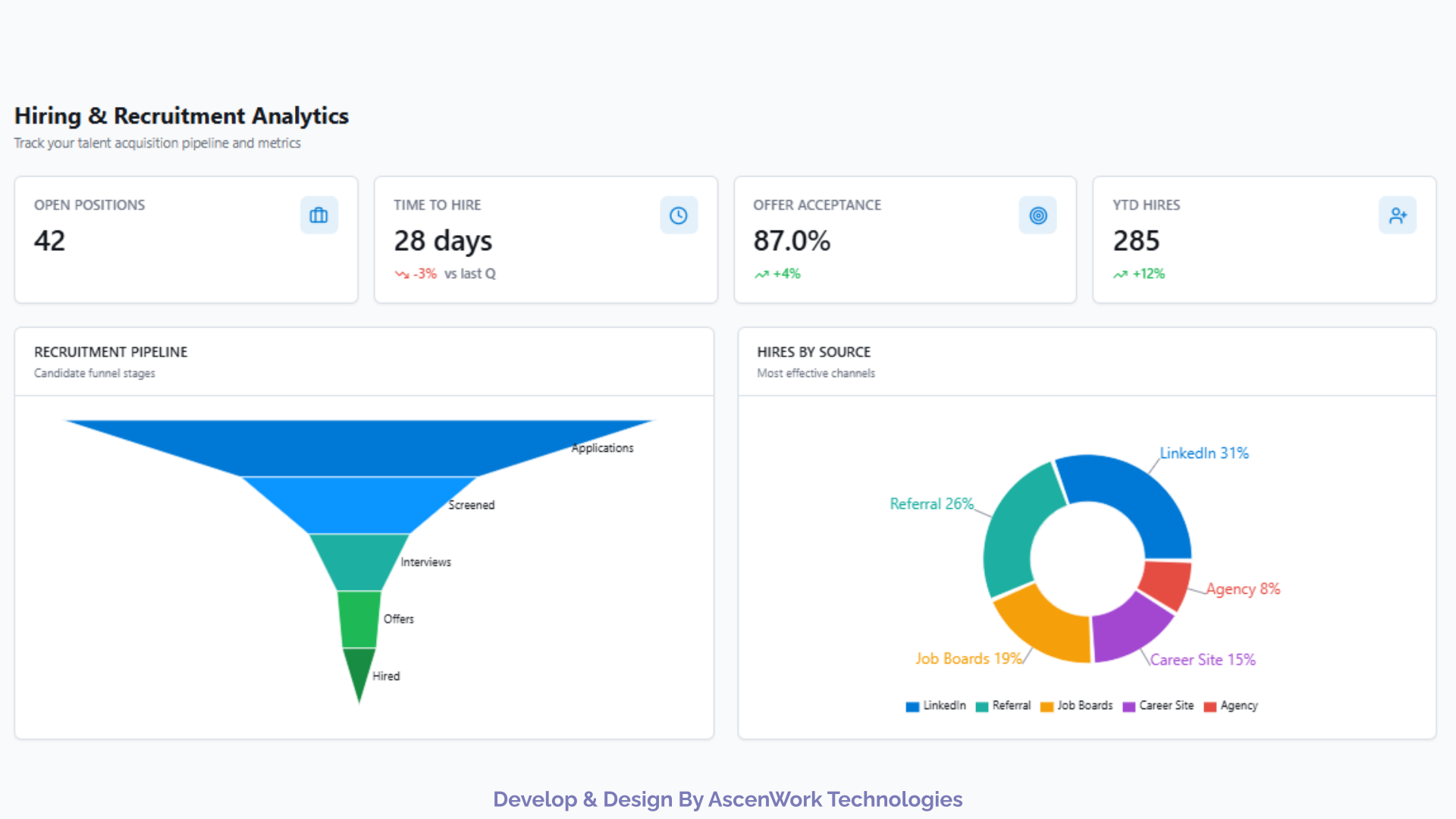
Recruitment dashboards help HR and talent acquisition teams understand how efficiently candidates move through the hiring process. A centralized recruitment report can show open positions, candidate volume, hiring stages, recruitment sources, and time-to-hire trends. These insights help recruiters identify bottlenecks, compare hiring channels, and monitor recruitment performance across teams and locations.
Key Metrics:
- Open positions
- Applications received
- Candidates by hiring stage
- Time to hire
- Offer acceptance rate
- Hires by source
- Recruitment pipeline
- Hiring trends
Need a Custom HR Dashboard?
Tell us what you need to track across recruitment, workforce performance, attrition, compensation, or employee analytics. We can design a reporting solution around your data and business requirements.
Request a Custom HR Dashboard
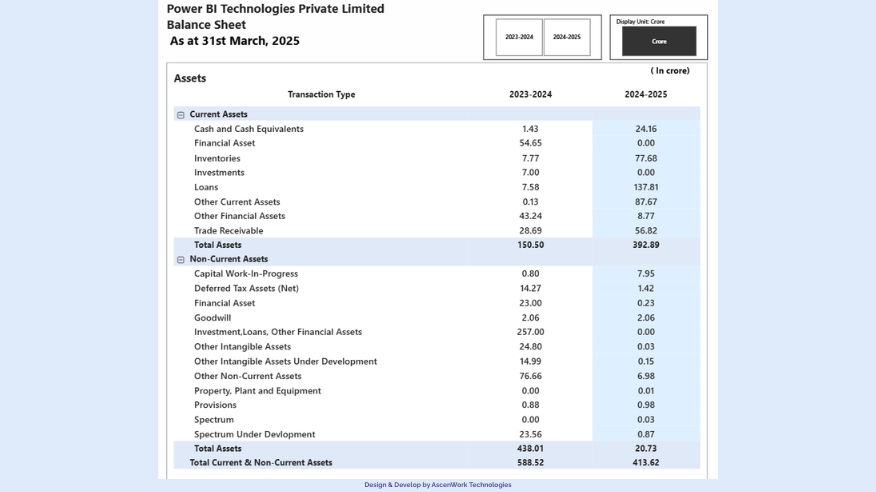
Workforce planning dashboards help organizations compare current headcount with hiring requirements, workforce capacity, and future staffing needs. HR and business leaders can use these reports to understand workforce distribution and identify areas where additional hiring or resource planning may be required. The dashboard can combine current employee data with recruitment activity and workforce targets to provide a clearer view of staffing requirements.
Key Metrics:
- Current headcount
- Headcount by department
- Open positions
- New hires
- Workforce growth
- Planned versus actual headcount
- Employee-to-role distribution
- Workforce capacity
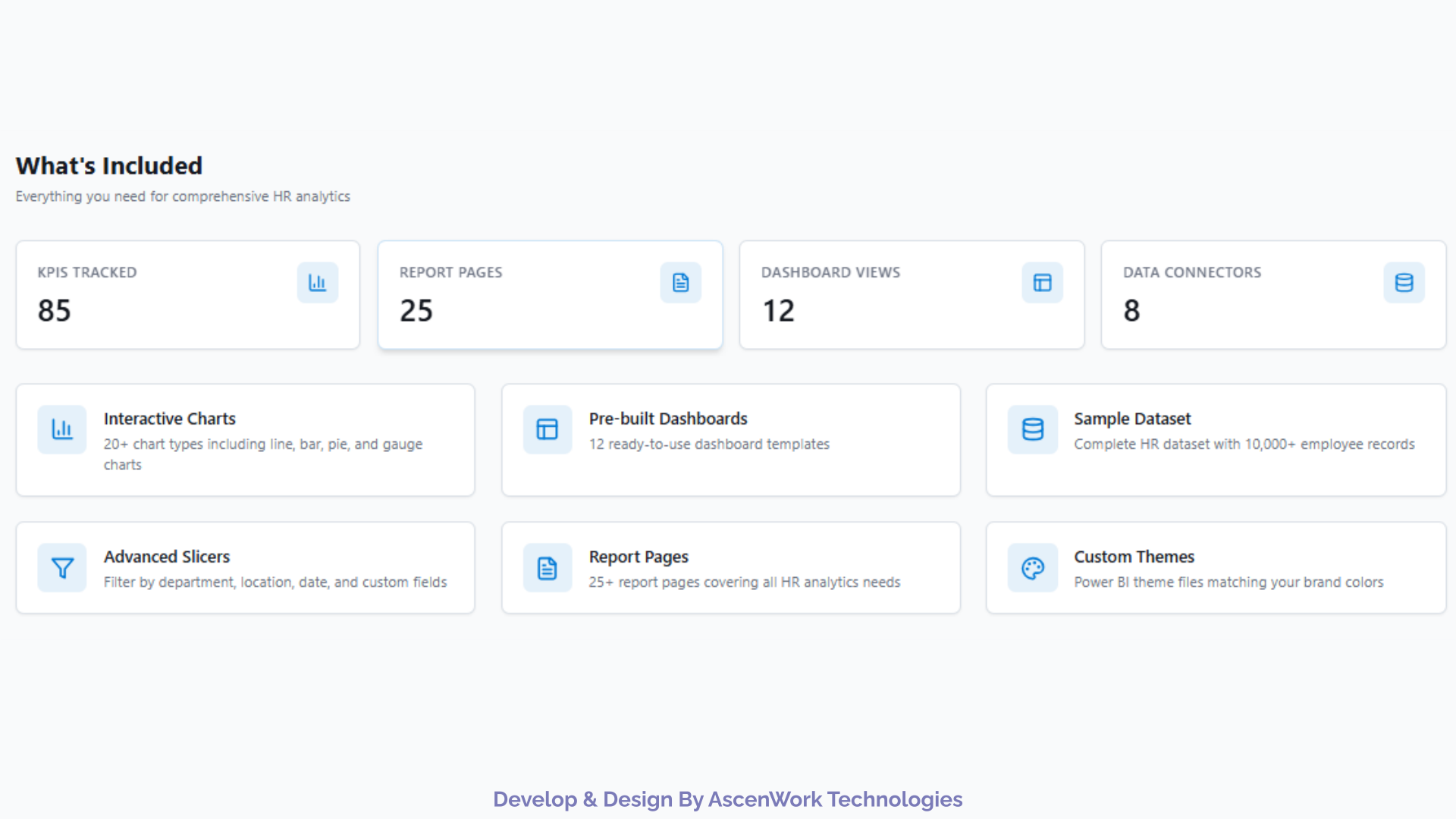
The template provides a starting point for HR reporting with pre-built visuals, commonly used workforce metrics, interactive filters, and sample data. HR teams can use the sample dataset to understand the report structure before connecting their own employee or HR system data.
What you get:
- Pre-built HR KPIs and workforce metrics
- Workforce overview and trend visuals
- Recruitment and hiring analysis
- Attrition and retention reporting
- Employee performance analysis
- Interactive filters and drill-downs
- Sample HR dataset
- Flexible data mapping for Excel, HRMS, and database sources
Ready to Customize a Template?
Start with a ready-made HR reporting template and adapt it to your data, KPIs, and reporting needs.
Get Customize an HR Template
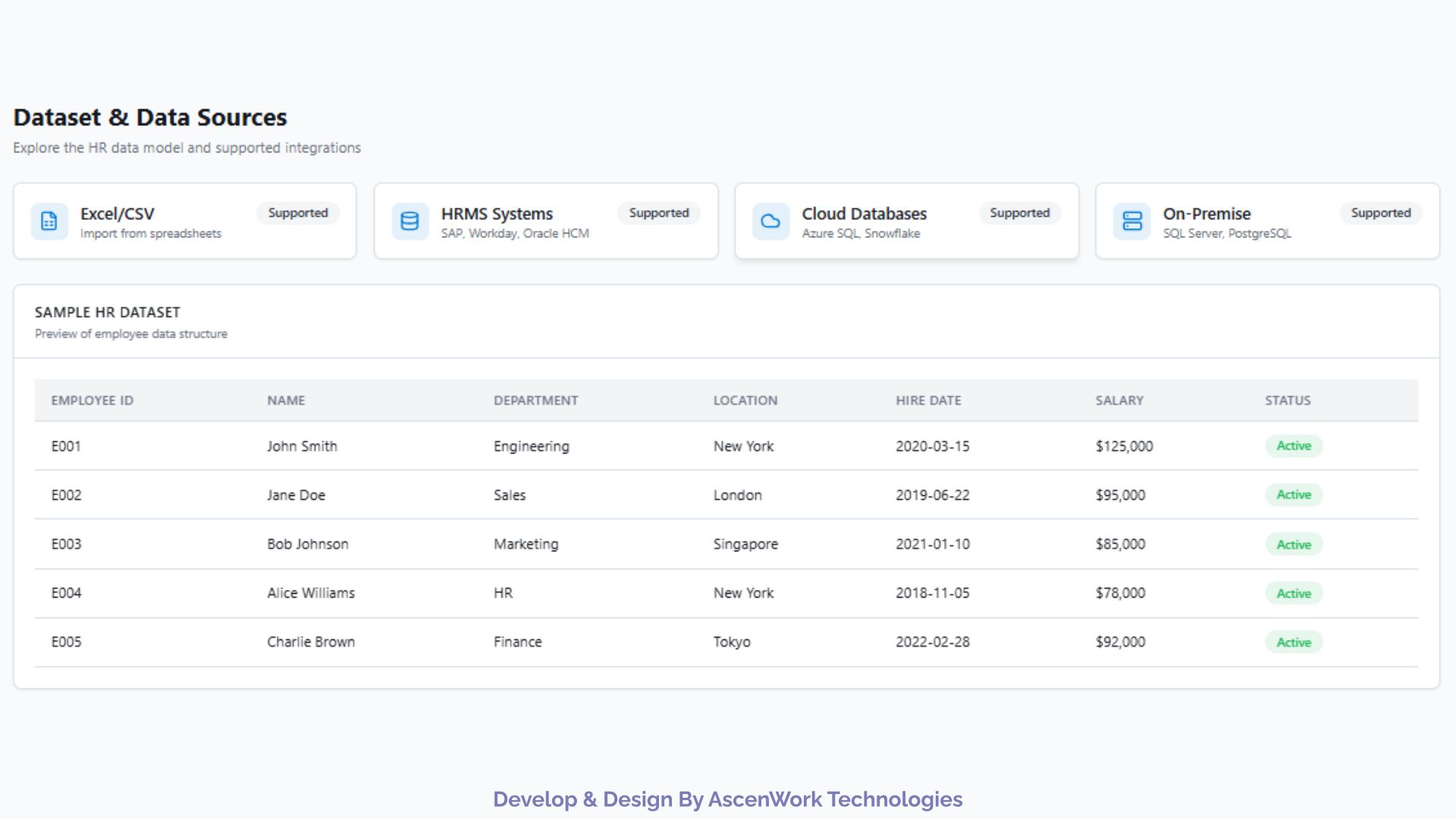
The sample HR dataset is structured around common workforce reporting scenarios such as headcount, recruitment, attrition, employee performance, and workforce analysis. It can be used to understand the dashboard structure before connecting your organization’s own HR data. Depending on your reporting environment, HR data can come from spreadsheets, HRMS platforms, payroll systems, recruitment tools, SharePoint Lists, SQL databases, or cloud data sources.
Supported data sources:
-
Excel or CSV HR files
-
HRMS platforms
-
Payroll systems
-
Recruitment and ATS tools
-
SharePoint Lists
-
SQL Server and cloud databases
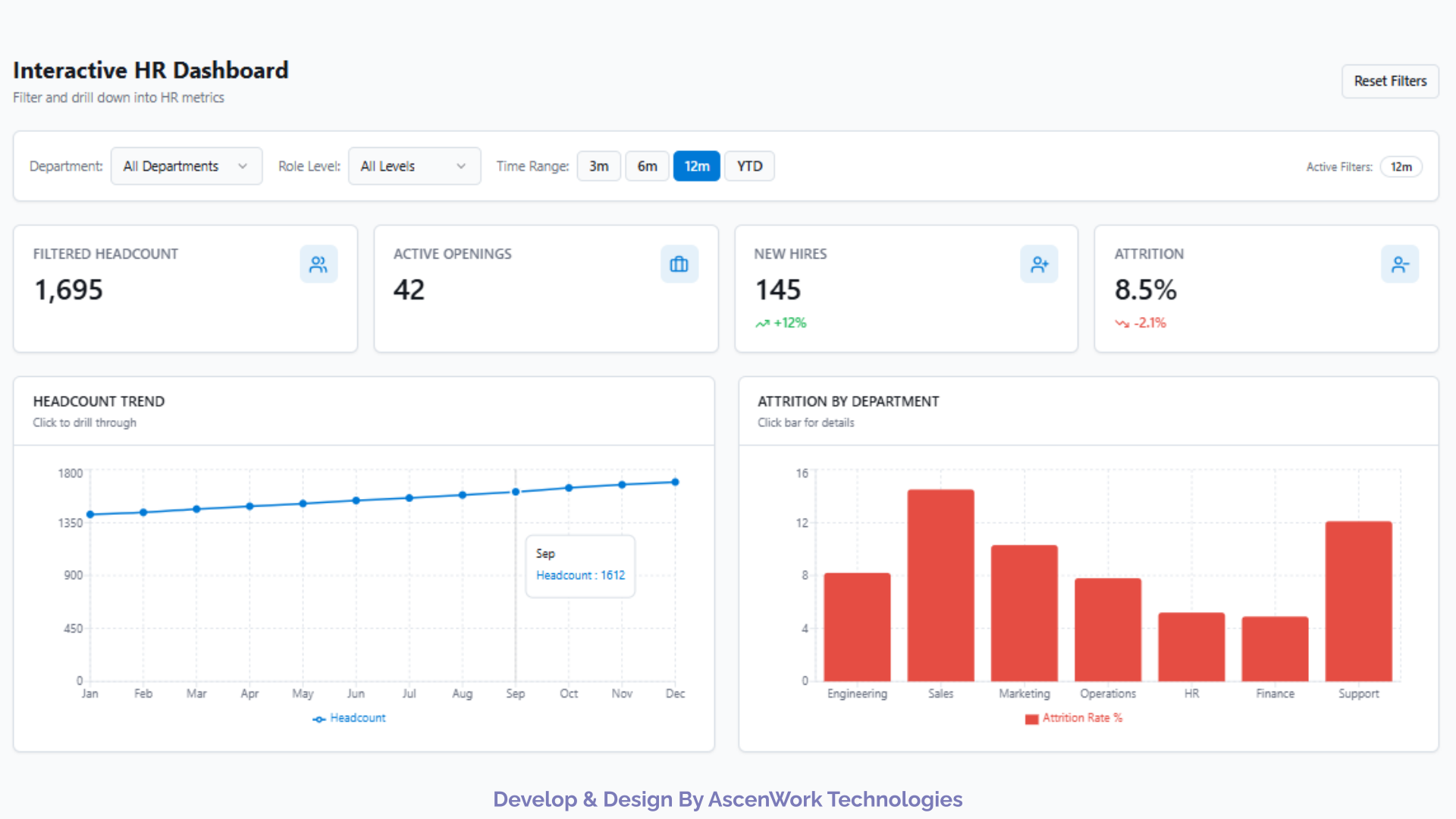
Static HR reports can make it difficult to investigate changes in workforce performance. An interactive dashboard allows HR leaders to filter information, compare departments, review trends, and drill into specific workforce segments without creating separate reports for every question. HR managers, CHROs, recruitment leaders, and business stakeholders can use these interactive views to understand workforce performance and support planning decisions.
With this dashboard, HR leaders can:
- Drill down from company-level to workforce segments
- Filter by department, location, role, or manager
- Compare hiring and attrition trends
- Identify high-risk attrition segments
- Support workforce planning and resource decisions
The dashboard can be implemented in Power BI when organizations need interactive reporting, centralized data connections, and reusable analytical views.
Connect Your HR Data
Bring data from Excel, HRMS, payroll, recruitment, SQL, or other sources into one reporting view.
Discuss Data Integration
Getting started with the HR dashboard template is straightforward. Download the template, open it in the supported reporting environment, connect your HR dataset, and update the metrics or filters required for your organization. If you are using Power BI, the report can be opened in Power BI Desktop and connected to your HR data before publishing it to Power BI Service.
Steps to get started:
- Download the HR dashboard template
- Open the template in the supported application
- Connect your HR dataset or Excel file
- Map the required HR fields
- Refresh the data and review the KPIs
- Customize filters, metrics, and visuals as required
- Publish and share the report securely
The right HR KPIs depend on the organization’s workforce structure and reporting objectives. A well-designed HR dashboard can combine workforce, recruitment, retention, performance, and cost metrics into a single reporting view.
Common HR dashboard KPIs:
- Total headcount
- Headcount growth
- Employee attrition rate
- Employee retention rate
- Average employee tenure
- New hires
- Time to hire
- Offer acceptance rate
- Open positions
- Recruitment pipeline
- Absence rate
- Leave utilization
- Employee performance rating
Turn HR Data Into Insights
Get an HR analytics solution designed around your workforce data, KPIs, and business requirements.