Business travel is essential for many organizations, but managing travel approvals manually often leads to delays, policy violations, and budget inconsistencies. The Travel Request Approval Workflow, powered by Microsoft Power Automate and SharePoint, streamlines how employees request travel, how managers approve trips, and how finance teams validate travel budgets. This automated workflow ensures transparency, compliance, and faster decision-making, reducing administrative load while improving travel planning efficiency.
Get a Free Demo of M365 based Approval Workflow
Approval Workflow Features
Customizable Approval
Automated Notifications
Audit Trail and Reporting
Approval Decision Options
Query Handling
Add Additional Approvers
Streamline Your Business Travel Request and Approval Process
The Travel Request Approval Workflow digitizes the entire process — from submitting travel plans and estimating costs to obtaining multi-level approvals. Built using SharePoint and Power Automate, it ensures accurate data capture, adherence to travel policies, and seamless coordination between employees, managers, travel teams, and finance departments.
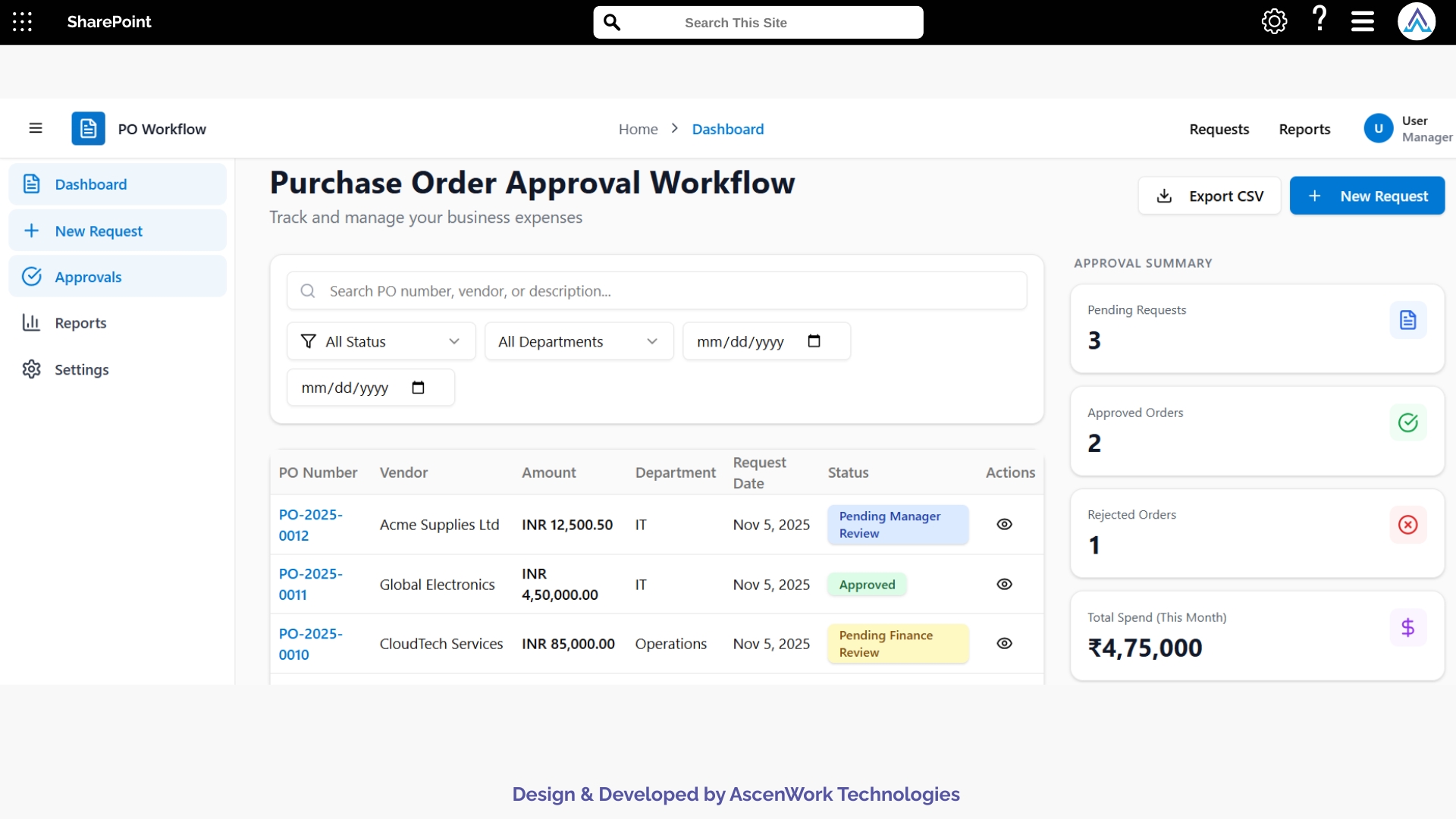
Implement AscenWork’s Travel Request Approval Workflow using Microsoft Power Automate and SharePoint for efficient, organized business travel management.
1. Digital Travel Request Form
Employees can submit travel requests through a SharePoint-based form, including destination, travel dates, purpose, estimated expenses, and required approvals. The form also supports attachments such as itineraries or meeting invites. Integrated with Power Automate, the request is instantly routed to reporting managers. This ensures that all travel data is captured consistently, stored securely, and aligned with company travel policies.

2. Automated Multi-Level Approval
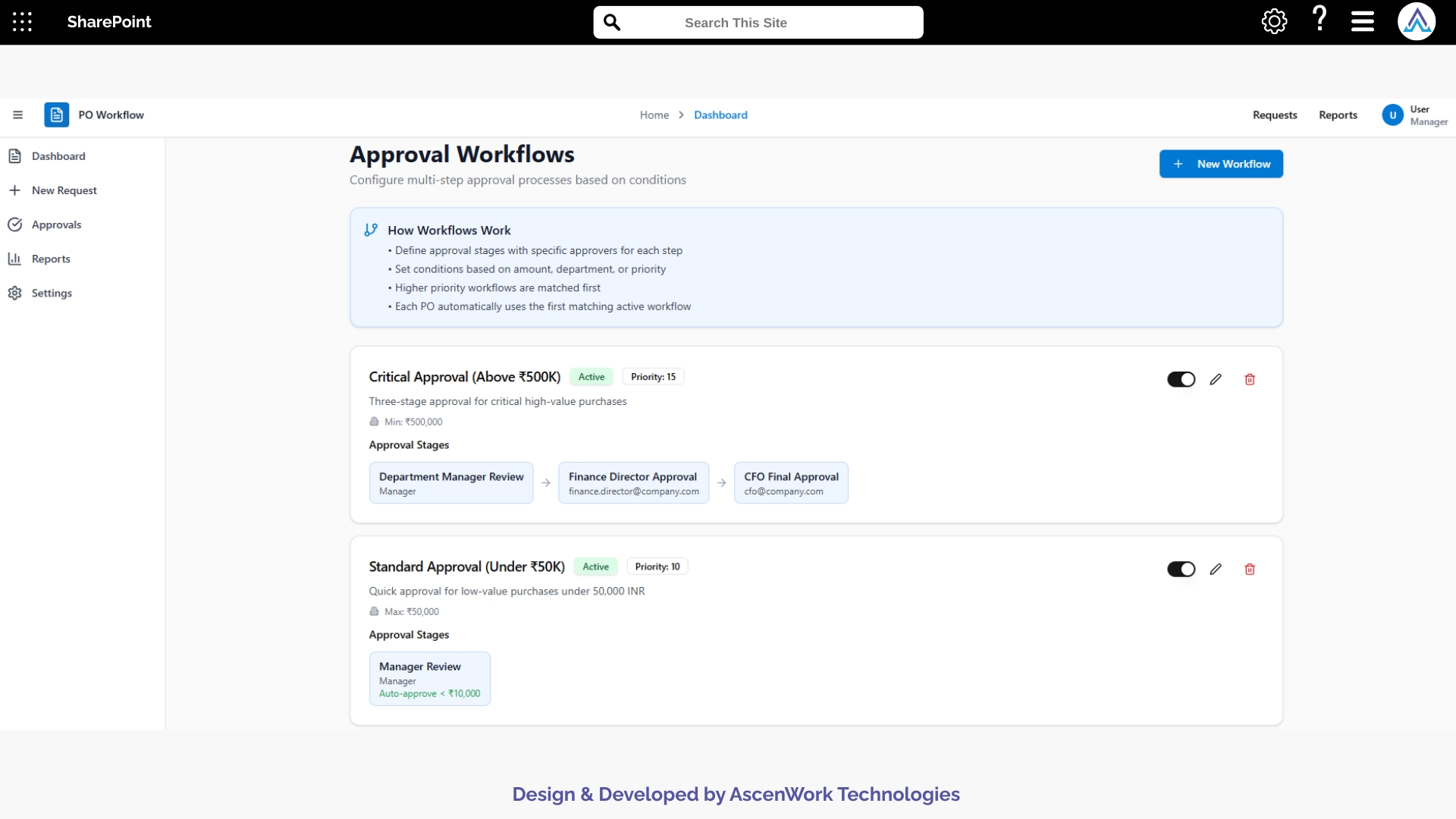
The workflow routes travel requests automatically through various approval levels — department manager, travel coordinator, and finance team. The structure is based on destination, travel duration, budget, or seniority level. If an approver delays action, escalation reminders are sent. This automation reduces approval cycles, maintains compliance with travel policies, and ensures that only authorized trips are processed and booked.
3. Travel Budget Validation
Before final approval, the workflow validates estimated travel costs against predefined budget limits. Integration with finance data ensures policy compliance for airfare, hotel, and daily allowances. Any deviation is flagged for managerial review. This feature improves financial accuracy, supports budget planning, and prevents overspending across departments.
4. Notifications and Alerts
Integrated Microsoft Teams and Outlook alerts notify employees and managers regarding new requests, approvals, pending actions, or budget issues. Automated reminders reduce follow-ups and keep travel processes on schedule. Notifications also help travel teams coordinate bookings and ensure timely decision-making for domestic or international travel plans.
5. Role-Based Access Control
The workflow uses SharePoint security permissions to ensure employees can only access their own travel information, while managers and travel teams view relevant requests. Finance staff can review cost details and budgets. This controlled access protects sensitive travel data, supports compliance, and ensures secure collaboration across departments.
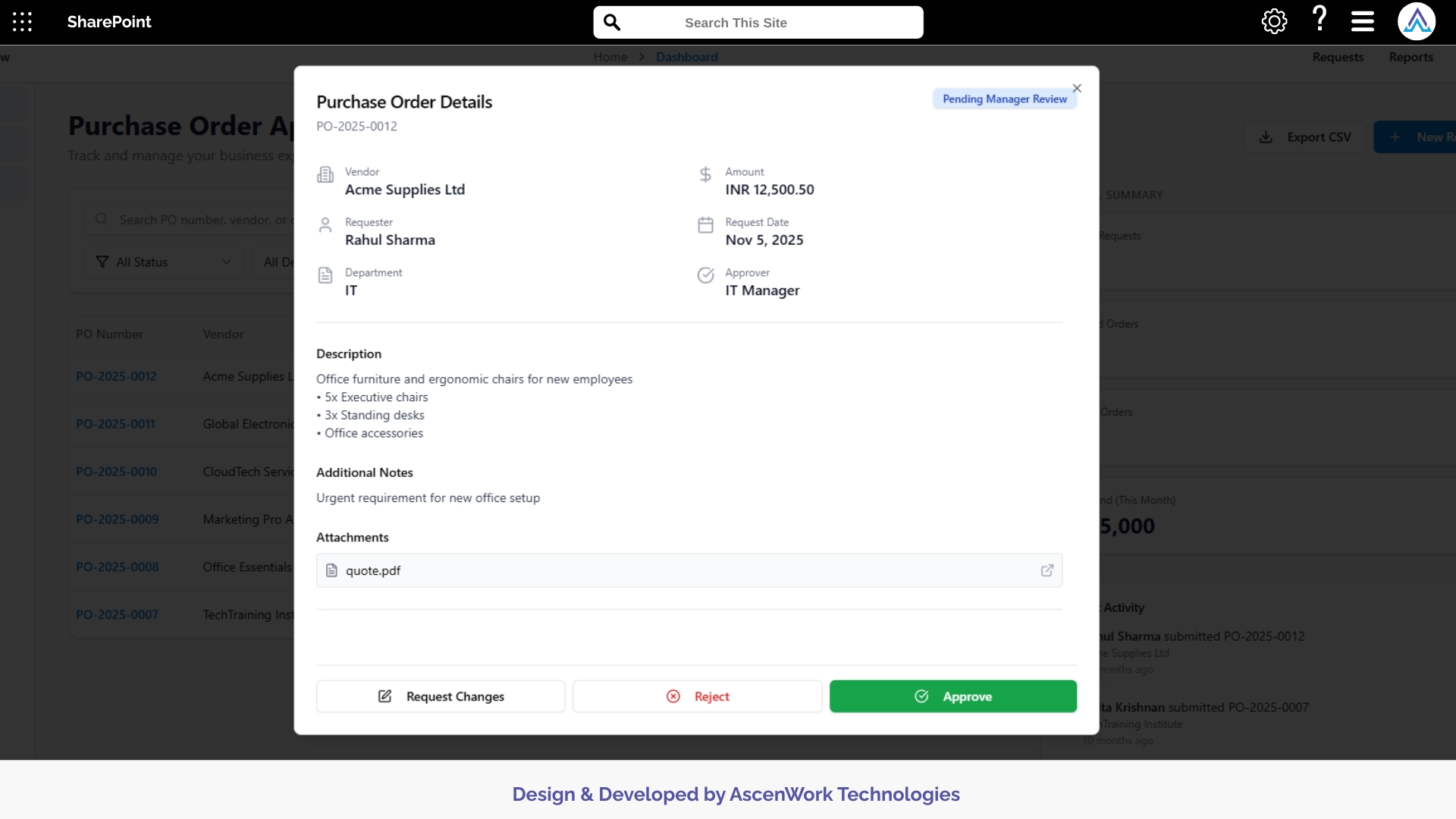
Join leading finance and procurement teams using our workflow automation to eliminate bottlenecks and gain full control over spending.
6. Travel Analytics and Reporting
Integrated Power BI dashboards provide insights into travel frequency, cost trends, departmental spending, destinations, and travel approval timelines. Management can track recurring travel patterns, forecast budgets, and evaluate policy effectiveness. These analytics support smarter travel planning and help streamline overall travel expenditure.
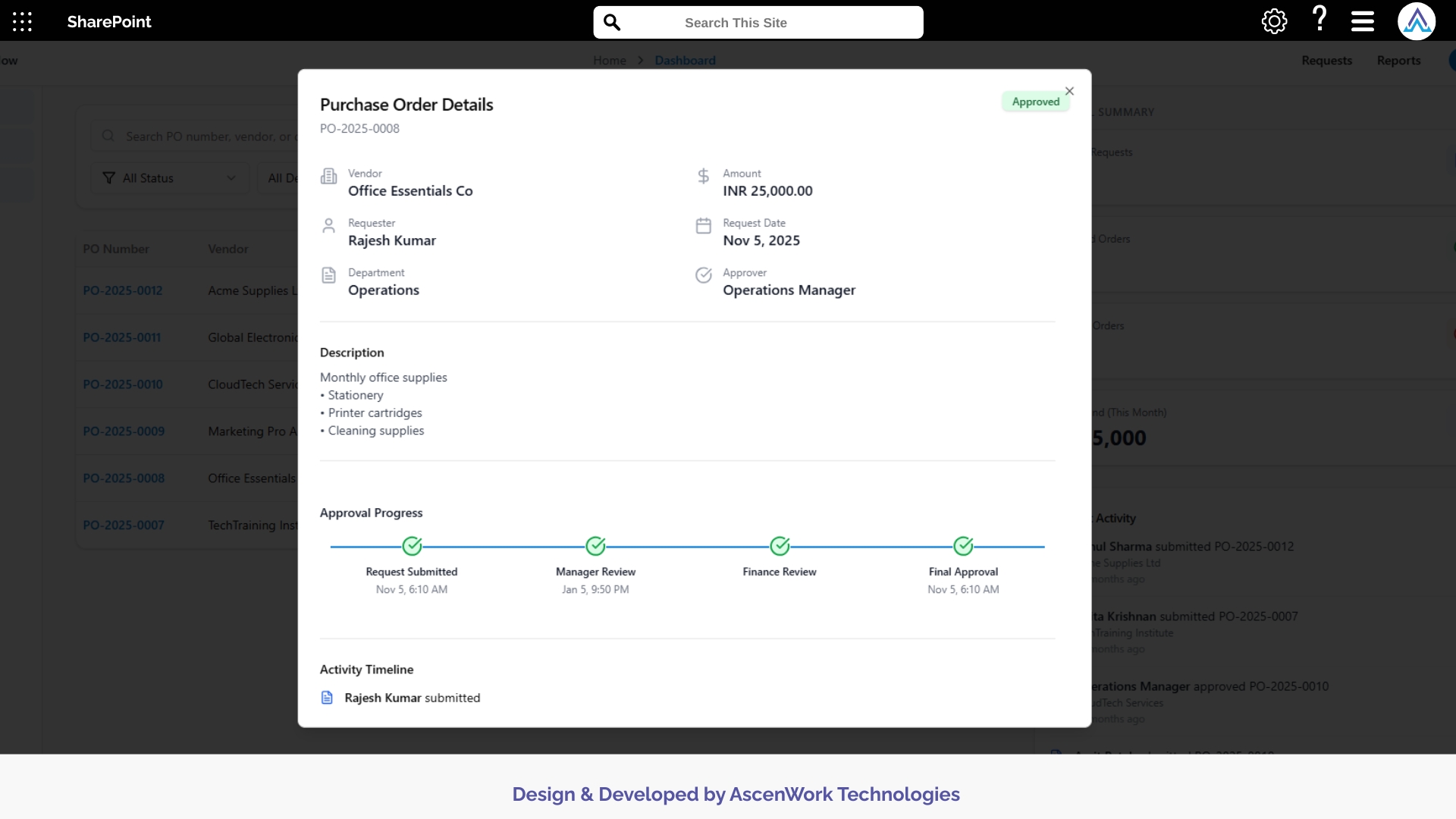
7. Audit Trail and Compliance Reporting
Every request, approval, modification, and cost update is logged within an audit trail for complete transparency. Exportable reports support internal audits, compliance checks, and policy reviews. This ensures secure record-keeping, improved accountability, and simplified reporting for finance and HR departments.
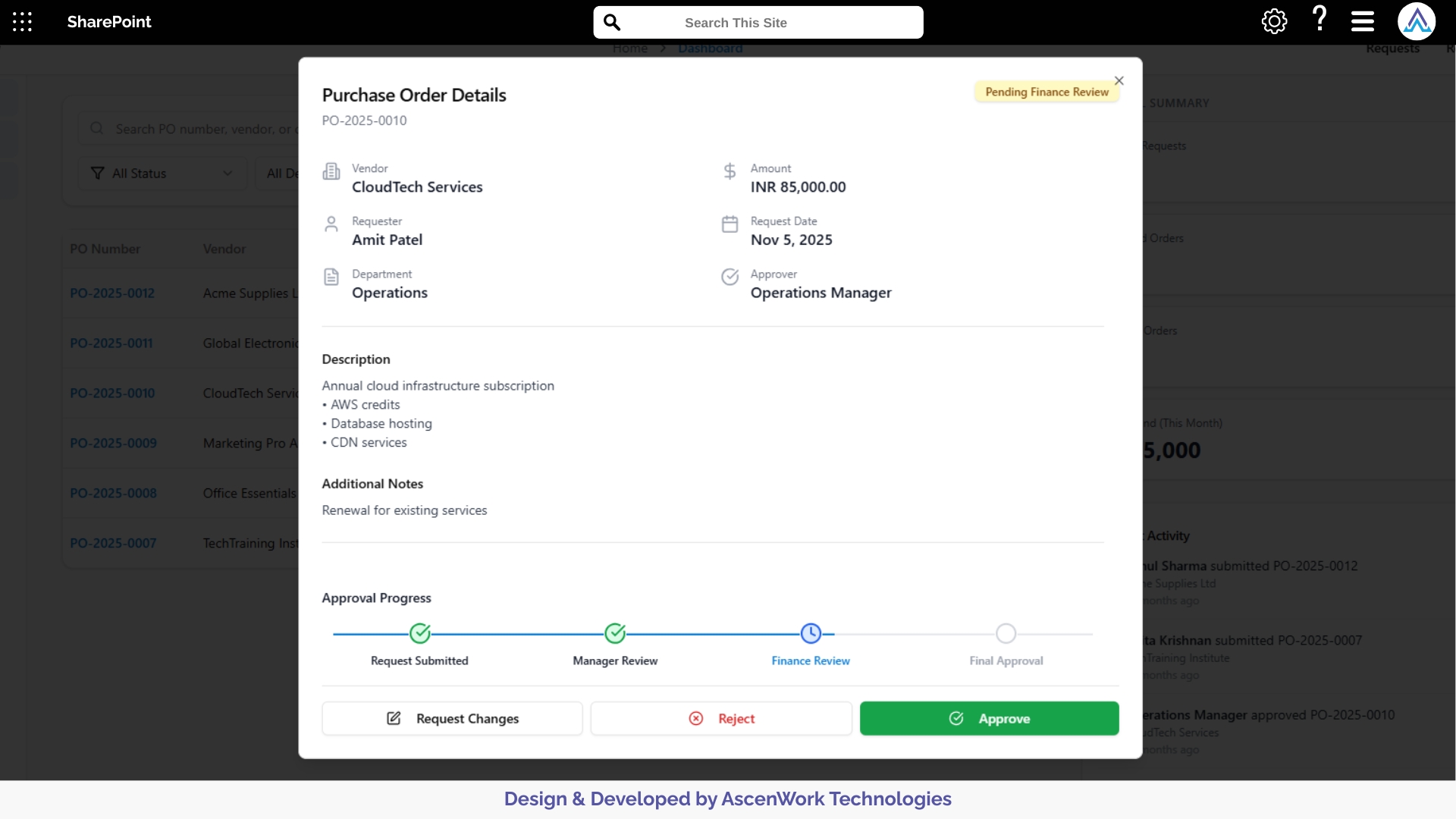
8. Mobile Accessibility
Employees and managers can manage travel requests on smartphones or tablets through a mobile-responsive interface. Approvals, budget reviews, and notifications are accessible remotely, ensuring the travel workflow continues without delays — ideal for teams working off-site or traveling frequently.


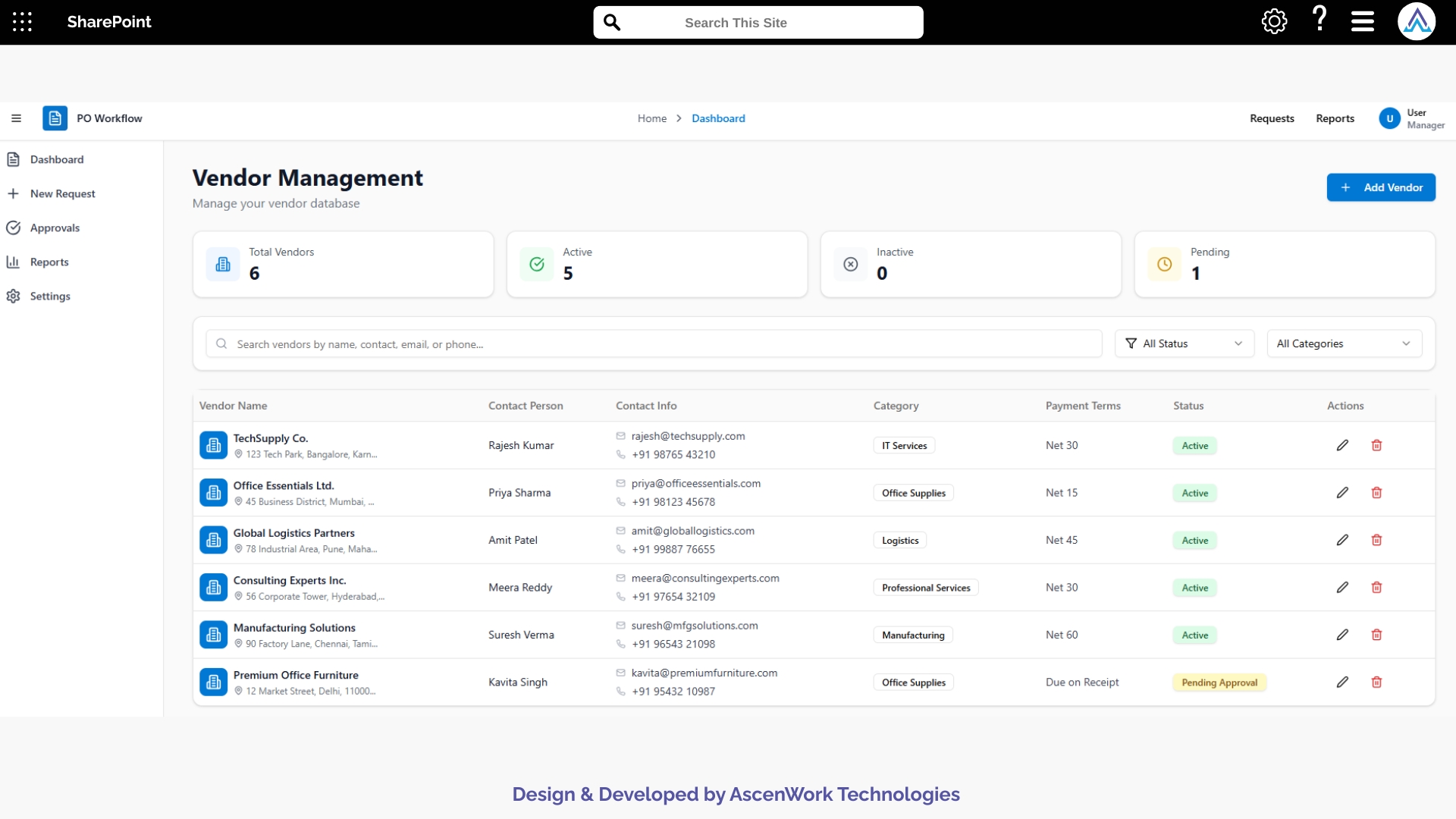
Our consultants bring years of experience in automating purchase order and expense approval workflows across industries. We design solutions that fit your organization’s finance structure, ensuring faster approvals, accurate tracking, and full compliance with company policies.
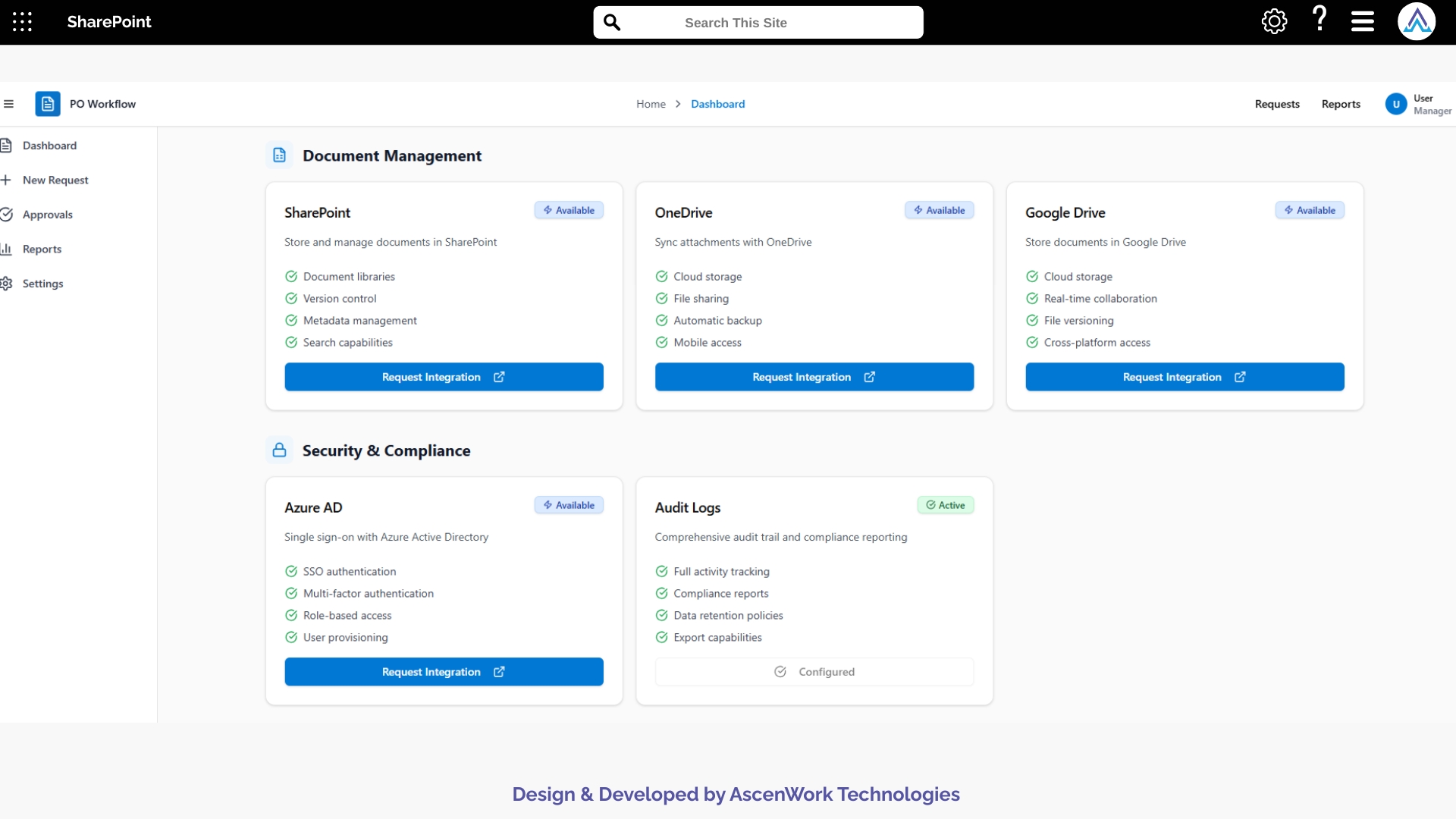
Every business has a unique approval process. We build custom PO approval workflows that align with your departments, budgets, and hierarchy. From single-step to multi-level approval systems, our team ensures your workflow runs exactly the way you need.
Integrate your purchase order approval software directly with SharePoint, Power Automate, Teams, and Outlook. This lets finance teams manage everything from one place — automate repetitive steps, send reminders, and access audit data instantly within the Microsoft ecosystem.
Whether you manage a small finance team or a global enterprise, our solution scales effortlessly. We’ve implemented workflow automation software for organizations across multiple regions, ensuring consistent performance, data security, and accessibility from anywhere.
Our job doesn’t end at deployment. We provide continuous workflow monitoring, support, and optimization to ensure your PO approval process remains efficient. From new approval rules to user training, AscenWork is your long-term workflow automation partner.













AscenWork has built world class products on Microsoft 365
Have a question? check these answers.
Approval workflow software automates the process of reviewing and approving business requests — such as purchase orders, expense claims, or HR forms — ensuring transparency, accuracy, and faster decision-making.
Approval workflow routes requests automatically through predefined approval levels. Each approver gets instant notifications via email or Teams, and all actions are tracked within the system for full visibility.
Absolutely. Our approval software integrates natively with SharePoint, Power Automate, Outlook, and Teams, allowing your users to work within familiar Microsoft 365 apps.
Yes, administrators can modify the approver list anytime without interrupting existing workflows, making it flexible for organizational changes.
Your data is securely hosted on Microsoft’s trusted cloud infrastructure, with role-based permissions, encryption, and detailed audit trails ensuring full compliance and protection.
We offer prebuilt approval templates for common processes like purchase orders and HR requests, which can be customized further as per your business requirements.
Yes. The system sends automatic notifications to approvers and reminders for pending requests, ensuring no approval gets missed or delayed.
Implementation typically takes 2–4 weeks, depending on the complexity of your existing processes and integration requirements.
Finance, HR, Legal, Procurement, Manufacturing, and IT teams benefit the most — any process requiring sign-offs or compliance checks can be automated.
We offer both. AscenWork specializes in custom workflow development using SharePoint, Power Automate, and Power Apps to match your exact needs.
Yes. You can view detailed audit logs, approval histories, and performance analytics to ensure transparency and compliance during internal or external audits.
Yes, we provide video training, live workshops, and documentation so your team can confidently use the approval system from day one.
Yes. You can easily configure multi-level approvals, set conditions like amount limits, and define department-based approvers using our customizable workflow builder.
You can automate purchase orders, expense approvals, HR requests, vendor onboarding, document reviews, and more — all using the same platform.
Yes. Every request can be tracked in real time through your dashboard. Users can view who has approved, who’s pending, and the overall progress instantly.
Yes. Our workflows can be deployed both on Microsoft SharePoint Online or On-Premises, depending on your company’s IT policies and infrastructure.
Yes, we develop custom Power BI dashboards that visualize approval performance, pending requests, turnaround times, and departmental insights.
Because we combine Microsoft 365 expertise, custom development, and long-term support, ensuring you get a secure, scalable, and business-ready workflow solution tailored to your organization.
Yes. Our approval workflow software supports multi-department setups, allowing each department to have its own approval rules and processes.
Yes, we offer ongoing support, user training, and workflow optimization after deployment to ensure long-term success and user adoption.