Power BI Dashboards for Financial Services: Accelerate Decision-Making with Real-Time Insights
Power BI dashboards have become essential for financial services organizations that want to turn raw transaction data into actionable intelligence. In an industry where market conditions shift in milliseconds and regulators scrutinize every decision, the ability to visualize financial metrics in real time separates leaders from the pack. Manual reporting cycles that once took weeks now happen instantly, letting CFOs, risk officers, and executive teams make informed decisions faster than ever before.
Key Takeaway
Power BI dashboards let financial institutions consolidate siloed data sources, automate repetitive reporting, and surface critical insights instantly. When integrated with document management systems, they create audit-ready environments where every decision is traceable to source documentation.
In This Article
- Why Real-Time Financial Dashboards Matter Now
- The Core Challenge Financial Services Leaders Face
- The Solution: Power BI Dashboards and Document Management Integration
- Why Leading Financial Services Organizations Choose Integrated BI Solutions
- Industry Applications in Financial Services
- How to Get Started with Power BI
- Frequently Asked Questions
Why Real-Time Financial Dashboards Matter Now
The financial services landscape has fundamentally shifted. A decade ago, month-end close took three weeks. Today, investors demand transparency within hours. Regulators expect audit trails on demand. And remote workforces need access to critical metrics from anywhere in the world.
According to Gartner’s 2024 analytics platform research, 72% of financial services firms cite data fragmentation as their primary barrier to faster decision-making. Siloed systems mean siloed insights. When your P&L lives in an ERP, liquidity forecasts sit in a legacy system, and compliance metrics scatter across spreadsheets, there’s no single source of truth.
“Organizations that implement real-time financial dashboards report reducing reporting cycle times by 40% and improving forecast accuracy by 25%”
IDC, Financial Services Digital Transformation Study, 2023
Here’s the real cost: while analysts spend days pulling data, reconciling discrepancies, and building static reports, executives wait for insights that are already outdated. Power BI dashboards change that entirely. They consolidate data from every corner of your technology stack, refresh on schedules you define, and surface trends before they become crises.

The Core Challenge Financial Services Leaders Face
Every financial institution operates a complex ecosystem of systems. Your core banking platform processes transactions. Your ERP manages the general ledger and subledgers. Risk management systems track exposure and capital adequacy. Compliance platforms monitor regulatory obligations. Treasury systems manage liquidity. And rarely do these systems talk to each other.
This fragmentation creates predictable problems:
- Data scattered across legacy systems and platforms with no unified view. Your chief risk officer sees one version of credit exposure in the risk system; your CFO sees different numbers in the ERP. Which is correct? You won’t know until reconciliation.
- Manual reconciliation consuming weeks of analyst time every month. Excel spreadsheets become your de facto source of truth, but they’re invisible to auditors and regulators.
- Inability to spot trends or anomalies until weeks after they occur. By the time an analyst finds a credit spike or liquidity risk in the data, the market has already moved.
- Compliance and audit challenges with dispersed documentation. When a regulator asks how you calculated a capital ratio, you can’t quickly link the dashboard back to source documents and approval chains.
- Executive dashboards that refresh monthly or need manual updates. The P&L from last Friday is “close but not final.” Real-time dashboards? Not a chance.
- Difficulty enforcing role-based access and security controls across sensitive financial data. Some analysts see more than they should; others lack data they need.
The consequence isn’t just inefficiency. Delayed insights translate to delayed decisions. Delayed decisions cost money, create regulatory risk, and give competitive advantage to faster-moving peers.
The Solution: Power BI Dashboards and Document Management Integration
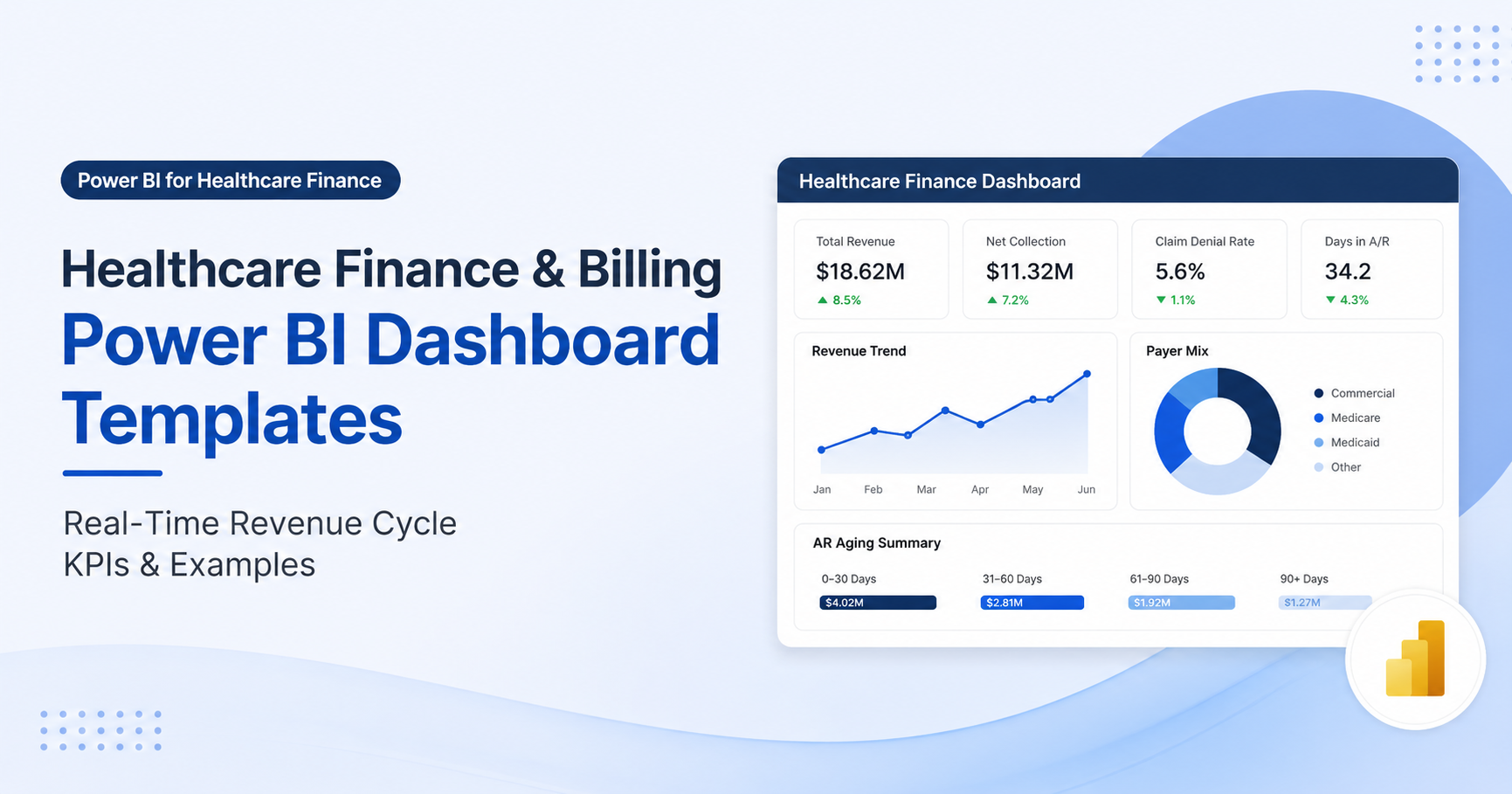
Power BI dashboards solve each of these problems by centralizing data and automating visualization. Rather than waiting for analysts to manually compile reports, Power BI connects directly to your ERP, banking platforms, risk systems, and compliance databases. Data refreshes on the schedule you define, from hourly to real-time, and visualizations update instantly.
Here’s what this looks like in practice. Your liquidity dashboard automatically pulls overnight settlement data from your core banking platform, your intraday wire activity from payment systems, and your forecasted cash flows from treasury systems. Within minutes of market open, your treasurer sees a unified view of cash position across all locations and currencies. No manual consolidation. No waiting for reports. Decisions happen now.
The same logic applies to credit risk. Your loan portfolio dashboard visualizes exposure by borrower segment, industry, geography, and credit rating. As new applications arrive and existing loans amortize, the dashboard updates. Trend lines reveal which segments are tightening. Anomalies highlight unusual concentration. Your chief credit officer spots emerging risks before they become problem assets.
Expert Perspective
Power BI excels at translating raw financial data into intuitive visual narratives, but success requires clean data architecture, clear KPI definitions, and genuine executive sponsorship. The tool is only as good as the data feeding it. Organizations that underestimate data quality preparation often find their dashboards reflect garbage-in, garbage-out logic.
When integrated with document management systems, Power BI dashboards become audit-ready by design. Every metric links back to source documents. Every calculation trail is visible. Every access is logged. This integration matters in financial services, where regulators increasingly expect not just reports, but proof that reports reflect actual underlying data.
What to look for in an implementation partner: deep experience with financial data models, proven integration capabilities with your existing systems, understanding of compliance frameworks relevant to your business, and genuine expertise in change management. The technology is important, but adoption and governance matter more.
Why Leading Financial Services Organizations Choose Integrated BI Solutions
Financial services firms evaluating Power BI typically consider three alternatives: homegrown reporting systems, legacy BI tools like Cognos or Microstrategy, and spreadsheet-based processes.
| Capability | Power BI + Document Management | Legacy BI Tools | Spreadsheet-Based Reporting |
|---|---|---|---|
| Real-Time Data Refresh | Fully automated, sub-hourly intervals possible | Often batch-based, 24-hour delays typical | Manual, no automation |
| Scalability for Large Datasets | Handles billions of transactions seamlessly | Performance degrades with volume; requires tuning | Breaks down above 100K rows |
| Compliance & Audit Trail | Full audit logging with linked documentation | Difficult to establish data lineage | No audit trail; difficult to track changes |
| User Adoption & Ease | Intuitive UI; most users adopt within days | Steep learning curve; requires training | High initial familiarity; poor scalability |
| Total Cost of Ownership | Moderate licensing; minimal maintenance overhead | High licensing; significant infrastructure and staffing needs | Hidden costs; person-dependent, risks grow with scale |
Three key advantages emerge from this comparison. First, Power BI creates a true single source of truth. Legacy systems force data stewards to reconcile multiple reporting databases. Power BI eliminates reconciliation disputes by centralizing data once, correctly, with version control and metadata documentation.
Second, role-based analytics let Finance, Risk, Audit, and Operations teams access tailored dashboards without creating new silos. A CFO sees P&L by business line. A risk officer sees credit exposure by segment. An operations manager sees process efficiency metrics. Same underlying data, different views, no manual re-keying.
Third, audit readiness by design dramatically reduces compliance review cycles. Regulators increasingly ask, “Show me your data governance.” Power BI with integrated document management gives you a clear narrative: here’s the data, here’s how it flows through our systems, here’s the approval chain, here are the source documents. That transparency builds regulatory confidence and speeds audits.
Industry Applications in Financial Services
Banking and Lending
Commercial banks use Power BI dashboards to monitor loan origination pipelines in real time, track credit risk by borrower segment and industry, and monitor regulatory capital adequacy ratios in real-time. Rather than waiting for month-end reports, loan officers see which applications are close to approval decision. Risk managers spot concentration building in commercial real estate before it becomes dangerous. Regulatory reporting teams confirm compliance with Basel III requirements within hours of month-end close.
Asset Management and Investment Services
Fund managers leverage Power BI to track net asset value, fee analytics, and performance attribution in real time. Investor reporting dashboards show current holdings, performance relative to benchmark, and exposure by asset class. Redemption forecasts update daily based on market volatility and investor behavior. Compliance teams monitor mandate adherence across all portfolios simultaneously, flagging breaches before they become reportable violations.
Insurance
Insurance carriers build Power BI dashboards for claims analytics, loss reserve monitoring, and underwriting profitability by line of business and geography. As new claims arrive, the dashboard updates incurred loss trends. Claims managers see which products are performing, which geographic regions are deteriorating, and which adjusters have unusual patterns. Underwriters spot emerging underwriting trends and adjust pricing or capacity before claims losses spike.
Financial Operations and Treasury
Treasury teams use Power BI for cash position dashboards spanning global entities, FX exposure tracking across all instruments, counterparty risk monitoring, and settlement exception reporting. Rather than waiting for batch reports at day-end, treasurers see intraday cash flows, early warnings of failed settlements, and liquidity forecasts updated hourly. This visibility enables better working capital management and faster response to liquidity stress.

How to Get Started with Power BI in Financial Services
- Assess Your Data Landscape. Action: Catalog all financial data sources, including your ERP, core banking platforms, compliance systems, and third-party data. Outcome: Clear picture of data quality, integration complexity, and gaps preventing a unified view.
- Define Key Decision Drivers and KPIs. Action: Work with your CFO, Chief Risk Officer, Audit, and Compliance teams to identify the 10-15 KPIs that matter most to your strategy. Outcome: Dashboard priorities aligned with business strategy, not technical capability.
- Build Your Data Architecture and Security Model. Action: Design a data warehouse or cloud lakehouse; implement row-level security and role-based access controls consistent with your compliance framework. Outcome: Clean, governed data foundation that supports real-time dashboards while protecting sensitive information.
- Develop Core Dashboards in Phases. Action: Start with high-impact dashboards, such as P&L, liquidity, and credit risk, then expand to operational and compliance domains. Outcome: Early wins build organizational momentum and demonstrate ROI to stakeholders.
- Implement Governance and Training. Action: Establish data governance policies, documentation standards, and user training programs so teams adopt dashboards and maintain data quality. Outcome: Sustained adoption, data quality maintenance, and long-term return on investment.
Frequently Asked Questions
Can Power BI connect to our legacy banking and ERP systems?
Yes. Power BI supports connectors for most major platforms, including SAP, Oracle, Dynamics, Salesforce, mainframe databases, and custom APIs. That said, integration complexity varies significantly based on data structure, API availability, and security requirements. Most financial services organizations benefit from professional implementation services to ensure robust, auditable connections that meet regulatory standards.
How do we ensure our Power BI financial dashboards comply with regulatory requirements?
Implement row-level security so users only see data relevant to their role. Maintain detailed audit logs showing who accessed which data and when. Document data lineage so auditors understand how metrics flow from source systems. Integrate with document management systems to link dashboard metrics back to source documents. And partner with firms experienced in financial services compliance frameworks like SOX, Basel III, and MiFID II.
What skills do we need in-house to maintain Power BI dashboards?
Successful Power BI operations require a mix of roles: data engineers to manage data models and ETL pipelines, BI analysts to build and optimize dashboards, and financial analysts to define KPIs and validate calculations. Worth noting: many organizations also partner with managed service providers for ongoing support, allowing internal teams to focus on strategic analytics rather than infrastructure maintenance.
How do we manage document control and audit trails alongside Power BI dashboards?
Integrate Power BI with a document management system supporting metadata, version control, and access controls. This ensures every dashboard and underlying calculation links back to authoritative source documents, creating an unbroken chain of evidence. This integration is particularly important for regulatory compliance and audit efficiency in financial services.
What factors influence the timeline and scope of a Power BI implementation in financial services?
Implementation complexity depends on the number of systems you’re integrating, data quality and structure, compliance requirements, and the scope of dashboards you’re building. Rather than estimating time upfront, successful implementations follow a phased approach: discovery to understand your environment, architecture design to plan the solution, development to build initial dashboards, and deployment with governance and training. Starting with a pilot dashboard to validate your approach before enterprise rollout is a proven strategy.
Transform Your Financial Decision-Making Today
Financial services leaders who deploy Power BI dashboards gain a decisive advantage: real-time visibility into the metrics that matter most. Whether you’re consolidating data sources, accelerating reporting cycles, or building audit-ready compliance frameworks, integrated Power BI solutions empower your team to move beyond static reports into dynamic, intelligent decision support.