Stop Outdated Policy Document Confusion: A Practical Guide to Version Control
Outdated document versions are one of the most overlooked compliance and operational risks in mid-to-large organizations. A compliance officer at a financial services firm recently discovered that 35% of employees were still referencing a code of conduct that had been updated three times over two years. The document had been emailed once, downloaded to local drives, and forgotten. Without a central repository for company policies, the latest version became invisible to the very people who needed to follow it most.
Key Takeaway
Most organizations have no visibility into which policy version employees are actually using. This creates compliance risk, operational chaos, and liability exposure that auditors will catch.
In This Article
- Why Outdated Policy Document Confusion Happens
- The Hidden Costs of Outdated Policy Use
- The Solution: Policy Document Control Software
- Why Leading Organizations Choose Centralized Policy Management
- Industry Applications and Use Cases
- How to Get Started with Policy Document Control
- Frequently Asked Questions
Why Outdated Policy Document Confusion Happens
Outdated document versions persist in organizations for surprisingly predictable reasons. Employees receive policy emails, download attachments to their local drives, and file them away for reference. When HR sends an updated version weeks or months later, that original downloaded copy sits there untouched. The employee opens what’s easiest to find: the old version saved to their desktop.
Here’s where it gets worse. Shared drives and intranets often compound the problem instead of solving it. Folders accumulate multiple versions of the same document with unclear naming conventions. Version 1.0, Draft_Final, Final_REAL, and Policy_Updated_2023 all sit in the same directory. Without version locking or enforcement, employees can’t reliably tell which one is current.
Then there’s human behavior. People rarely suspect their own documents are outdated. They assume what they’re holding is the latest. HR teams, meanwhile, have limited visibility. They send updates but have no way to confirm whether employees actually received them, opened them, or understood which version was current.

“Organizations with 500+ employees report that 30 to 40% of policy-related employee errors stem from using outdated documents instead of current versions.”
Society for Human Resource Management (SHRM) Workplace Compliance Survey, 2023
The Hidden Costs of Outdated Policy Use
The consequences of outdated document versions extend far beyond minor inefficiency. Start with compliance and regulatory risk. If employees follow a policy that’s been superseded by a regulation change, your organization is out of compliance even if HR updated it. When auditors review an incident, they’ll pull the employee’s version and compare it to what should have been in effect. Finding an outdated policy in an employee’s possession creates documentation of negligence.
On top of that, there’s operational inefficiency. HR and Compliance teams spend 5 to 10 hours per week answering “which policy version is current?” questions. New employees ask during onboarding. Managers call during policy disputes. Legal reviews incidents and asks which version was in effect. Each clarification takes time and creates a paper trail of confusion.
Then comes liability exposure, which is the most serious risk here. If a harassment claim, discrimination incident, or safety violation occurs, lawyers will ask: which policy was the employee supposed to follow? If they were following an outdated version that doesn’t address the violation properly, your organization may be found negligent for failing to communicate current policy. Conversely, if your audit trail shows employees always accessed the current version, your liability position improves significantly.
Employee confusion also breeds inconsistent policy application. Some employees follow old guidelines while others follow new ones. Managers enforce policy differently based on which version they’ve seen. Policies around remote work, leave, conduct, or safety become inconsistent across departments. This undermines fairness and creates HR disputes that could’ve been prevented.
Worth noting: outdated document versions complicate compliance reporting. When auditors ask to see evidence that employees were aware of current policies, you can’t provide it. You have email sending logs but no proof that anyone opened the attachment. Without an audit trail, you’re essentially guessing whether your policy distribution worked.
| Factor | Without Version Control | With Central Repository |
|---|---|---|
| Version Clarity | Multiple versions circulating; unclear which is current | Single live version; old versions archived and locked |
| Access Audit Trail | None; no proof of receipt or review | Complete log of who accessed which version and when |
| Update Visibility | Email blasts; many unopened or forgotten | Automated notifications; employee acknowledgment tracked |
| Compliance Proof | Manual documentation; gaps and inconsistencies | Automated reporting; audit-ready evidence |
The Solution: Policy Document Control Software
A policy document control software creates a single, authoritative source where employees always access the latest version. Rather than relying on email distribution or hoping employees find the right file on a shared drive, a centralized repository enforces version control at the system level. Old versions are archived, not deleted. The current version is the only one employees can access without special permission.
Here’s how it works in practice. HR or Compliance uploads a policy update to the system. The software automatically disables the previous version, making it inaccessible to regular employees. A notification goes out to all staff. Employees receive a prompt when they next log in or access the policy portal. They open the current version because that’s all they can see. There’s no option to download an older copy and store it locally. The system maintains a complete history of every version for audit purposes, but only the current one is “live.”
Expert Perspective
A robust policy document control system should integrate seamlessly with your existing HRIS and employee portal. Policy updates shouldn’t require a separate login, a different platform, outdated document versions or special training. The easier you make it for employees to access current policies, the less likely they’ll rely on outdated local copies.
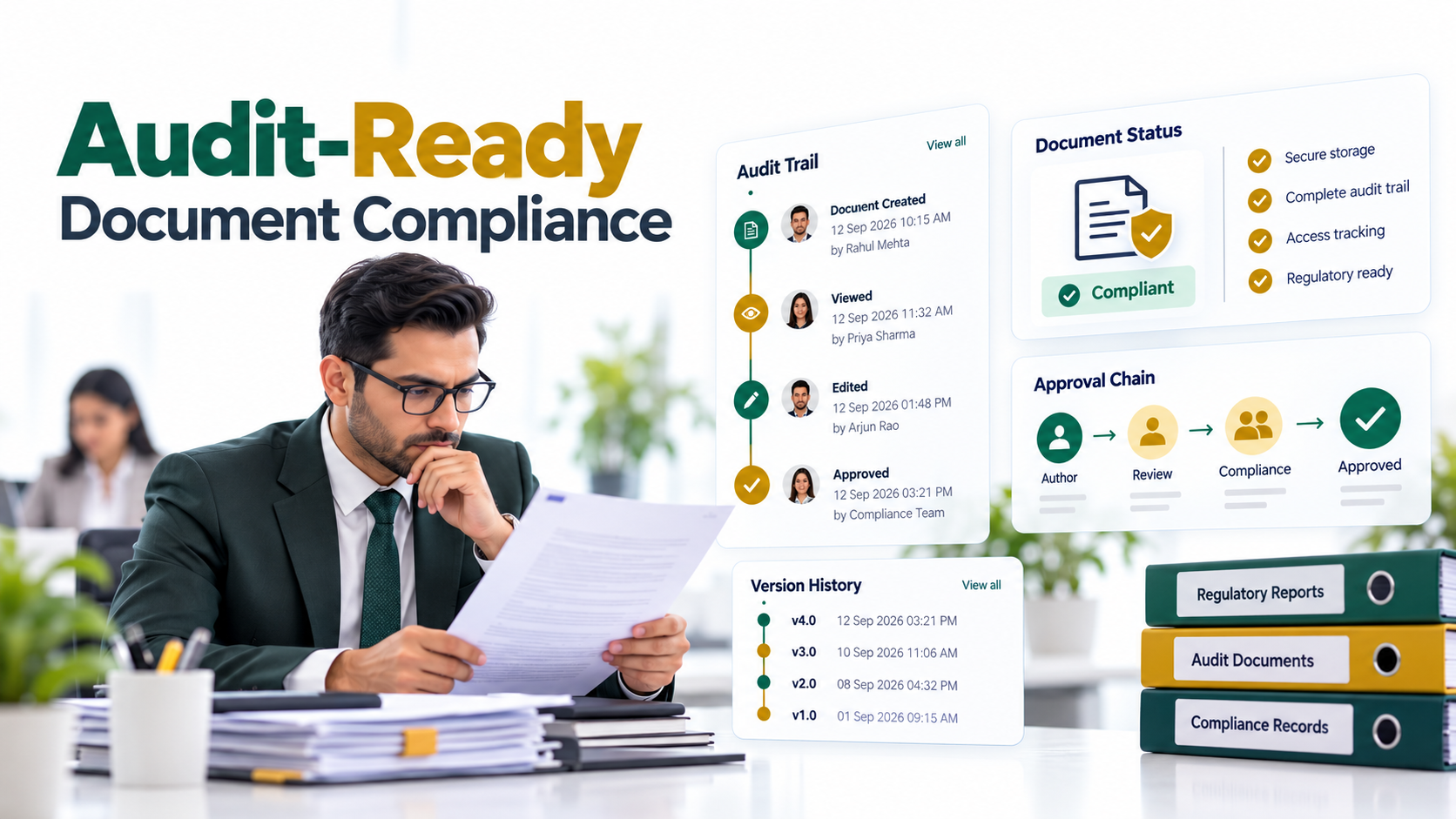
Access controls are built into the system. HR and Compliance managers can define who has permission to upload policies, approve changes, and publish updates. This prevents unauthorized versions from circulating. The audit log captures every action: who uploaded what, when it was approved, when it went live, and who accessed it.
When you’re selecting a policy document control solution, look for these features. First, version locking should be automatic, not manual. Second, the interface should be intuitive for non-technical users. Third, it should provide compliance-ready audit trails that can be exported for auditors. Fourth, integration with your HRIS or employee portal should be seamless. Fifth, mobile accessibility is essential for remote and hybrid workforces. Finally, retention and archival features should meet your regulatory requirements, whether that’s GDPR, SOX, HIPAA, or other frameworks.
Why Leading Organizations Choose Centralized Policy Management
Leading HR and Compliance teams invest in centralized policy management because the alternative, outdated document versions, creates unacceptable risk. The primary differentiator: elimination of version confusion. Employees can’t access old versions because the system doesn’t allow it. There’s no guesswork, no “I think this is the latest,” no emailed attachments languishing in archives.
The second differentiator is compliance-grade audit trails. When an auditor or legal team asks which policy version was in effect on a specific date, or who had access to the current policy, you have proof. Export a report showing which employees accessed which version on which date. This level of documentation is impossible without a centralized system. It’s the difference between “we hope employees saw the update” and “we can prove they had access.”
The third differentiator is reduction of administrative overhead. Eliminating email-based distribution, manual version tracking, and repetitive “what’s current?” calls frees HR and Compliance time for strategic work. Instead of managing document chaos, your team manages policy governance.
| Feature | Centralized Policy Repository | Email + Shared Drive |
|---|---|---|
| Version Control | Automated, enforced, foolproof | Manual, error-prone, inconsistent |
| Access Audit Trail | Complete, searchable, exportable | None; silent gaps |
| Employee Visibility | Tracked and verified | Unknown; blind spots |
| Update Push Notification | Yes, built-in and automated | Emails can be missed or deleted |
| Compliance Reporting | Automated, audit-ready | Manual, incomplete, time-consuming |
| Version Locking | Old versions inaccessible unless archived | All versions always accessible |
Organizations across Finance, Healthcare, Manufacturing, and Tech adopt these systems because the regulatory and operational benefits outweigh the implementation effort. Auditors ask fewer questions. Employees follow consistent policies. Compliance risks decrease. The organization can scale policy governance as headcount grows without losing control.

Industry Applications and Use Cases
Financial Services and Banking
Finance and banking organizations operate under strict regulatory oversight, AML, KYC, SOX, and others. Policy updates often follow regulatory changes, and compliance audits expect to see evidence that employees were aware of current policies. A centralized repository creates an audit trail proving policy communication and acknowledgment, reducing compliance risk during examinations.
Healthcare
HIPAA and other healthcare regulations mandate version control and document retention. Policy updates related to patient data handling, privacy, and security must be tracked and tied to employee training records. A policy document control system ensures that clinical and administrative staff always access current guidelines, reducing both compliance violations and patient safety risks.
Manufacturing and Logistics
Safety policies change frequently, often in response to incident investigations or regulatory guidance. Multi-site organizations need to ensure that all operators follow the same current procedures. Outdated safety policies in a warehouse or manufacturing floor can lead to accidents. A centralized system ensures that every location has access to the latest procedures and can prove it during audits.
Technology and SaaS
Tech companies iterate rapidly on policies related to data handling, remote work, and product development. Distributed teams across time zones and geographies need a single source of truth for company policies. A centralized repository makes it simple to update policies globally and track adoption across engineering, product, and operations teams.
How to Get Started with Policy Document Control
Implementing a centralized policy repository doesn’t require a complete organizational overhaul. Follow these steps to build a sustainable approach.
- Audit your current state. Document where policies currently live: email archives, shared drives, employee handbooks, intranets, or HR systems. Identify which versions employees are actually using by surveying a sample group or reviewing incident files. This baseline assessment clarifies the scope of the problem and justifies investment in a solution.
- Define policy ownership and approval workflows. Clarify who’s responsible for each policy category: HR for benefits and leave, Legal for contracts and compliance, Safety for operational procedures. Establish review cycles so policies are revisited regularly and updated when regulations or business practices change. Without clear ownership, policies stagnate.
- Choose and implement a centralized repository. Evaluate solutions that offer version control, audit logging, integration with your HRIS or portal, and mobile accessibility. Migrate your existing policies into the system with complete version histories preserved. This ensures you retain the compliance record of past versions while establishing the current version as authoritative.
- Establish communication and acknowledgment processes. Decide how employees will be notified of policy updates. Consider requiring acknowledgment, especially for critical policies like code of conduct or data security. Build this into onboarding so new hires confirm they’ve reviewed current policies on day one. This creates evidence of communication for compliance purposes.
- Train your team and monitor adoption. Educate HR managers, department heads, and employees on the new system. Start with a pilot program if possible, gathering feedback before full rollout. Monitor adoption metrics: how many employees are accessing policies? outdated document versions Are old channels, email and shared drives, still being used? Use this feedback to refine your communication strategy.
Frequently Asked Questions
How do I know if my employees are using outdated policies?
Most organizations don’t know, and that’s the core problem. Without a centralized repository with audit logging, you have no visibility. A policy document control system will tell you exactly who accessed which version and when. Want to run a quick test? Ask a sample of employees to show you their copy of the company handbook or code of conduct. You’ll likely find a mix of versions and dates.
Can’t we just use a shared drive or intranet instead?
Shared drives and intranets often make version confusion worse, not better. They accumulate multiple versions with unclear naming, no version locking, and no enforcement mechanism. Employees can download old copies and email them to colleagues. A policy document control system adds version enforcement and audit trails that general-purpose tools don’t provide. It’s designed specifically for this use case.
What happens to old policy versions?
They should be archived, not deleted. Legal and compliance requirements often mandate that you retain historical versions for audit and evidence purposes. A policy document control system keeps complete version history while making the current version the only accessible one to regular employees. Auditors and lawyers can review past versions through a secure archive interface.
Do employees need special training to use this system?
Minimal training is required. Most modern policy management systems have intuitive interfaces that don’t require any technical knowledge. The real cultural shift is helping employees understand that they should check the central repository first, not rely on downloaded copies or email attachments. Include this in your onboarding and reinforce it during policy updates.
How does this help during compliance audits?
Auditors value comprehensive version history and access logs. You can demonstrate that employees had access to current policies, show proof of policy updates and approvals, and trace any policy-related incidents back to the exact version in effect at that time. This level of documentation is essential during regulatory examinations and investigations.
Ready to Eliminate Policy Confusion Today
Centralized policy management creates a single source of truth that protects your organization from compliance risk and operational chaos. When your employees always access current policies, audit trails prove it. Connect with our team to explore how a policy document control system fits your organization’s needs.