Streamline Approval Workflows with Power Automate: A Complete Guide
Approval workflows in Power Automate transform how organizations process decisions. In most enterprises, a simple approval, a purchase order, a policy exception, a vendor contract, bounces through inboxes, spreadsheets, and messaging apps. Days pass. Context gets lost. Deadlines slip. Power Automate changes that equation by automating routing, notifications, and compliance tracking without requiring custom code.
Key Takeaway
Power Automate reduces approval cycle times by automating routing, notifications, and status tracking while maintaining full audit trails and compliance controls that enterprises require.
In This Article
- Why Approval Workflow Bottlenecks Cost Your Organization
- What Power Automate Brings to Approval Workflows
- Core Features That Transform Approval Processes
- Industry-Specific Applications
- Implementation Considerations & Best Practices
- Common Pitfalls & How to Avoid Them
- How to Get Started with Power Automate Approval Workflows
- Frequently Asked Questions
Why Approval Workflow Bottlenecks Cost Your Organization
Manual approval processes drain productivity in ways that spreadsheets never capture. Organizations using disconnected tools and email chains experience delays that compound across departments.
“Organizations spend an average of 20-30% of their operational time on manual approval workflows and related administrative tasks.”
McKinsey & Company, 2023
Here’s what this looks like in practice: A purchase order sits in a manager’s inbox for three days. Finance needs to approve it next, but the notification arrives in a separate email thread. The vendor onboarding stalls. Meanwhile, HR’s new hire approval gets lost between Slack and Outlook, delaying equipment provisioning. IT teams escalate tickets manually by phone. Each bottleneck creates a ripple effect that compounds.
And here’s the thing: manual approval chains introduce compliance risks you can’t ignore. Without audit trails, it’s nearly impossible to prove who approved what, when, and why. Regulatory audits become nightmares. Disputes over approvals waste legal and finance team time. On top of that, staff burnout accelerates when teams spend hours on repetitive notification and follow-up tasks that add no strategic value.
The specific pain points most organizations face include:
- Manual routing delays and human error in approval chains that cause multiple follow-ups
- Lack of real-time visibility into pending approvals across departments or systems
- Compliance and audit trail gaps in ad-hoc approval processes that fail audits
- Staff time spent on repetitive notification and follow-up tasks instead of analysis
- Inconsistent approval criteria across departments that create unfair or inefficient decisions
- Integration gaps between business systems forcing manual data re-entry and reconciliation
The ripple effect extends beyond IT: sales cycles lengthen because vendor approvals stall, hiring freezes persist longer than necessary due to slow onboarding workflows, and finance teams spend more time reconciling than analyzing strategic opportunities.

What Power Automate Brings to Approval Workflows
Power Automate approval workflows solve these problems by automating the entire approval lifecycle. The platform enables conditional routing, multi-stage approvals, automated notifications, and system integration without requiring custom code or lengthy IT projects.
The core capability is straightforward: reduce manual touchpoints. Instead of emailing approvers, managing spreadsheets, and manually updating systems, Power Automate routes requests automatically based on business rules. When a purchase order exceeds a threshold, it routes to the finance director. Below that amount, it stops at the manager level. Approval decisions instantly update the source system, trigger downstream processes, and log compliance evidence automatically.
Power Automate approval workflows deliver technical advantages that matter for enterprise deployments:
- Template-based workflow setup reduces build time from weeks to hours
- Native integration with Microsoft 365 (SharePoint, Teams, Outlook, Dynamics 365) eliminates data silos
- Connector ecosystem for third-party systems like SAP, Oracle, Salesforce, and specialty software
- Conditional logic and parallel approval paths handle complex multi-department scenarios
- Audit logging and compliance-ready features document every decision for regulatory requirements
Expert Perspective
In our work with clients, we’ve found that Power Automate really shines in hybrid environments where legacy systems, cloud applications, and Microsoft 365 must work together. It eliminates the need for custom development while delivering approval automation in weeks rather than quarters.
When evaluating approval workflow solutions, organizations should prioritize governance structure readiness, change management capability, integration architecture, and user adoption strategy. Technical capability means nothing without organizational readiness to support the change.
Core Features That Transform Approval Processes
Power Automate approval workflow features address specific business process challenges. Understanding each capability helps teams design workflows that match their operational reality.
Conditional Routing ensures requests reach the right approver based on business logic. In procurement, a purchase order under $5,000 routes to the department manager. Between $5,000 and $25,000, it requires finance review. Above $25,000, CFO approval becomes mandatory. The system applies these rules automatically without manual intervention.
On top of that, Parallel & Sequential Approvals handle different scenarios efficiently. Sequential workflows route approvals one at a time: manager approves, then finance, then director. Parallel approvals send requests to multiple people simultaneously when decisions must happen at once. Here’s the thing: use sequential when decisions build on each other, parallel when they’re independent.
Automated Notifications & Escalations keep everyone informed without creating alert fatigue. Power Automate sends Teams messages and email summaries to pending approvers. If an approval stalls beyond a threshold, the system auto-escalates to a supervisor or manager. This eliminates the need for human follow-ups and prevents approvals from disappearing into inboxes.
Worth noting, Audit Trails & Compliance features automatically log approver identity, timestamp, comments, and decision rationale. This creates regulatory compliance evidence that manual processes struggle to maintain. Finance and HR teams gain searchable records that satisfy GDPR, HIPAA, SOC 2, and industry-specific audit requirements.
And here’s what ties it all together: System Integration ensures approval decisions flow back to source systems. When an approval completes, Power Automate updates the record status in SharePoint, closes the ticket in a service portal, or triggers downstream processes in accounting systems. This eliminates manual re-entry and keeps all systems synchronized.
Industry-Specific Applications
Finance & Accounting Approval Workflows
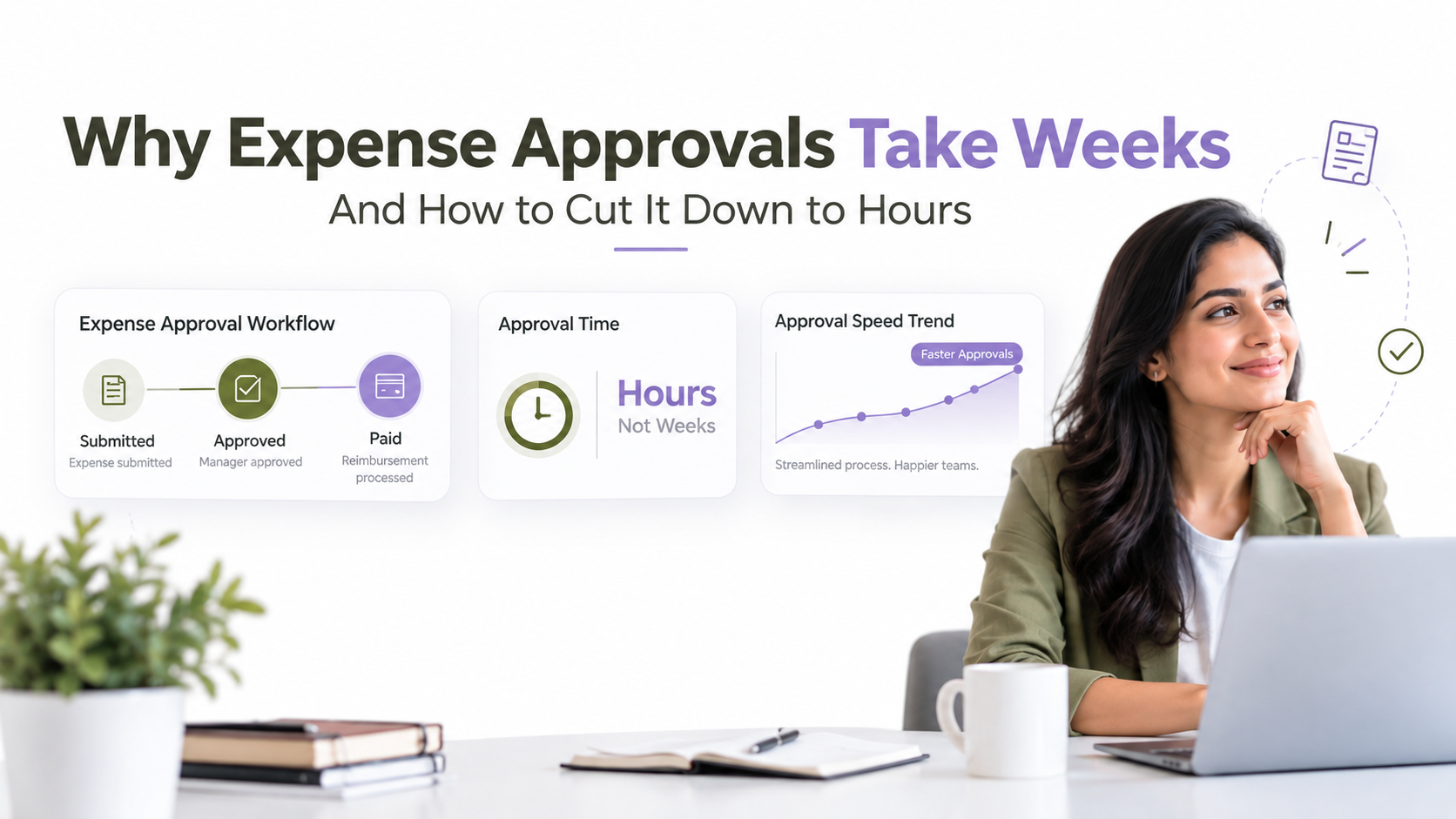
In finance departments, Power Automate approval workflows handle multi-level expense approval, vendor invoice processing, and budget exception sign-offs. When an employee submits an expense report, the workflow routes it to their manager for approval. Reports exceeding policy thresholds automatically escalate to finance. Once approved, the system updates the accounting ledger and triggers payment processing. All decisions log to the compliance system automatically, simplifying year-end audits and regulatory reviews.
Human Resources Approval Workflows
HR teams benefit from approval workflows that handle onboarding, leave requests, and policy exceptions. A new hire approval triggers multiple parallel processes: equipment requests to IT, access provisioning to security, orientation task creation to HR. When an employee requests time off, the workflow routes to their manager, checks department coverage, and documents the approval. Policy exception requests from employees follow escalation rules based on the type and cost of the exception.
Procurement & Operations Workflows
Procurement departments use Power Automate approval workflows for purchase orders, contract approvals, and supplier onboarding. A PO over $50,000 automatically routes to the CFO. Requests between $10,000 and $50,000 go to the department director. Below $10,000, manager approval completes the process. Contract approvals route to legal if the agreement deviates from standard terms. Supplier onboarding workflows collect approvals from procurement, finance, and operations before enabling payments.
IT Service Management & Change Control
IT teams handle change requests, access reviews, and incident escalations through approval workflows. Critical change requests notify stakeholders in Teams and require sign-off before execution. Access reviews trigger quarterly, automatically notifying managers to verify each team member’s current permissions. Failed approval workflows escalate to IT leadership after 48 hours, preventing emergency changes from bypassing controls.
Implementation Considerations & Best Practices
Successful Power Automate approval workflows deployments follow a structured approach that prioritizes business impact over technical complexity.
Start with high-volume, standardized processes rather than one-off approvals. Expense reports, purchase orders, and leave requests create consistent approval patterns. Unusual workflows or exceptions require manual decision-making that automation struggles to handle efficiently. Prioritize processes that repeat weekly or monthly across dozens or hundreds of instances.
In most cases, map your current workflow before building automation. Document every decision point, approver role, timing expectation, and system integration requirement. Walk through real requests to identify edge cases and exceptions. This prevents building automation that doesn’t match operational reality and fails when unusual approvals arrive.
Design for exceptions deliberately. Build visibility and override paths for edge cases. Some purchase orders may need VP approval even when they’re under the standard threshold. Create a manual escalation option that maintains audit trails rather than asking approvers to work around the system.
Here’s what we’ve learned: user adoption matters more than technical elegance. Make notifications clear and concise. Keep the user experience simple. Communicate the “why” behind the change, how automation benefits approvers by reducing follow-ups and improving visibility. Teams with clear communication adopt faster and report higher satisfaction.
Establish governance rules that define who can create or modify approval workflows, manage connectors, and audit access. Without governance, workflow sprawl creates maintenance nightmares and compliance risks.
Additionally, prioritize your integration strategy carefully. Decide which systems must feed data into approval workflows and which must receive updates. Test connectors and data mapping thoroughly before deployment. Consider a data integration layer for complex scenarios where Power Automate connectors may not provide sufficient flexibility.
Expert Perspective
The most successful Power Automate approval workflows implementations start with a single high-impact workflow, expense reports or vendor approvals, then scale horizontally once the team gains confidence. This approach builds organizational momentum and reduces change management risk.
Common Pitfalls & How to Avoid Them
Organizations implementing Power Automate approval workflows solutions encounter predictable challenges that derail projects when not addressed proactively.
Over-automating low-value processes wastes resources on workflows that deliver minimal business benefit. Focus on volume and bottleneck first. Automate processes that repeat frequently and create visible delays. Skip one-time approvals or exceptions that require human judgment.
Worth noting, inadequate change management causes user resistance and adoption failures. Communicate the timeline clearly. Train approvers on the new process. Provide support channels for questions. Teams that understand why automation exists adopt faster than those who feel surprised by new systems.
Governance drift happens when approval workflows multiply without control. Establish approval process controls and audit them regularly. Require naming conventions, documentation, and owner accountability. Without governance, workflows become unmaintainable technical debt.
And here’s something most guides won’t tell you: integration failures occur when connectors aren’t tested thoroughly or data mapping assumptions prove wrong. Test every integration with real data. Verify that approvals update source systems correctly. Plan error handling for failed integrations rather than hoping they never occur.
Notification fatigue reduces adoption when teams receive redundant alerts from multiple systems. Use Teams and email strategically. Choose one channel per notification type rather than duplicating across platforms. Less communication that’s clear beats more communication that’s noise.
Finally, lack of monitoring and alerting means approval workflows fail silently. Set up flow run monitoring and alerts when approvals fail or stall beyond expected timeframes. Build dashboards that show approval cycle times and pending request counts. Without visibility, bottlenecks reappear unnoticed.
How to Get Started with Power Automate Approval Workflows
Moving from approval workflow challenges to automation follows a proven path. Each step builds on the previous one.
- Assess & Prioritize: Audit your current approval processes and identify high-impact workflows: high volume, long cycle time, compliance risk. Understand stakeholder needs and pain points. This step clarifies which approval workflows Power Automate should address first.
- Design the Workflow: Document the decision tree, approver roles, routing rules, notifications, and system integration requirements. Validate designs with process owners and approvers before building. This prevents rework and misalignment with operational expectations.
- Build & Test: Use Power Automate’s template library or build from scratch. Configure connectors, conditions, and actions. Test with real data and edge cases in a non-production environment. Ensure all system integrations work correctly before deploying to users.
- Pilot & Refine: Roll out to a subset of users and gather feedback on user experience, notifications, and routing logic. Iterate based on real-world usage patterns. Most workflows require adjustments after live usage reveals unexpected scenarios.
- Scale & Govern: Expand to additional workflows or users. Establish naming conventions, access controls, and monitoring. Train stakeholders and document runbooks for support. Governance prevents the system from becoming unmaintainable as complexity grows.
Frequently Asked Questions
How does Power Automate differ from SharePoint’s built-in workflow features?
Power Automate offers significantly more connectors, conditional logic depth, and integration flexibility than SharePoint’s built-in workflow capabilities. Power Automate is cloud-native and scales better than legacy SharePoint workflows. It integrates beyond SharePoint to Teams, Outlook, Dynamics 365, and hundreds of third-party applications, creating a unified approval platform across your entire enterprise.
Can Power Automate handle complex, multi-department approval chains?
Yes. Power Automate supports parallel and sequential approvals, conditional routing based on data attributes (amount, department, risk level), and escalation rules. That said, extremely complex logic with dozens of conditions may require additional configuration or custom code. For most enterprise scenarios, Power Automate provides sufficient flexibility to model your approval processes accurately.
What compliance standards does Power Automate support for approval workflows?
Power Automate provides audit logging, encryption, and integration with compliance tools to help meet GDPR, HIPAA, SOC 2, and other regulatory requirements. Compliance readiness depends on your configuration and organizational controls. Work with your security and compliance teams to ensure the workflow design meets your specific requirements.
How do I integrate Power Automate approvals with my existing ERP or accounting system?
Use Power Automate connectors for your ERP system (SAP, Oracle, NetSuite, Workday, etc.) or build custom integration via APIs. Power Automate supports hundreds of pre-built connectors. If your system lacks a connector, REST API calls enable custom integration. Test thoroughly to ensure data consistency and error handling before deploying to production.
What’s the typical learning curve for building approval workflows in Power Automate?
Simple approval workflows with 2-3 approvers and basic notifications can be built using templates after familiarization with the platform. Complex multi-system integrations may require IT or consultant support for proper design and testing. Microsoft provides training and the community forums offer peer support for common implementation questions.

Power Automate approval workflows solve the core challenge facing modern enterprises: how to make approvals fast, visible, and compliant without adding staff. Manual approval processes create delays that ripple through organizations. Power Automate automates routing, notifications, and compliance tracking while integrating with systems you’re already using.
The platform’s strength lies in handling standardized, high-volume processes. Expense reports, purchase orders, leave requests, and vendor approvals all follow predictable patterns that Power Automate models efficiently. The result is faster approvals, better visibility into pending decisions, and audit trails that satisfy compliance requirements.
Implementation success depends on starting with high-impact workflows, designing for your operational reality, and investing in user adoption and governance. Organizations that follow this path report significant improvements in approval cycle times and staff satisfaction.
Ready to Streamline Your Approval Processes?
Explore how Power Automate approval workflows can reduce bottlenecks, improve compliance visibility, and free your team to focus on strategic work. We’ve helped enterprises across finance, HR, procurement, and IT optimize approval processes for scale and efficiency. Let’s discuss your specific workflow challenges and discover how automation can drive operational improvements for your organization.