Ready-Made HR Dashboard Templates & Examples for Power BI
HR dashboard templates are pre-built visual solutions that let HR teams track employee metrics, recruitment pipelines, turnover trends, and workforce planning without building dashboards from scratch. According to SHRM research, organizations using data-driven HR analytics report faster hiring cycles, improved retention forecasting, and more informed succession planning decisions. Yet many HR professionals still spend countless hours on manual reporting in spreadsheets instead of leveraging real-time insights.
Key Takeaway
Pre-built HR dashboard templates cut setup time while maintaining customization flexibility for your unique workflows. They transform siloed HR data into actionable intelligence accessible to leadership.
In This Article
Why HR Dashboards Matter in Modern Workforce Planning
The modern HR function sits at the intersection of data explosion and decision complexity. Organizations now generate more workforce data than ever: hiring metrics from applicant tracking systems, compensation data from payroll platforms, engagement scores from employee surveys, and performance ratings from talent management tools. But here’s the thing. This abundance of data creates a paradox.
Without a structured way to visualize and analyze this information, HR teams operate blind. According to Gartner’s research on HR technology adoption, over 60% of HR departments still rely on spreadsheets as their primary reporting tool. This approach is slow, error-prone, and disconnects HR from the strategic conversations happening in the boardroom.
And here’s the thing. Leadership demands answers faster than ever. A CEO asking “Why are we losing talent in engineering?” shouldn’t require a week of manual data compilation. Real-time HR dashboards enable HR leaders to spot trends immediately, answer tough questions with confidence, and demonstrate clear business impact.
“Organizations using structured HR analytics report 23% faster hiring cycles and 18% better retention outcomes compared to those relying on manual reporting.”
LinkedIn Talent Solutions Workforce Report, 2023
Worth noting: compliance and governance have become critical considerations. Informal spreadsheet-based reporting creates audit risks and makes it difficult to control who sees sensitive compensation or performance data. Modern HR dashboard templates include enterprise-grade security, role-based access controls, and audit trails that spreadsheets simply can’t provide.
The Core Challenges HR Teams Face Without Dashboards
When HR teams attempt to manage workforce analytics without dashboards, they encounter predictable friction points. Sound familiar? Understanding these pain points illuminates why ready-made HR dashboard templates have become essential infrastructure for modern HR departments.
- Data fragmentation across systems: HRIS, ATS, payroll, and survey platforms operate in isolation. Combining data from these sources manually requires hours of data export, cleanup, and reconciliation each reporting cycle.
- Time wasted on report creation: HR analysts spend 30-40% of their time building reports instead of analyzing insights. Each request for a “slightly different view” means recreating spreadsheets from scratch.
- Delayed insight discovery: Turnover spikes, hiring bottlenecks, and pay equity issues emerge gradually. By the time manual reports surface the problem, it’s too late to intervene proactively.
- Leadership communication gaps: Spreadsheet-based reports are difficult to present. Executives struggle to interpret raw data, and HR teams lack compelling visuals to justify workforce investments.
- Compliance and security risks: Shared spreadsheets with employee data create confidentiality and audit risks. No way to track who accessed sensitive salary information or when.
- Reactive rather than strategic HR: Without real-time visibility, HR responds to problems instead of predicting and preventing them. Succession planning, headcount forecasting, and talent strategy suffer as a result.
These challenges compound over time. HR teams grow frustrated with their tools. Leadership loses confidence in HR’s data. And the organization misses opportunities to optimize its biggest asset: its people.
The Solution: Pre-Built HR Dashboard Templates in Power BI
HR dashboard templates address each of these pain points systematically. Rather than building dashboards from scratch, HR teams deploy pre-configured solutions tailored to common workflows. This approach solves critical challenges while maintaining flexibility to adapt to your organization’s unique structure and priorities.
Consider how templates handle data integration. Instead of manually exporting and combining data each month, Power BI templates connect directly to your HRIS, ATS, and payroll systems using native connectors or ETL tools. Data refreshes on your schedule, real-time for recruitment funnels, daily for turnover tracking, or weekly for compliance monitoring. The result is a single source of truth replacing multiple disconnected spreadsheets.
Speed is another transformative benefit. Building a dashboard from scratch requires data modeling expertise, DAX formulas, and iterative design. Pre-built templates compress this process significantly. Your team can deploy a fully functional recruitment dashboard, employee turnover tracker, or headcount planner in hours rather than weeks. Time-to-insight improves dramatically.
Customization remains central to the template approach. Yes, templates come pre-configured with common HR KPIs and visualizations. But they’re not rigid. Your team customizes metrics, filters, and department hierarchies to match your organizational structure. A template for turnover analysis might highlight department-level trends in one organization and tenure-based separation patterns in another. The underlying template architecture adapts.
Expert Perspective
We’ve observed that HR teams implementing Power BI dashboard templates benefit most when they approach templates as starting points rather than final solutions. The best implementations invest a few weeks in data cleanup and stakeholder alignment before deployment. This ensures clean data feeds the dashboard and users understand what metrics mean for their specific workflows. Templates accelerate the technical build. Your expertise shapes the strategic application.
Enterprise governance is embedded in templates. Role-based access controls ensure managers see only their department’s data while protecting sensitive compensation information. Audit trails track who viewed what data when, addressing compliance requirements. This level of security is difficult to replicate in spreadsheet environments.
When evaluating HR dashboard templates, prioritize these qualities: compatibility with your existing data sources, pre-built HR KPIs aligned to your strategy, flexibility for customization without requiring advanced coding skills, and vendor support including documentation and training resources. The best templates include sample dashboards demonstrating best practices, so you can learn from proven approaches before customizing.
Common HR Dashboard Template Types & Examples
HR dashboard templates come in many varieties, each addressing specific workforce challenges. Understanding the main template categories helps you select the right starting point for your organization’s needs.
Recruitment & Hiring Dashboard
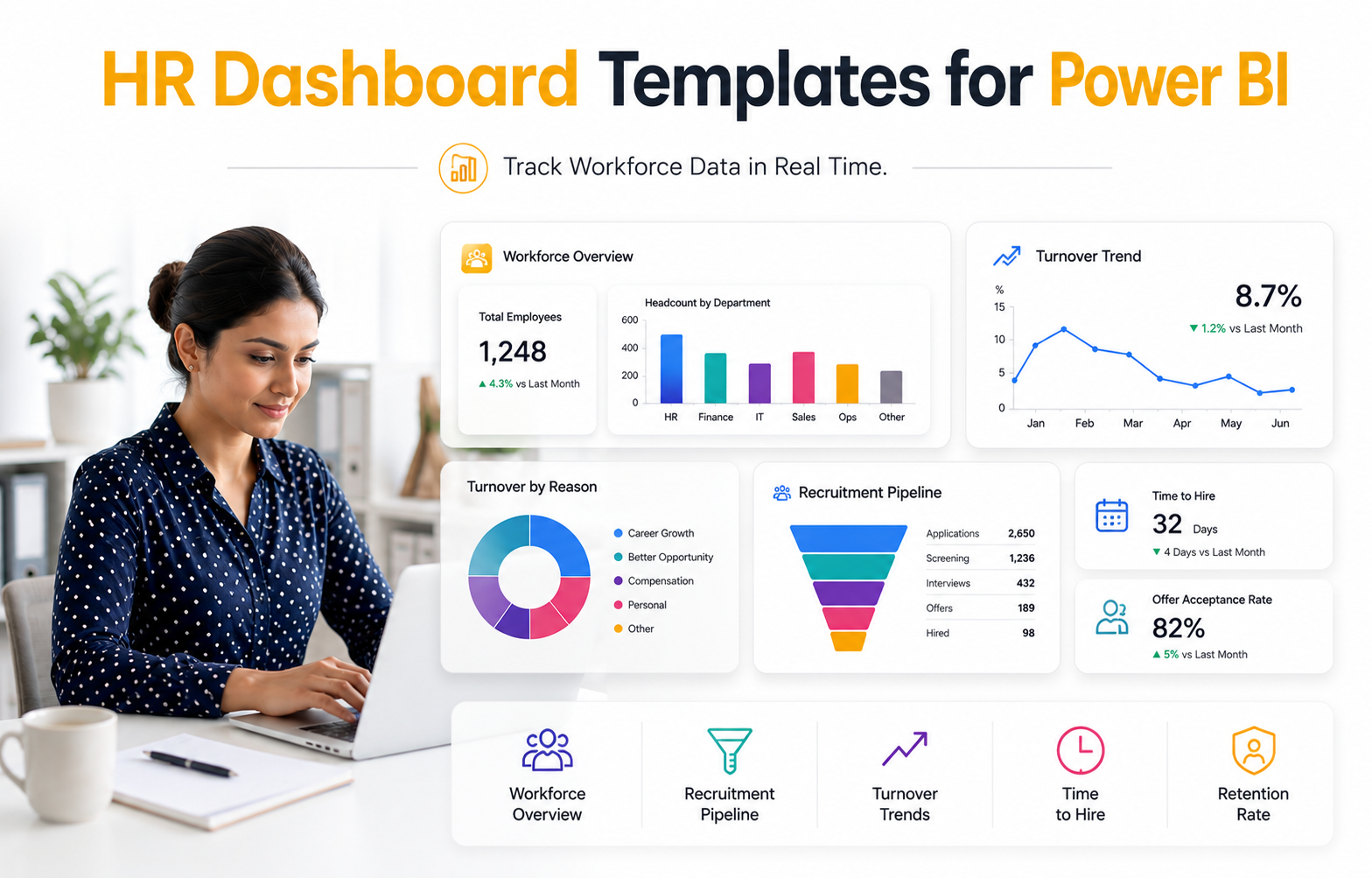
This template visualizes your entire hiring funnel from job posting through offer acceptance. Track applicant pipeline depth, time-to-hire by role, cost-per-hire trends, and offer acceptance rates. Common visualizations include funnel charts showing conversion from applicant to offer, line graphs tracking hiring speed over time, and heatmaps revealing which roles or departments have slowest hiring cycles. HR recruiters and hiring managers use this template daily to identify bottlenecks and forecast when positions will fill. A talent director might use it to benchmark recruiting performance against industry standards or prior years.
Employee Turnover & Retention Dashboard
Turnover dashboards consolidate separation data into actionable insights. Monitor voluntary versus involuntary separations, turnover rates by department and tenure, and exit reasons coded from offboarding surveys. Key metrics include turnover rate, total separations divided by average headcount, regrettable versus non-regrettable separations, and headcount trend lines showing the impact of turnover over time. Visualizations often include retention cohort analysis tracking how long cohorts of hires stay with the organization. This template reveals whether turnover concentrates in specific departments or roles, allowing targeted retention interventions.
Headcount & Workforce Planning Dashboard
Strategic HR leaders use this template to track actual versus planned headcount, FTE utilization, and departmental capacity against approved budgets. Displays typically show headcount by department, level, and function. Variance metrics compare planned hires to actual headcount. A CFO watching budget impact might drill into salary spend by department. This template supports succession planning by revealing which departments face staffing gaps or have excess capacity. It bridges HR and finance, showing business leaders how workforce investments translate to organizational structure.
Employee Engagement & Performance Dashboard
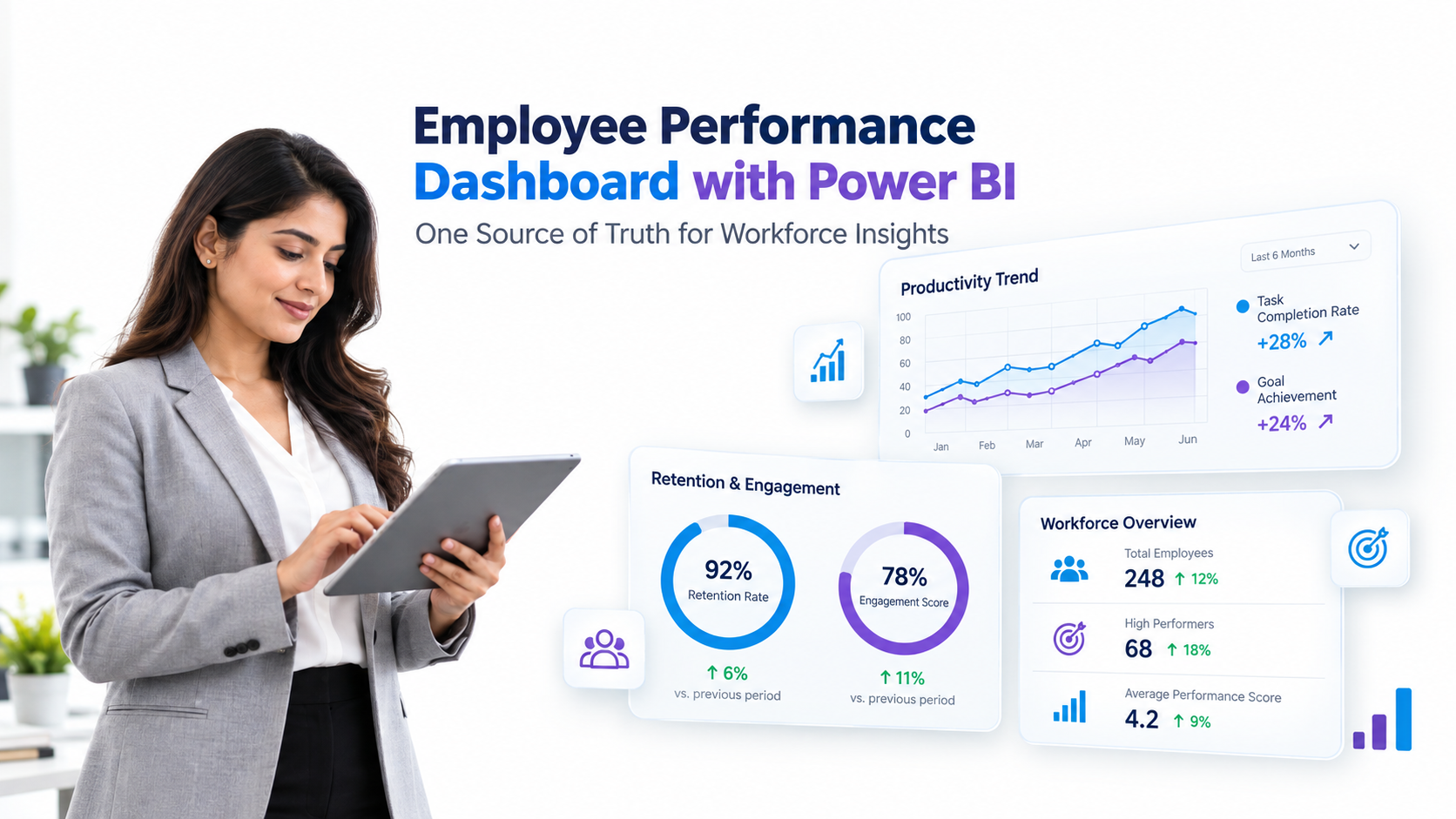
This template consolidates engagement survey scores, performance ratings distribution, internal promotion rates, and training completion metrics. Visualizations reveal engagement trends across departments and teams, performance distribution curves highlighting high and low performers, and internal mobility showing promotion velocity. This dashboard helps HR and business leaders understand cultural health, identify high-potential talent pools, and spot teams with engagement challenges requiring intervention.
Compensation & Benchmarking Dashboard
Compensation dashboards analyze pay equity, salary ranges against market benchmarks, bonus payout distribution, and compa-ratio trends, actual pay versus midpoint of salary range. This template typically includes gender pay gap analysis, pay progression by tenure and performance, and market comparison showing how your salaries align with external benchmarks. HR business partners use this to support compensation decisions and identify potential equity concerns requiring action.

How to Implement an HR Dashboard Template
Deploying an HR dashboard template follows a logical sequence. Each step builds toward real-time, actionable insights your team can trust and use confidently.
- Step 1: Select the right template by priority. Assess your top HR challenges. Is recruitment speed a bottleneck? Is turnover your biggest concern? Does your CFO want headcount forecasting? Select one or two templates addressing your highest-priority metrics. This focused approach ensures your first deployment delivers immediate value rather than attempting to build everything at once.
- Step 2: Map data sources and ensure data quality. Identify where each metric lives: employee records in your HRIS, applications in your ATS, compensation data in payroll. Audit data quality. Are department names consistent across systems? Is job title standardized? Do you track exit reasons reliably? Clean data now prevents incorrect dashboards later.
- Step 3: Connect your data systems to Power BI. Use Power BI’s native connectors for major platforms like Workday, SAP SuccessFactors, BambooHR, and ADP. If your HRIS lacks a native connector, use ETL tools or export-import processes. Test data refresh cycles. Ensure metrics calculate consistently between your source systems and Power BI.
- Step 4: Customize the template to your organization. Adjust KPI definitions to match your company’s framework. Configure department hierarchies, location structures, and reporting lines. Modify visuals to highlight metrics most relevant to your stakeholders. Train your team on the template’s structure so they can refine it over time.
- Step 5: Deploy and train stakeholders. Share the dashboard with HR team members, managers, and executives. Conduct training sessions explaining what metrics mean, how to interpret visualizations, and what actions the data suggests. Set expectations about refresh frequency. Enable feedback loops so users suggest refinements over time.
The result is a functioning HR analytics capability. Your team moves from manual reporting to real-time insight. Leadership gains confidence in HR’s data. And HR becomes a more strategic partner in workforce planning and talent decisions.
Frequently Asked Questions
What HR data sources can Power BI dashboards connect to?
Power BI integrates with most major HRIS platforms including Workday, SAP SuccessFactors, BambooHR, ADP, and Paychex. It also supports popular ATS systems and payroll tools. Beyond HR-specific platforms, Power BI connects to Excel files, SQL Server databases, cloud storage like OneDrive and SharePoint, and web APIs. If your system lacks a native connector, custom connectors or ETL tools like Azure Data Factory bridge the gap. This flexibility means you’re rarely constrained by technology limitations.
Do I need SQL or coding skills to use HR dashboard templates?
No. Pre-built templates come with pre-configured data models and visualizations designed for non-technical users. Customizing templates through Power BI’s visual interface requires no coding knowledge. More advanced modifications, such as creating new DAX measures or transforming data models, benefit from SQL or DAX familiarity, but templates address 80% of typical HR reporting needs without these skills. Most template vendors provide comprehensive documentation and support, democratizing dashboard access across your HR team.
How often should HR dashboards refresh with new data?
Refresh frequency depends on your decision-making needs. Recruitment dashboards benefit from daily or real-time refresh when hiring is active and competitive. Turnover and headcount dashboards typically refresh weekly or daily. Engagement and performance dashboards might refresh monthly or quarterly, since survey and appraisal cycles follow slower cadences. Strategic workforce planning dashboards may use quarterly or annual refresh cycles. Power BI supports all these frequencies, from real-time streaming to scheduled daily or weekly refreshes. Align refresh timing to your business rhythm rather than technical constraints.
Are HR dashboard templates compliant with data privacy regulations?
Templates themselves are technically neutral. Compliance depends on your implementation. Power BI meets GDPR, CCPA, and other regulatory standards when configured correctly. However, you must ensure your underlying HRIS data, access controls, and data retention practices comply with applicable regulations. Sensitive data like compensation, performance ratings, and health information require restricted access. Consult your IT and Legal teams to verify your specific implementation meets your compliance obligations. This is non-negotiable, so don’t rely solely on technology features without human governance oversight.
Can multiple departments use the same HR dashboard template?
Yes. Templates typically include filters and role-based access controls enabling shared dashboards with personalized views. A manager sees only their department’s metrics while protecting other departments’ data. A CFO sees all department data to compare budgets. This approach maintains transparency and consistency while protecting sensitive information. Your template’s permission structure determines what each user sees based on their organizational role.
Transform Your HR Reporting Today
HR dashboard templates eliminate the spreadsheet chaos blocking your team’s potential. They replace manual reporting with real-time insights, turning your HR data into a strategic asset. Most importantly, they free your HR team from report-building tasks so they can focus on talent strategy and workforce planning that actually matters.
Stop Spreadsheets, Start Strategic Insights
Our HR analytics experts help you select, customize, and deploy dashboard templates that match your organization’s unique priorities. We’ll guide you from data cleanup through stakeholder training, ensuring your dashboard becomes an essential tool your leadership team uses daily. Reach out to explore how templates can accelerate your HR function’s transformation.