SharePoint vs Google Drive: Which Platform Is Right for Enterprise Document Management?
SharePoint vs Google Drive is one of the most consequential decisions enterprise teams face when building their document management infrastructure. Your finance team might champion Google Drive for its intuitive collaboration features. Your compliance officer insists on SharePoint’s governance capabilities. Meanwhile, your IT budget sits somewhere between both options. The tension is real, and the stakes are high: choosing the wrong platform can result in ungoverned data sprawl, compliance violations, or frustrated users abandoning the system altogether.
Key Takeaway
SharePoint is built for governed, complex enterprise workflows with robust audit trails and records management. Google Drive prioritizes simplicity and real-time collaboration. Neither is objectively “better”. The right choice depends on your organization’s maturity, compliance requirements, existing tech stack, and willingness to invest in user training and governance processes.
In This Article
- Why This Comparison Matters Now
- The Core Challenge: Simplicity vs. Governance
- Understanding Each Platform’s Strengths
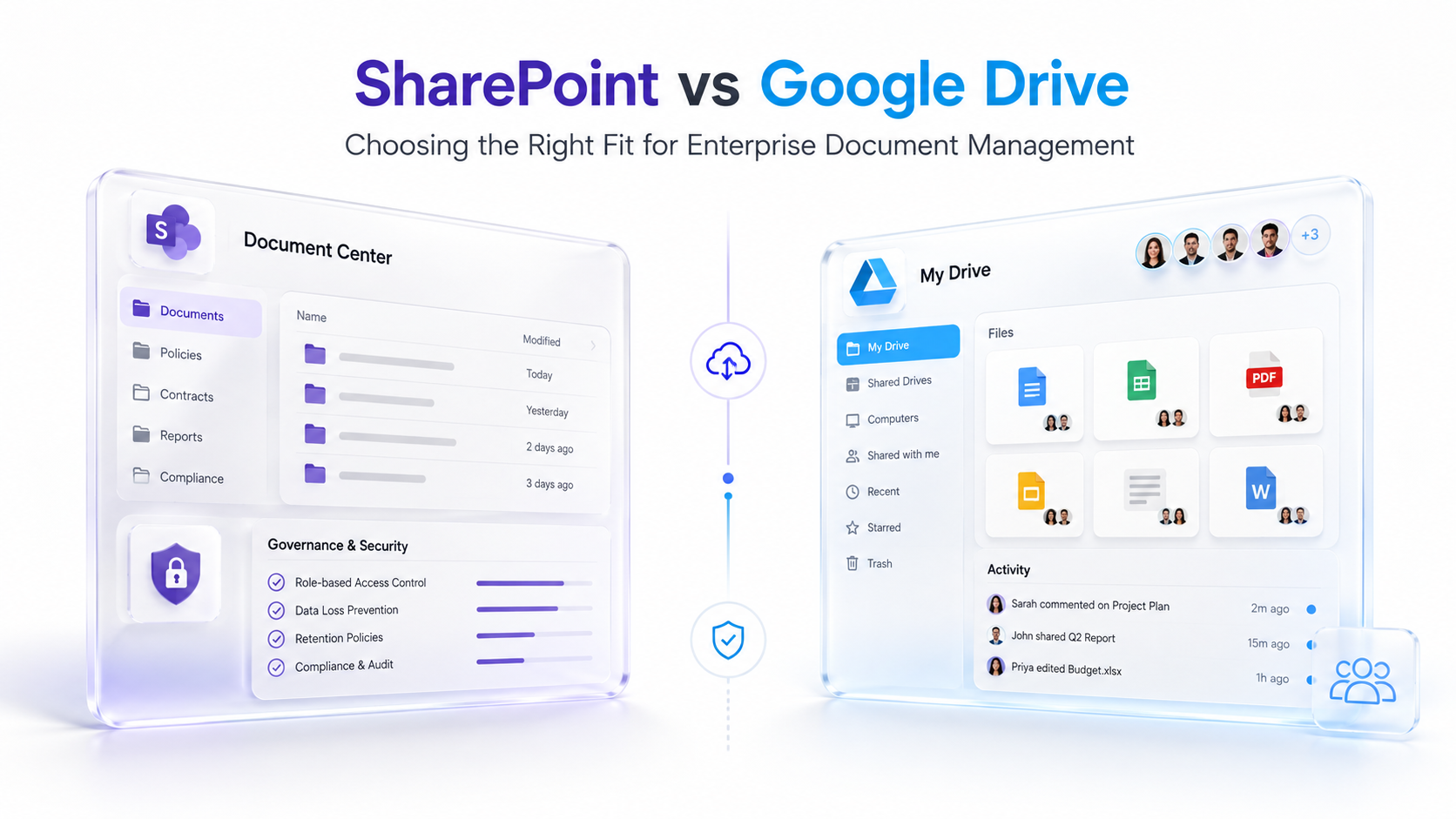
- Feature-by-Feature Comparison: SharePoint vs Google Drive
- Security, Compliance, and Records Management
- Integration and Ecosystem Fit
- How Leading Enterprises Make This Decision
- Industry Applications
- How to Evaluate and Get Started
- Frequently Asked Questions
Why This Comparison Matters Now
Enterprise cloud adoption is accelerating faster than ever. According to Gartner’s latest research on content collaboration platforms, organizations are consolidating their document management tools to reduce total cost of ownership, improve governance, and streamline user workflows. The shift toward hybrid and remote work has intensified this pressure. Teams need platforms that work seamlessly across devices, geographies, and time zones, but enterprises can’t sacrifice security or compliance in the process.
This is where SharePoint vs Google Drive evaluation becomes critical. We’ve seen this pattern repeatedly. Many organizations inherited Google Drive deployments from their early cloud migrations. Now, as they scale, they’re discovering that Google Drive lacks the governance, retention policies, and audit trails their compliance officers demand. On the flip side, some SharePoint deployments have become so bureaucratic and over-engineered that end users get frustrated. They just want to collaborate on a document in real time, and SharePoint feels like it’s fighting them.
“72% of enterprises now use multiple document management platforms simultaneously, creating data silos and governance challenges that force consolidation decisions.”
IDC Enterprise Content Management Trends Report, 2024
The stakes are clear. A poor platform choice results in scattered documents, untracked access, retention violations, and shadow IT, where users circumvent official systems entirely. The right choice creates a single source of truth, transparent audit trails, and user adoption that grows organically because the platform genuinely serves their workflow.
The Core Challenge: Simplicity vs. Governance
The fundamental tension between SharePoint and Google Drive comes down to this: you can have simplicity or governance, but choosing both requires significant effort and cost. Let’s break down the real pain points organizations face.
- Collaboration vs. Control: Google Drive excels at real-time, intuitive collaboration. Multiple users can edit a document simultaneously, see comments instantly, and track who said what. SharePoint requires more configuration but offers deeper access controls, nested permissions, and workflows that enforce business rules before content is published.
- Scale and Organizational Complexity: A 50-person startup thrives on Google Drive. A 5,000-person multinational corporation with 30 departments, multiple compliance frameworks, and legacy systems to integrate typically outgrows Google Drive within 18 months and needs SharePoint’s information architecture capabilities.
- Records Management and Legal Holds: Google Drive has no native retention policies or legal hold functionality. If your organization faces regulatory audits or litigation, you can’t reliably prevent documents from being deleted or prove that you did. SharePoint includes these features by design, with centralized retention schedules and compliance automation.
- Audit Trails and Compliance Visibility: Google Drive provides basic audit logs. SharePoint integrates with Microsoft Purview to deliver comprehensive data governance, including who accessed what, when, why, and whether it complies with retention policies. This difference alone disqualifies Google Drive for HIPAA, GDPR, SOX, and FINRA-regulated organizations.
- Metadata and Information Architecture: Google Drive is a folder-and-file system. SharePoint supports custom metadata, content types, taxonomies, and hierarchical organization. For organizations managing thousands of contracts, medical records, financial documents, or intellectual property, this distinction is enormous.
- Integration with Existing Systems: If your organization runs on Microsoft 365 (Outlook, Teams, OneDrive), SharePoint is a natural extension. If you’re on Google Workspace, Google Drive is the obvious choice. Crossing ecosystems introduces friction, licensing costs, and user confusion.
The cost of choosing wrong is significant. A poorly governed SharePoint deployment becomes so rigid that users abandon it for consumer tools like Dropbox. A Google Drive deployment that outgrows the platform forces a painful, expensive migration later. Both scenarios damage user trust and waste IT investment.
Understanding Each Platform’s Strengths
SharePoint vs Google Drive isn’t a binary choice. The solution lies in understanding what each platform is genuinely designed for, then aligning that capability with your organization’s actual needs. Here’s what each one actually does best.
What SharePoint Excels At for Enterprise Document Management
SharePoint is fundamentally a governed, enterprise-class information platform. It was built to solve problems that Google Drive doesn’t attempt to address. Consider these capabilities.
- Information Architecture and Taxonomy: You can create custom metadata fields, content types, and retention labels. A healthcare organization might tag documents with patient ID, encounter date, and compliance framework. A financial services firm might classify by account holder, transaction type, and regulatory requirement. Google Drive can’t do this at scale.
- Workflow Automation: Document approval workflows, routing to multiple stakeholders, conditional logic, and integration with Power Automate. A contract enters SharePoint, automatically routes to Legal, then Finance, then Procurement based on contract value. Google Drive has no native equivalent.
- Compliance and Governance: Retention policies that automatically delete or archive documents based on age or status. Legal hold that prevents deletion during litigation. Audit logging that tracks every access. Integration with Data Loss Prevention (DLP) policies to prevent sensitive data from leaving the organization.
- Permissions Granularity: Nested site permissions, folder-level security, item-level permissions, and even column-level security. You can restrict access to a single column in a list. Google Drive offers folder and file sharing, which is far simpler but far less precise.
- Microsoft 365 Ecosystem Integration: Deep, native integration with Teams (where SharePoint libraries appear as tabs), Outlook (where you can save emails to SharePoint), Power BI (for document analytics), and security services like Conditional Access, DLP, and Intune device management.
- Records Management and Compliance Certification: SharePoint is certified for records management under ISO standards. Organizations managing legal documents, medical records, or financial statements can rely on SharePoint’s retention and audit capabilities to satisfy regulators and auditors.
Expert Perspective
SharePoint’s power doesn’t lie in document storage. You can store files on any platform. SharePoint’s power lies in information governance. It’s designed for organizations where you need to know who accessed what, when, why, and whether it complies with retention policies. It’s not just “can someone open this file?” It’s “did this document satisfy our legal holds, retention requirements, and access audit trails?” This is why organizations in regulated industries can’t abandon SharePoint, even when end users find it less intuitive than Google Drive.
What Google Drive Excels At
Google Drive was designed for a fundamentally different use case: rapid, intuitive, real-time collaboration. Here’s what it genuinely does better than SharePoint.
- User Simplicity and Onboarding: Most users can navigate Google Drive in minutes. There’s no hierarchy to configure, no metadata to define, no workflow rules to explain. It’s a folder structure plus real-time editing. The learning curve is nearly flat.
- Real-Time Collaboration: Google Docs’ simultaneous editing is unmatched. Multiple users see each other’s cursors, changes appear instantly, and version history is automatic. SharePoint’s Office co-authoring is good, but Google’s real-time experience is more seamless.
- Cross-Platform Compatibility: Google Drive works flawlessly across any browser, any device, any operating system. SharePoint requires more client-side configuration and works best within the Microsoft 365 ecosystem.
- Lower Upfront Friction: Google Drive requires minimal setup. SharePoint requires information architecture planning, metadata definition, permission structure design, and often professional services to implement correctly.
- Cost Simplicity for Small Organizations: Per-user licensing is straightforward. A 20-person company can adopt Google Workspace at a known, predictable cost. SharePoint’s value proposition is strongest at larger organizational scales.
- Intuitive Search: Google’s search algorithms are familiar to most people. Finding a document in Google Drive feels natural. SharePoint’s search is more powerful but requires learning query syntax and managed property concepts.
Google Drive’s simplicity comes at a cost, though. It lacks governance, audit trails, workflow automation, and retention policies that mature organizations require.
Feature-by-Feature Comparison: SharePoint vs Google Drive
Here’s a direct feature comparison across the dimensions that matter most to enterprise decision-makers.
| Feature | SharePoint | Google Drive |
|---|---|---|
| Permissions and Access Control | Multi-level, nested, column-level security. Conditional Access policies. Granular role-based access. | Folder and file-level sharing. Simpler model. Fewer granular options. |
| Version History and Recovery | Unlimited versions. Recycle bin with retention. Point-in-time site recovery. | Limited version history (30 days in most cases). Trash recovery window. |
| Workflow Automation | Native approval workflows, routing, conditional logic. Power Automate integration. | Limited. Requires third-party tools (Zapier, Integromat) for complex workflows. |
| Compliance and Audit Logging | Comprehensive audit trails. Legal hold. Retention policy automation. DLP integration. Purview compliance. | Basic audit logs. Lacks legal hold and automated retention policies. |
| Records Management | Certified for records management. Retention label automation. Disposal confirmation. | Not designed for formal records management. No disposal workflows. |
| Metadata and Content Types | Custom metadata, content types, taxonomy, managed properties for advanced classification. | Folder structure only. No native metadata framework. |
| Search and Discovery | Advanced metadata search, query syntax, managed properties, enterprise search. | Intuitive but less precise for large-scale enterprise searches. |
| Integration Ecosystem | Seamless Microsoft 365 (Teams, Outlook, Power BI, Power Automate, Copilot). | Native Google Workspace integration. Third-party connectors available. |
| Data Governance | Information barriers, DLP policies, sensitivity labels, admin controls. | Limited DLP. No information barriers. Fewer admin governance tools. |
| Real-Time Collaboration | Supported via Office co-authoring and Teams integration. Secondary to governance. | Best-in-class. Primary use case. Seamless simultaneous editing. |
| Mobile Apps | Full-featured apps for iOS and Android. Offline sync. Selective sync options. | Full-featured apps. Simpler sync model. |
| Learning Curve | Moderate to steep. Requires training for information architecture and advanced features. | Flat. Most users can navigate on day one. |
| Scalability | Designed for thousands of users across complex organizational structures. | Handles large organizations but governance becomes challenging at enterprise scale. |
This table illustrates why the choice between SharePoint vs Google Drive depends on organizational maturity. If you need the governance, compliance, and audit capabilities in rows 2, 3, 4, 5, 8, and 9, SharePoint is mandatory. If you primarily need row 10 and can accept simplified governance, Google Drive works.
Security, Compliance, and Records Management
This is where the differences become non-negotiable for regulated industries. SharePoint and Google Drive take fundamentally different approaches to data protection and compliance.
SharePoint’s compliance foundation is built into the platform. It includes encryption at rest and in transit, multi-factor authentication, Conditional Access policies (restricting access based on device, location, or risk level), and integration with Microsoft Purview for comprehensive data governance. For organizations subject to HIPAA, GDPR, FINRA, SOX, or PCI-DSS, SharePoint’s audit logging is non-optional. Every access is recorded. Every deletion can be reviewed. Every retention policy is enforced automatically.
Google Drive offers encryption and authentication, but it lacks the governance automation that regulated organizations require. You can’t automatically apply retention labels. You can’t prevent downloads based on document sensitivity. You can’t run compliance reports that prove retention policies were enforced. Google Drive’s audit logs are available, but they require manual review and aren’t integrated with compliance workflows.
“58% of enterprise data breaches in 2023 involved uncontrolled access due to poor permission management, according to Forrester Research.”
Forrester Data Governance Report, 2024
Additionally, if your organization operates in healthcare, financial services, or government sectors, your compliance officer or auditor will likely require a platform that’s achieved specific certifications: SOC 2 Type II, FedRAMP authorization, ISO 27001, or industry-specific accreditations. SharePoint has these. Google Drive has some, but not all that highly regulated industries demand.
For document retention and legal holds, the difference is stark. In litigation, you must prove that you preserved all relevant documents and prevented their deletion. SharePoint’s legal hold feature does this automatically. Documents subject to a legal hold can’t be deleted, and all access is logged. Google Drive has no equivalent feature. You’d need to manually manage deletions and hope users comply, a scenario that fails regulatory scrutiny.
Integration and Ecosystem Fit
Your choice between SharePoint vs Google Drive should heavily weight your existing investment in either the Microsoft or Google ecosystem. The “wrong” choice in terms of features might be the “right” choice in terms of integration reality.
If your organization runs Microsoft 365: Outlook, Teams, OneDrive, Power BI, Dynamics 365, or Power Automate. SharePoint is the natural extension. It appears as tabs within Teams. Emails can be saved directly to SharePoint. Power Automate workflows can orchestrate document approvals. Your compliance team can use Purview for unified data governance across email, Teams, and SharePoint. Your finance team can build Power BI dashboards from SharePoint data. The ecosystem effect is profound.
If your organization runs Google Workspace: Gmail, Google Docs, Google Sheets, Google Meet, or Google Calendar. Google Drive is the obvious choice. It integrates natively with Gmail (attach files, share documents). It syncs seamlessly with Google Docs. Your team doesn’t need to learn a new interface. The learning curve is minimal.
Crossing ecosystems introduces friction. A Microsoft 365-native organization adopting Google Drive means your users must switch contexts between Outlook and Gmail, between Teams and Google Meet, between Office and Docs. This fragmentation reduces adoption and increases support costs. Similarly, a Google Workspace organization forced onto SharePoint requires users to learn a less intuitive system that doesn’t integrate with their daily email and collaboration tools.
Therefore, unless your organization has compelling reasons to break ecosystem alignment, ecosystem fit should be your primary decision driver. The platform that integrates with your existing investment will see higher adoption, lower training costs, and better outcomes.
How Leading Enterprises Make This Decision
When large organizations evaluate document management platforms, they rarely choose between SharePoint and Google Drive in isolation. Instead, they conduct a structured assessment that weighs governance requirements, compliance obligations, existing ecosystem investment, team preferences, and total cost of ownership.
| Evaluation Factor | Strategic Approach | Common Pitfall |
|---|---|---|
| Governance Maturity Assessment | Define your information governance roadmap before choosing a platform. If you need records management, retention policies, and compliance automation, you need SharePoint from day one. | Choosing Google Drive for cost simplicity, then bolting on third-party governance tools later at higher cost and complexity. |
| Compliance Requirement Mapping | List the regulations your organization must satisfy. Cross-reference each with platform capabilities. If you have legal holds or automated retention requirements, SharePoint is mandatory. | Assuming Google Drive is “secure enough” for regulated data, then discovering during an audit that you lack required audit trails or retention automation. |
| Ecosystem Alignment | Choose the platform that aligns with your organization’s primary productivity suite. Integration matters more than feature superiority for adoption. | Choosing the “better” platform while ignoring ecosystem fragmentation, resulting in low adoption and user frustration. |
| User Adoption Planning | Involve end users in platform evaluation. Run pilots. Measure adoption rates and satisfaction. User preference carries weight in the final decision. | Allowing IT to choose based purely on features while ignoring user experience, resulting in shadow IT and system abandonment. |
Organizations that make the most successful SharePoint vs Google Drive decisions follow a disciplined evaluation process. They assess governance maturity, map compliance requirements, align with ecosystem investments, and involve end users in pilots. They avoid being swayed by individual platform features and instead focus on organizational fit.
Here’s the thing most guides won’t tell you: this isn’t a permanent, irreversible decision. Cloud platforms evolve. Google Drive’s governance capabilities have improved. SharePoint’s user experience has improved. Organizational needs change. Re-evaluation every 2 to 3 years is reasonable, especially if your compliance requirements shift or your ecosystem investment changes.
Industry Applications
How does the SharePoint vs Google Drive decision vary by industry? Let’s examine four sectors where platform choice is particularly consequential.
Financial Services and Banking
SharePoint is nearly mandatory. Financial institutions must satisfy SOX, FINRA, and PCI-DSS requirements, all of which demand comprehensive audit trails, retention policy automation, and legal hold capabilities. Google Drive’s audit logs are insufficient. A bank managing loan documents, compliance evidence, and customer data can’t afford the governance gaps. Additionally, financial institutions maintain complex information architectures: loan files organized by branch, product type, and origination date. SharePoint’s metadata and content type framework accommodates this complexity. Google Drive’s folder structure does not.
Healthcare and Life Sciences
HIPAA compliance requires comprehensive access logging, encryption, and retention policy enforcement. Google Drive lacks native retention automation, which creates liability. Healthcare organizations managing electronic health records, clinical trial data, and medical research documents depend on SharePoint’s legal hold capabilities during litigation or regulatory investigation. The real-time collaboration features of Google Drive are less critical in healthcare than compliance certainty.
Technology and Software Development
This is where Google Drive’s real-time collaboration strength shines. Software development teams benefit from instant document collaboration, seamless version history, and minimal overhead. Google Drive is often the better choice for R&D teams, design docs, and agile documentation. However, as the organization grows and requires records management for regulatory documentation, API specifications, and security documentation, hybrid approaches emerge: Google Drive for team collaboration, SharePoint for compliance-critical records.
Legal and Professional Services
Legal firms and consulting firms must choose SharePoint almost unconditionally. Client work requires audit trails for billing records, legal holds for litigation, retention policies for compliance documentation, and granular permissions to prevent client conflicts. A legal firm managing thousands of client files across matter types can’t achieve this with Google Drive. The complexity of permissions, where attorneys on Matter A must not see Matter B files, requires SharePoint’s nested, granular permission model.
How to Evaluate and Get Started
If you’re evaluating SharePoint vs Google Drive for your organization, follow this structured approach.
- Define your governance maturity level. Ask: Do we need automated retention policies? Legal holds? Comprehensive audit trails? If yes to any, SharePoint is required. If no, Google Drive is viable. This assessment takes 1 to 2 hours and guides everything that follows.
- Map your compliance requirements. List every regulation your organization must satisfy. Cross-reference with platform capabilities and certifications. Consult your compliance officer. This step prevents future audit surprises. Allow 3 to 5 hours for thorough mapping.
- Assess ecosystem fit. Inventory your current productivity tools. Are you on Microsoft 365 or Google Workspace? Choose the platform that aligns with your existing investment. Ecosystem alignment drives adoption more than individual features.
- Run a pilot with real users. Don’t just read documentation. Set up a pilot instance with a representative user group. Give them real work to accomplish. Measure ease of use, adoption speed, and satisfaction. A 2 to 3 week pilot with 10 to 15 power users is invaluable.
- Calculate total cost of ownership. Account for licensing, training, administration, integration work, and ongoing support. SharePoint typically requires higher upfront investment but lower per-user licensing costs in large organizations. Google Drive appears cheaper initially but may require expensive third-party tools for governance.
Throughout this evaluation, avoid common mistakes. Don’t let a single advocate’s preference override organizational needs. Don’t assume Google Drive is “secure enough” without compliance validation. And don’t choose based purely on features without assessing adoption likelihood. The best platform is the one your organization will actually use and maintain.
Frequently Asked Questions
Can we use both SharePoint and Google Drive together?
Yes, many large organizations run hybrid deployments. Microsoft 365 teams use SharePoint for compliance-critical documents. Google Workspace teams use Google Drive for real-time collaboration. However, this approach introduces complexity: users must navigate two systems, IT must support both platforms, and cross-team collaboration becomes awkward. Hybrid works best when organizational units are clearly separated, not when they need frequent document exchange.
Is SharePoint too complex for small organizations?
SharePoint’s power lies in governance and information architecture. Small organizations (under 50 people) rarely need this complexity. Google Drive’s simplicity is a genuine advantage at small scale. As your organization grows and compliance requirements emerge, you can migrate to SharePoint. However, if you anticipate significant growth within 2 to 3 years, starting on SharePoint and accepting the initial complexity might prevent future migration costs.
How difficult is it to migrate from Google Drive to SharePoint?
Migration is feasible but requires planning. Documents move easily; what’s challenging is rebuilding information architecture, defining metadata, establishing permissions, and re-training users. Many organizations benefit from professional guidance during migration. The process typically involves assessing document volumes, designing the SharePoint information architecture, testing migration tools, and running a phased rollout to minimize disruption. The complexity depends on how much custom structure you want in SharePoint versus simply copying files as-is.
Does Google Drive have any compliance certifications?
Google Drive and Google Workspace have achieved SOC 2 Type II, ISO 27001, and various industry certifications. However, the gap remains in platform functionality: Google Drive lacks automated retention policies, legal holds, and records management workflows that regulated organizations require. Certifications address security controls; governance and compliance workflow automation are separate concerns where SharePoint excels.
What’s the adoption rate difference between SharePoint and Google Drive?
Google Drive typically sees faster initial adoption because the interface is intuitive. Users can navigate it on day one. SharePoint adoption is slower initially but can accelerate once users understand the governance benefits. Organizations that invest in change management and training close the adoption gap. However, if your primary goal is rapid, frictionless adoption with minimal training, Google Drive will outperform SharePoint in the first 30 days.
Ready to Make the Right Choice for Your Organization?
Evaluating SharePoint vs Google Drive requires understanding your governance maturity, compliance requirements, and ecosystem investments. A structured assessment prevents costly decisions and accelerates your platform adoption. Our team has guided enterprise organizations through this evaluation, helping them balance features, compliance, cost, and user experience to choose the platform that aligns with their business strategy.