

Power BI, SharePoint and Power Apps for retail and consumer goods
We help retail and consumer goods companies report on sales and stock, run store audits and approvals, and keep head office and stores connected, using the Microsoft 365 you already have.
Talk to a consultant about retail and consumer goods
Trusted by teams at












What teams ask us for
What retail and consumer goods teams ask us to build
Store audits, stock reports and supplier approvals connect head office with every outlet. These are the requests we hear most from retail and consumer goods teams.
Sales and stock dashboards
Sales, margin and stock by store, product and region in clear reports.
Power BI development →Store audits and checklists
Store visits and audits on a phone, with findings tracked to closure.
Power Apps development →Vendor and contract approvals
Vendor onboarding, contracts and purchase approvals that route to the right people.
Procurement management →Claims and requests
Customer and store claims or requests tracked from submission to closure.
Claims management →Asset tracking
Fixtures, equipment and assets across stores and warehouses.
Asset management →Head office and store intranet
News, policies and forms for corporate teams and store staff, on a phone.
Intranet development →What good looks like
A typical sales view
Sales against plan, stock cover, stores reporting and open claims, by region and category. A typical view built in Power BI.
- Store and region figures in one place
- Claims and approvals tracked to closure
- Built in your own Microsoft 365
Quick enquiry
Want something like this for your retail and consumer goods team?
How we work
Connected from head office to the store
We start from how stores report to head office and how approvals are routed. Then we build the audits, dashboards and approvals on Microsoft 365 your teams already use.
- Stores and head officeStore figures and claims in one place, by region and category.
- Vendor approvalsOnboarding and approvals that route to the right people.
- Store audits on a phoneChecklists with findings tracked to closure.
- Working screens earlyYou react to something real before the full build.
Case studies
Retail and consumer goods projects we have delivered
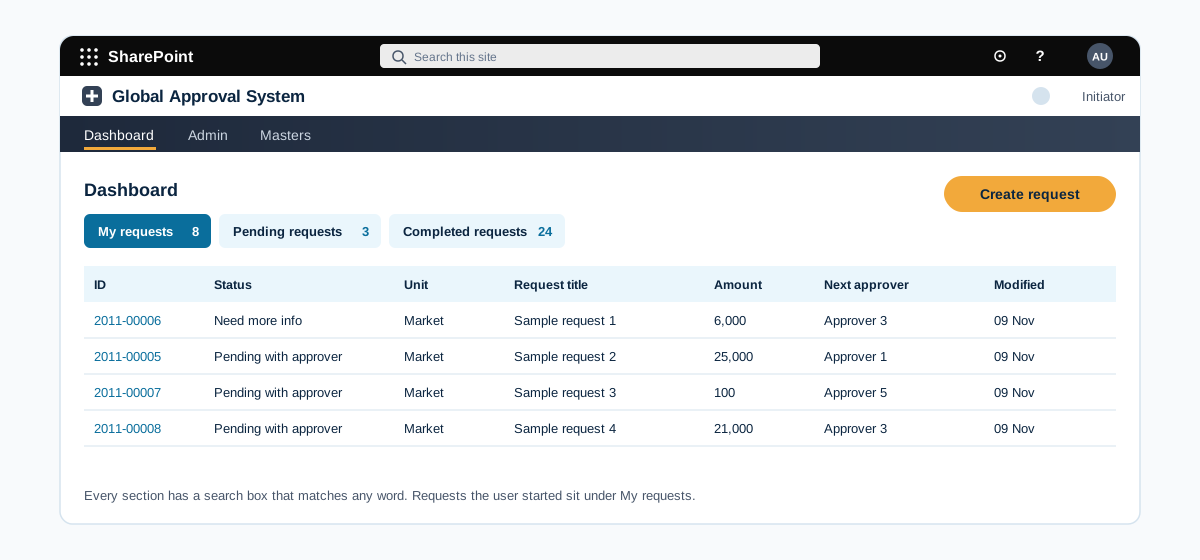
Multi-region approval workflow where the route is set by request type and amount
A SharePoint approval system for a consumer products group with units in several regions. The approver route is built from the unit, the request type and the amount, and approvers act from an email or a dashboard.
A global consumer products group with business units across several regions and approval levels
Read the case study →SharePoint · Retail and consumer goods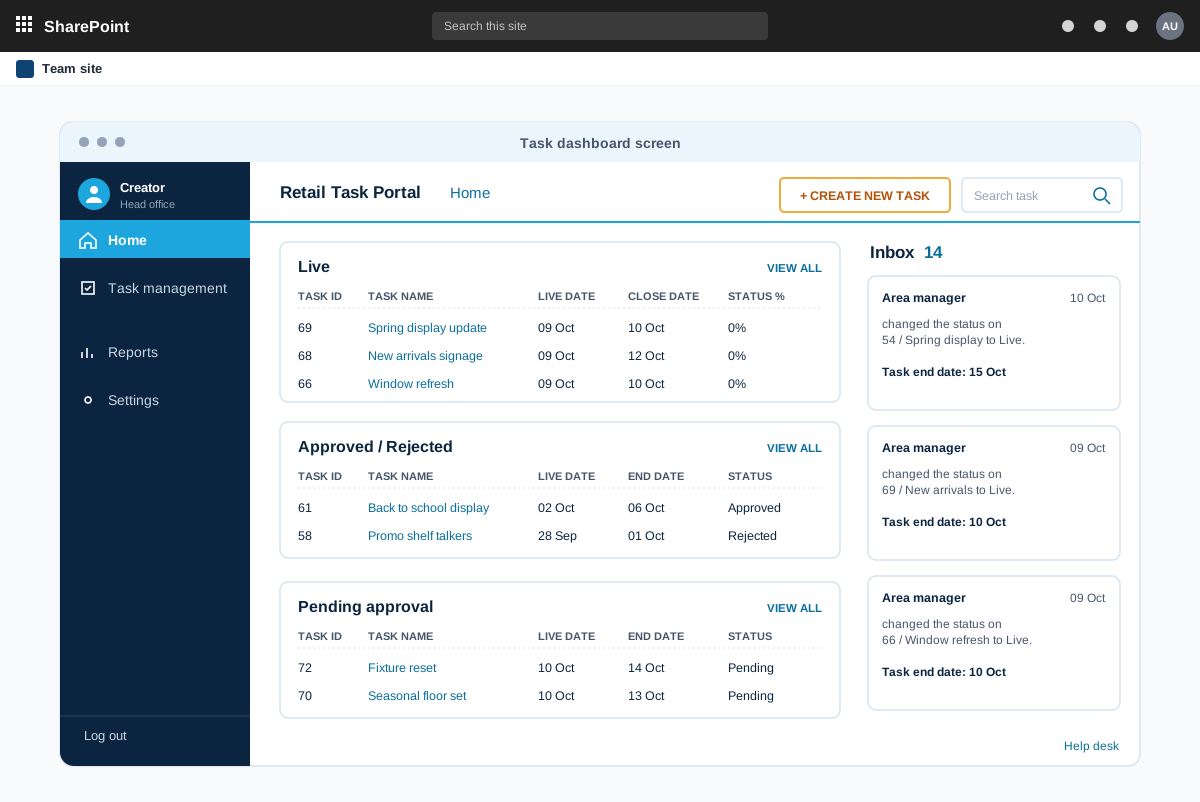
Task tracking portal that sends store tasks to the right retail stores
A SharePoint Online portal where head office creates tasks, picks the stores by attribute, and follows completion store by store. An Android app works on the same SharePoint Online backend.
A specialty apparel retailer with stores across many regions and a head office visual team
Read the case study →Power BI · Retail and consumer goods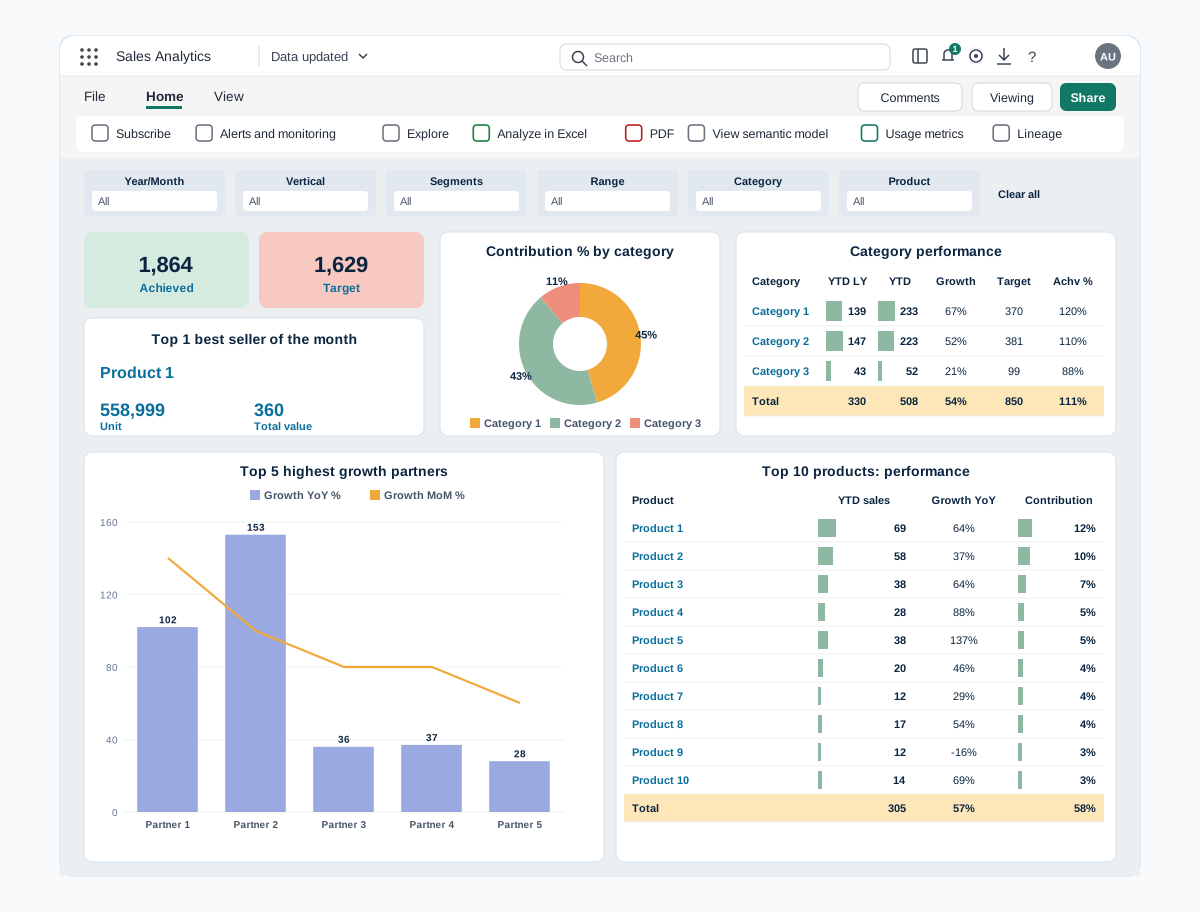
Power BI sales dashboards for digital channels and prescription sales
Two Power BI reports that bring sales data from every channel into one view. Digital sales covers partners, marketplaces, website and products, and Rx sales covers prescribers, zones, brands and field teams.
A skincare company selling through digital partners, its own website and prescription channels
Read the case study →Retail and consumer goods: questions we hear often
Can dashboards combine data from several systems?
Often yes. Power BI connects to many sources, and we confirm your systems on the first call.
Have you worked in retail and consumer goods?
Yes, we have worked with clients in this industry. We name clients and projects only with their approval, so we share details on a call or on our case studies page once approved.
Do you only build on Microsoft 365?
Our work is built on Microsoft 365 and the Power Platform: SharePoint, Power BI, Power Apps, Power Automate and Copilot. We connect them to your other systems where needed.
Where does our data stay?
In your own Microsoft 365 tenant and your own systems. We build inside your environment and do not copy your data to systems of our own.
How do we get a price?
Book a free consultation. After a short scoping call we send a proposal with one price for the core scope, separate prices for optional add-ons, and the assumptions written down.
Contact