

SharePoint, Power BI and Power Apps for manufacturing teams
We help manufacturers control documents, run audits and approvals, report on production, and give plant staff simple apps, all built in the Microsoft 365 you already use.
Talk to a consultant about manufacturing
Trusted by teams at












What teams ask us for
What manufacturing teams ask us to build
Plants run on controlled documents, shift reports and approvals. These are the tools we most often build for them, starting from how your plant works today.
Controlled documents
SOPs, work instructions and drawings with versions, approvals and read receipts.
SOP management →Audits and compliance
Audit schedules, findings and corrective actions tracked to closure.
Audit management →Plant and production dashboards
Output, downtime, quality and cost in one place, from the data you already collect.
Power BI development →Shop floor apps
Checklists, inspections and requests on a phone or tablet, replacing paper.
Power Apps development →Supplier and vendor approvals
Onboarding, document checks and approvals that route to the right people.
Power Automate →Plant and head office intranet
News, policies, forms and contacts for people on site and in the office.
Intranet development →What good looks like
How a controlled document is managed
A plant document is drafted, reviewed, approved and published once, and staff confirm they have read it. SOPs and work instructions go through the same path every time.
- Versions and approvals kept for audits
- Review dates and unread documents flagged
- Built in your own Microsoft 365
Quick enquiry
Want something like this for your manufacturing team?
How we work
Set up around your plant floor
We start with your quality and production routines, then configure the documents, approvals and reports to match them. Staff keep using Microsoft 365 they already know.
- Plant and head office togetherOne set of current documents and figures for the plant and the head office.
- Screens for people on their feetShort, simple screens that work on a phone or tablet.
- Audit evidence keptVersions, approvals and read receipts are stored for the next audit.
- Support after go-liveFixes, small changes and reviews under a support plan.
Case studies
Manufacturing projects we have delivered
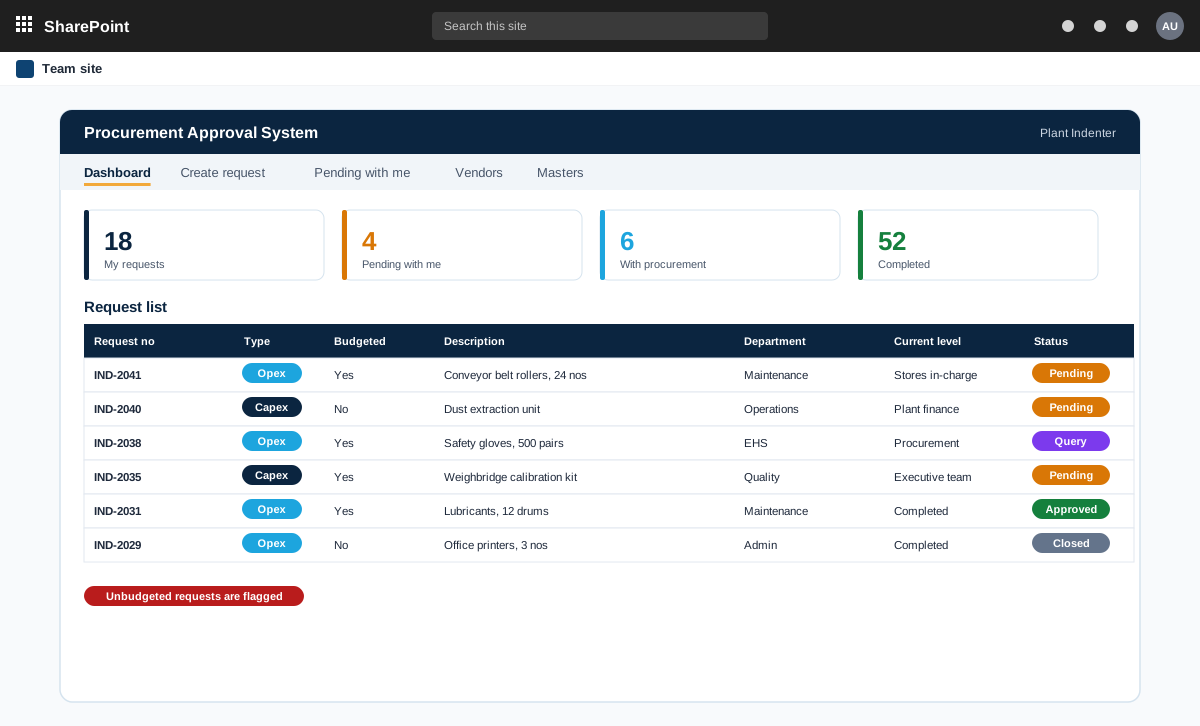
SharePoint capex and opex approval workflow with parallel and sequential approvals
A SharePoint procurement approval system for an industrial group with several plants. One request moves through user and team approvals, some in sequence and some in parallel, with routes and limits that differ by plant.
An industrial group with several plants, a central purchase cell and an executive team
Read the case study →SharePoint · Manufacturing and engineering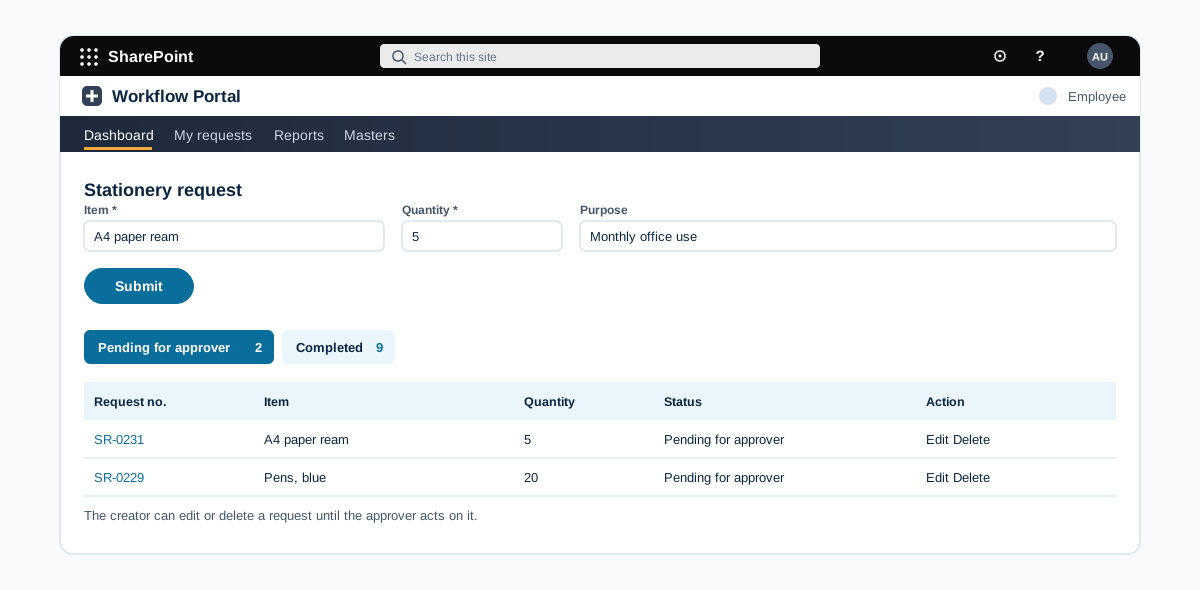
A SharePoint Online system for stationery requests and inventory
A SharePoint Online system where employees request stationery, line managers approve, the admin team assigns stock, and the inventory master keeps the item list and quantities.
An industrial manufacturer with several divisions and plants
Read the case study →SharePoint · Manufacturing and engineering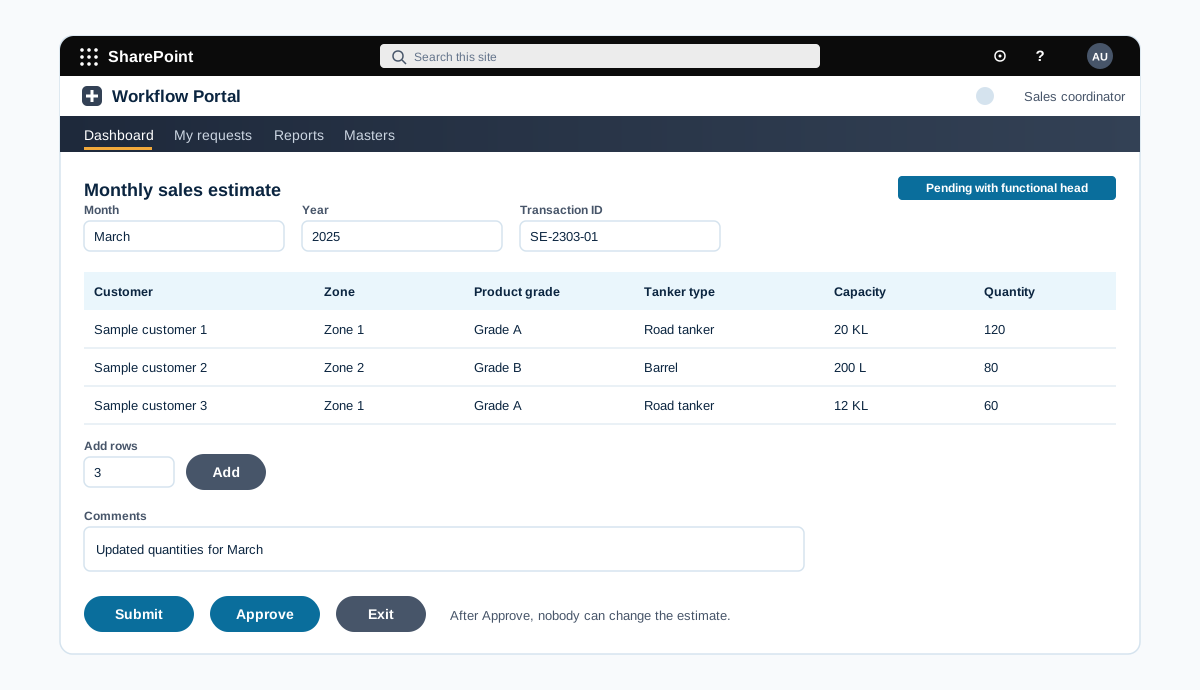
A SharePoint Online system for monthly sales estimates
A SharePoint Online system where the sales coordinator builds a monthly sales estimate, the functional head approves it, and approved estimates are locked and reported by month and year with Excel export.
An industrial manufacturer with several divisions and plants
Read the case study →Manufacturing: questions we hear often
Can staff on the plant floor use it from a phone?
Yes. We build apps and pages that work on phones and tablets, and can keep screens simple for people who work on their feet.
Have you worked in manufacturing?
Yes, we have worked with clients in this industry. We name clients and projects only with their approval, so we share details on a call or on our case studies page once approved.
Do you only build on Microsoft 365?
Our work is built on Microsoft 365 and the Power Platform: SharePoint, Power BI, Power Apps, Power Automate and Copilot. We connect them to your other systems where needed.
Where does our data stay?
In your own Microsoft 365 tenant and your own systems. We build inside your environment and do not copy your data to systems of our own.
How do we get a price?
Book a free consultation. After a short scoping call we send a proposal with one price for the core scope, separate prices for optional add-ons, and the assumptions written down.
Contact