

Power Apps development for the work your teams really do
We build apps and portals that replace spreadsheets, paper forms and email approvals. They connect to your data, follow your approval rules, and work on desktop and phone.
Trusted by teams at












What we build
What a Power Apps project can include
We scope it to your process. A small app may use only some of these.
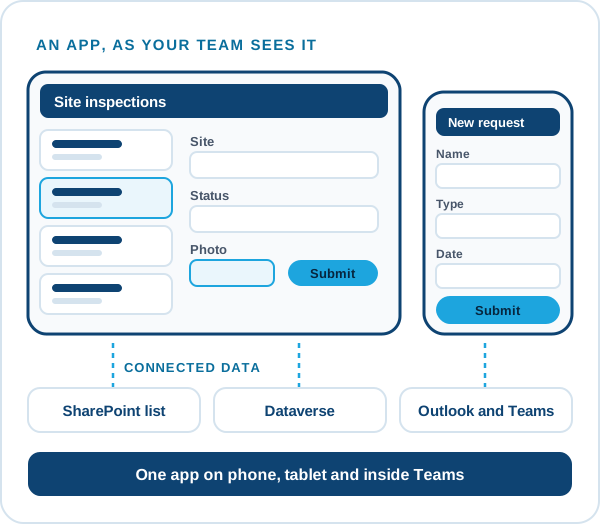
Canvas apps
Custom screens for forms, requests, checklists and field work.
Model-driven apps
Data-heavy business apps built on Dataverse, with views, forms and rules.
Approvals and workflows
Power Automate flows that route requests to the right people and keep a record.
Data connections
SharePoint, Dataverse, SQL and other sources, including custom connectors where needed.
Portals with Power Pages
Websites and portals for customers, vendors, partners or staff.
Power Pages development →Phone and tablet use
Layouts that work on the devices your people carry, including offline use where the app needs it.
Built to last
Governed from day one
Apps that nobody owns become a problem later. We set them up so your team can run them.
- EnvironmentsTest and live kept apart, with a controlled way to move changes across.
- OwnershipEach app and flow has an owner, so nothing stops when one person leaves.
- Security by rolePeople see and change only what their role allows.
- Documentation and trainingNotes on how it works, and training for the people who run it.
How it works
How a Power Apps project runs
You see working screens early, so you react to something real before the full build.
Walk through the process
We learn how the work happens today and where it gets stuck.
Prototype
A first version of the key screens on real data.
Build and test
The full app, workflows and security, tested with your users.
Roll out and train
Launch to your teams with training, notes and support after go-live.
In a real project
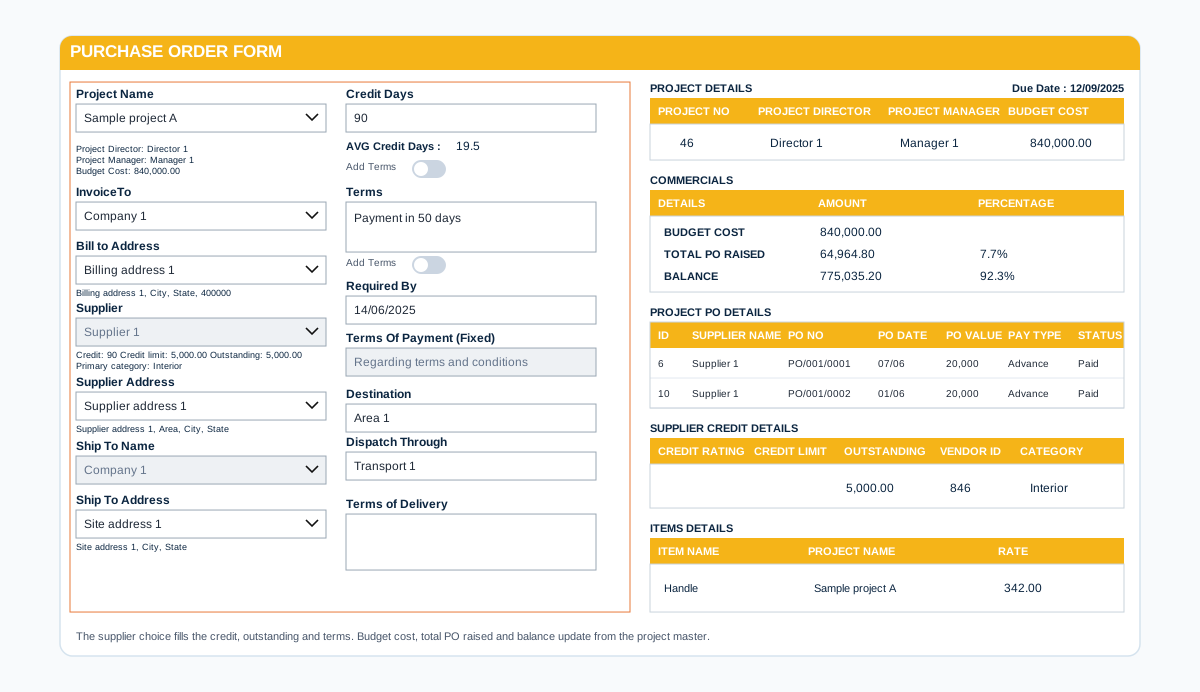
Forms that add up on their own
A good Power Apps form removes the arithmetic and the retyping. Master data fills in the details, totals and taxes calculate themselves and the document prints the way finance expects.
- Pick a client or item once, details fill in
- Totals and taxes calculated by the app
- A formal printable document at the end
Case studies
Power Apps projects we have delivered
Power Apps development questions
What kind of apps can you build?
Request and approval apps, inspection and audit checklists, asset and visitor registers, booking apps, field data capture and portals.
Can the app work offline?
Canvas apps can be built to work offline where the process needs it, such as in areas with poor signal. We confirm this when we scope the app.
Can the app connect to our existing systems?
In most cases yes. Power Apps connects to many systems, and we can build custom connectors where one is missing. We confirm your systems on the first call.
Who owns the app at the end?
You do. The app lives in your Microsoft 365 and we hand over notes and training.
How do we get a price?
Book a free consultation. After a short scoping call we send a proposal with one price for the core scope, separate prices for optional add-ons, and the assumptions written down.
Contact