

SharePoint, Power BI and Power Apps for oil and gas companies
We help oil and gas and gas distribution companies control documents, report incidents, run inspections on mobile and report on operations, built in the Microsoft 365 you already use.
Talk to a consultant about oil and gas
Trusted by teams at












What teams ask us for
What oil and gas teams ask us to build
Field teams need permits, inspections and incident reports that work on a phone. These are the requests we see most from oil, gas and distribution companies.
Incident and safety reporting
Report, review and close incidents and near misses, with a clear record.
Incident management →Controlled documents and SOPs
Procedures, manuals and drawings with versions, approvals and read receipts.
Document management →Site inspections on mobile
Checklists and inspections on a phone or tablet, with photos and follow-up.
Power Apps development →Operations dashboards
Operations, maintenance and cost figures in one clear view.
Power BI development →Contractor and vendor approvals
Onboarding, document checks and approvals for outside parties.
Power Automate →Intranet for many sites
News, policies and forms for people at head office, plants and field sites.
Intranet development →What good looks like
A safety and compliance view, layer by layer
Inspections and permits, actions, documents and reports sit under one view that management checks every week. Each open action has an owner and a due date.
- Inspections done on a phone, saved to your data
- Controlled documents with approvals and read receipts
- Built in your own Microsoft 365
Quick enquiry
Want something like this for your oil and gas team?
How we work
Made for field work and head office
We design the forms and approvals for the people in the field first, then connect them to the reports head office needs. Your safety and compliance rules come first.
- Work that closesEvery inspection finding becomes an action with an owner and a due date.
- Procedures people have readControlled documents with approvals and read receipts.
- Forms that work on siteInspection and permit forms that work on a phone.
- Your data stays with youContent, security and sign-in stay in your tenant. We do not host your data.
Case studies
Oil and gas projects we have delivered
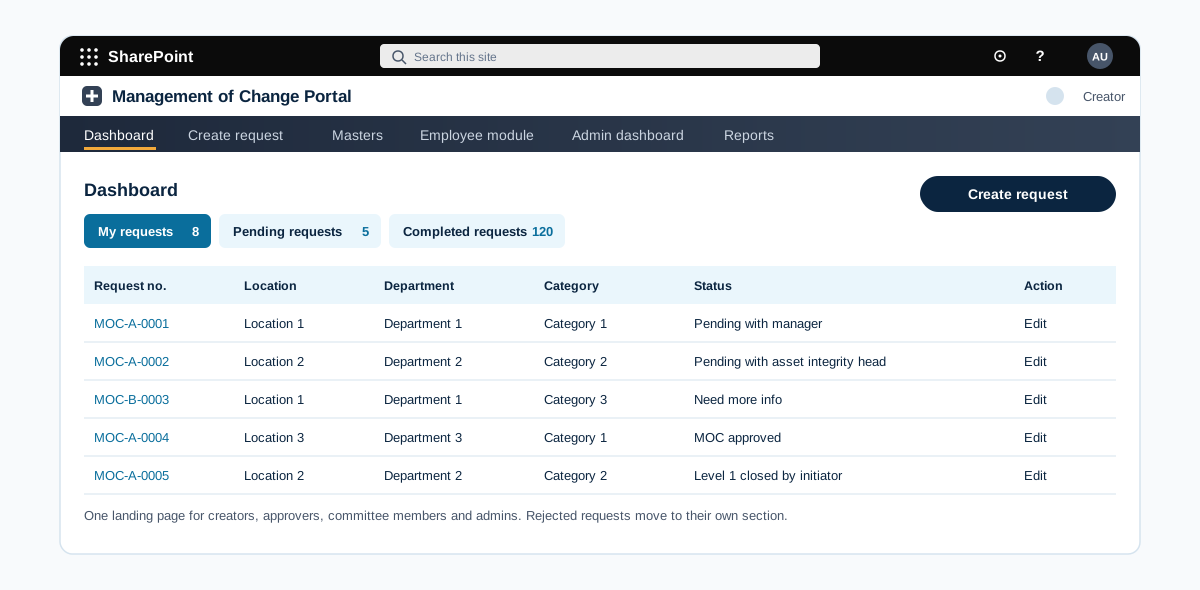
Change management portal that routes every plant change through risk, committee and MD approval
A SharePoint portal that runs every change to plant, process or documents through one controlled route. It covers the approval matrix, risk assessment, committee review, MD approval and two level closeout.
A gas distribution company with pipelines, stations and a large field workforce
Read the case study →SharePoint · Oil and gas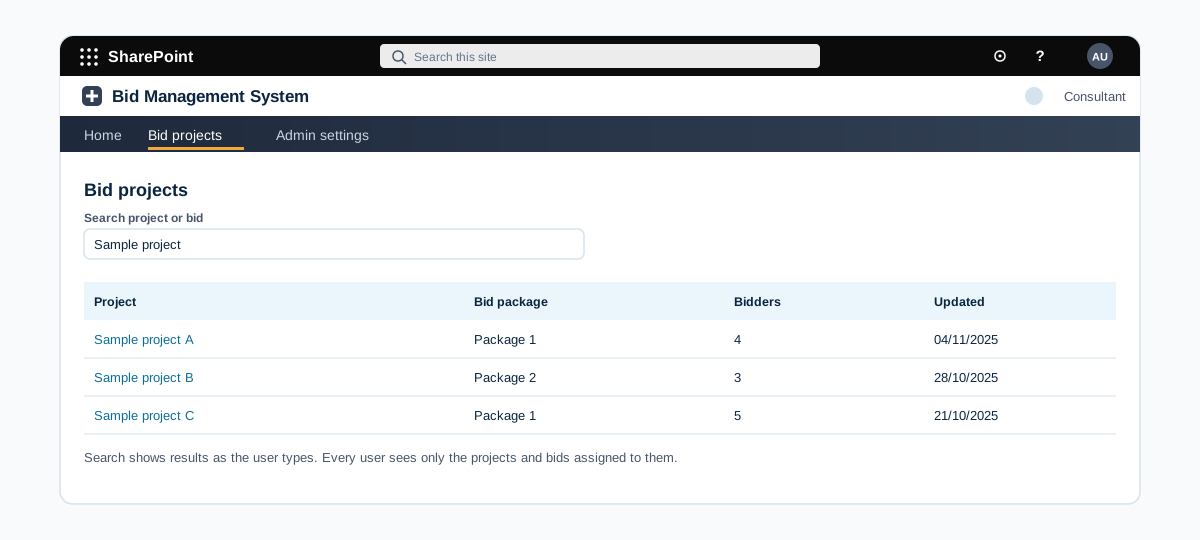
A SharePoint bid management site with per bidder folders and permissions
A SharePoint bid management site where the internal team creates projects and bid packages, issues bids to registered bidders with a due date, and keeps technical and commercial bids in separate folders with strict access.
An oil and gas company that runs project bids with external consultants and bidders
Read the case study →SharePoint · Oil and gas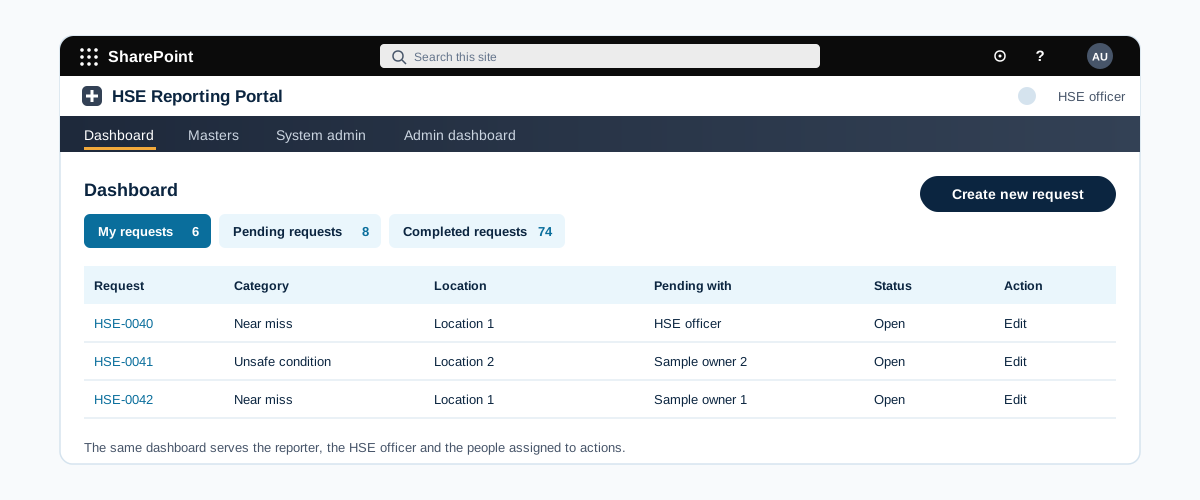
A SharePoint system to report incidents and close safety actions
A SharePoint incident reporting system. Anyone logs an incident, the HSE officer reviews it, assigns action points with closure dates, and closes it with the full log kept.
An oil and gas company with sites and offices that report safety incidents and observations
Read the case study →Oil and gas: questions we hear often
Can it work for teams at remote sites?
Yes. We design for the devices and connections your sites have, including mobile use, and agree what must work offline when we scope the project.
Have you worked in oil and gas?
Yes, we have worked with clients in this industry. We name clients and projects only with their approval, so we share details on a call or on our case studies page once approved.
Do you only build on Microsoft 365?
Our work is built on Microsoft 365 and the Power Platform: SharePoint, Power BI, Power Apps, Power Automate and Copilot. We connect them to your other systems where needed.
Where does our data stay?
In your own Microsoft 365 tenant and your own systems. We build inside your environment and do not copy your data to systems of our own.
How do we get a price?
Book a free consultation. After a short scoping call we send a proposal with one price for the core scope, separate prices for optional add-ons, and the assumptions written down.
Contact