

SharePoint consulting that gives you a clear plan
We review your SharePoint sites, permissions, content and licences, then tell you plainly what to keep, fix, build or retire. You get a written plan you can act on with us or without us.
Book a free SharePoint consultation
Trusted by teams at












What we review
What a SharePoint consulting engagement covers
We scope it to your size. A small team may need only a health check. A large organisation may need all of these.
Health check
A review of sites, libraries, storage, search, page performance and unused content, with a ranked list of issues.
Permissions and sharing
Who can see what, where files are shared too widely, and how to fix it without breaking daily work.
Information architecture
How sites, hubs, content types and metadata should be organised so people can find things.
Governance
Simple rules for who creates sites, who owns them, how long content is kept and how changes are approved.
Licensing and cost
Which Microsoft 365 plans and add-ons you actually need, and where you are paying for more than you use.
Roadmap
A sequenced plan of what to do first, what it needs from your team, and what it is likely to involve.
Copilot readiness
Tidy SharePoint makes Copilot more useful
Microsoft 365 Copilot answers from content a person already has access to. If sharing is too wide or old files pile up, Copilot can surface the wrong thing. A review before you roll it out avoids that.
- Check what is shared too widelyFind sites and files open to everyone and tighten them before Copilot makes them easier to find.
- Remove out-of-date contentOld policies and duplicate files lead to old and duplicate answers.
- Label what mattersUse sensitivity labels and retention where your rules require them.
How it works
How a consulting engagement runs
Most reviews are short. You see findings before we write the final plan.
Scope
A free call to understand your goals, size and what is not working.
Review
We look at your tenant with read-only access that you control, and interview a few key users.
Findings
A working session to walk through what we found, in plain language.
Plan
A written roadmap with priorities. You decide what to do and who does it.
What you receive
What a SharePoint review hands you
You get a written review of how SharePoint is set up today, the options open to you and a roadmap in priority order. Permissions are a large part of it, because that is where most risk hides.
- A map of sites and libraries, and who owns each
- Permission findings with the riskiest first
- A roadmap your own team can start on the next week
Case studies
SharePoint projects we have delivered
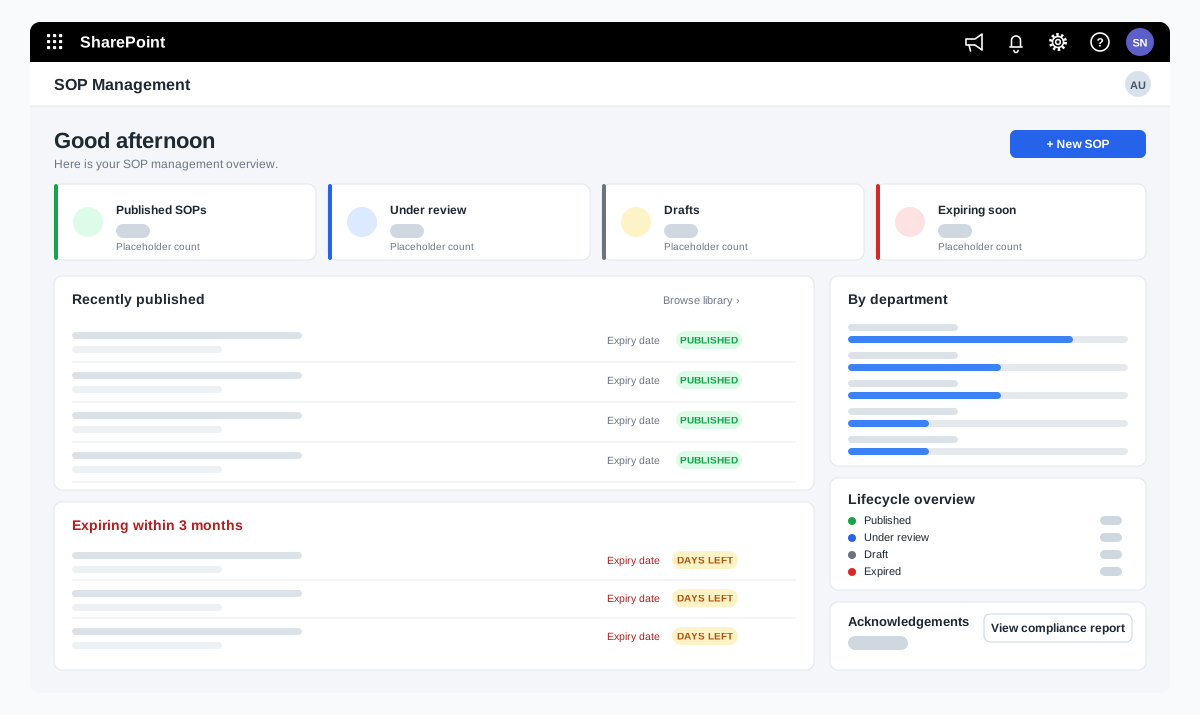
SOP management on SharePoint for a food manufacturer
A bakery ingredients manufacturer wanted procedures that are approved, read and proven to be understood. We adapted our SOP Management product on SharePoint and added reading time with a quiz, renewal and revision, and print-ready controlled copies.
A bakery ingredients manufacturer in India, part of a global group
Read the case study →SharePoint · Microsoft 365 · Technology and IT services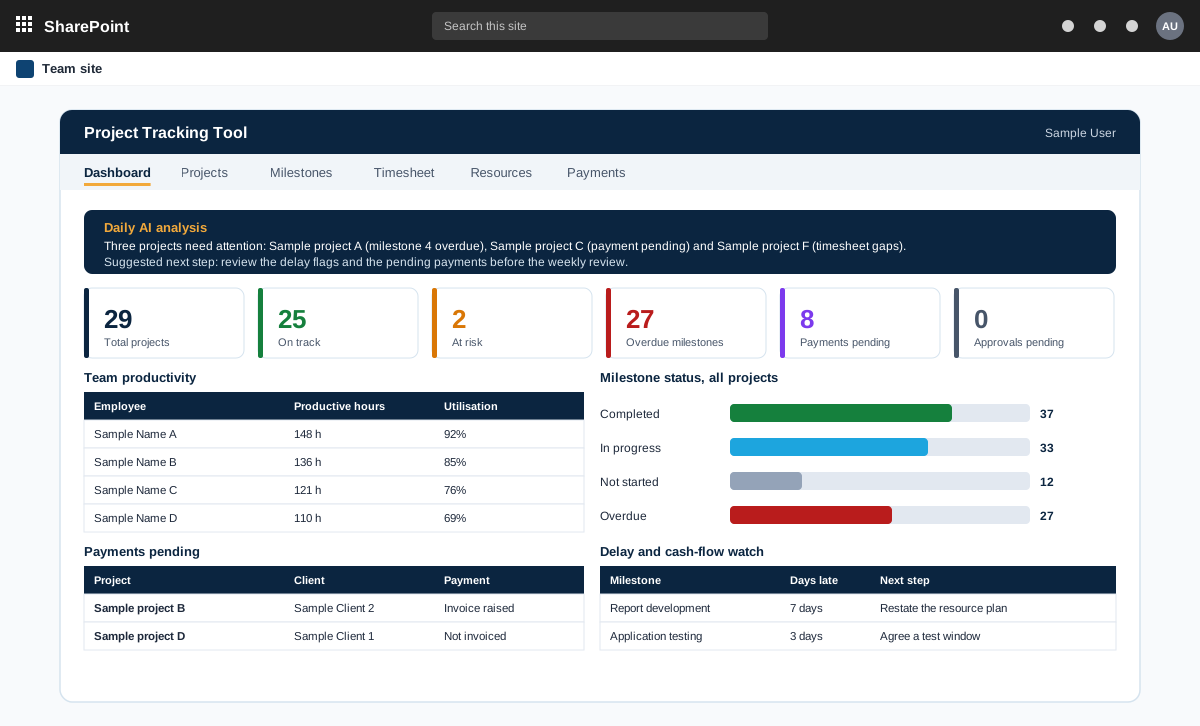
Project management tool on SharePoint with AI analysis
A project management tool built on SharePoint in the customer tenant. It tracks projects, milestones, timesheets and payments, and adds AI analysis through an n8n workflow.
A product sold to external customers. The customer is not named.
Read the case study →SharePoint · .NET and ASP.NET · Automotive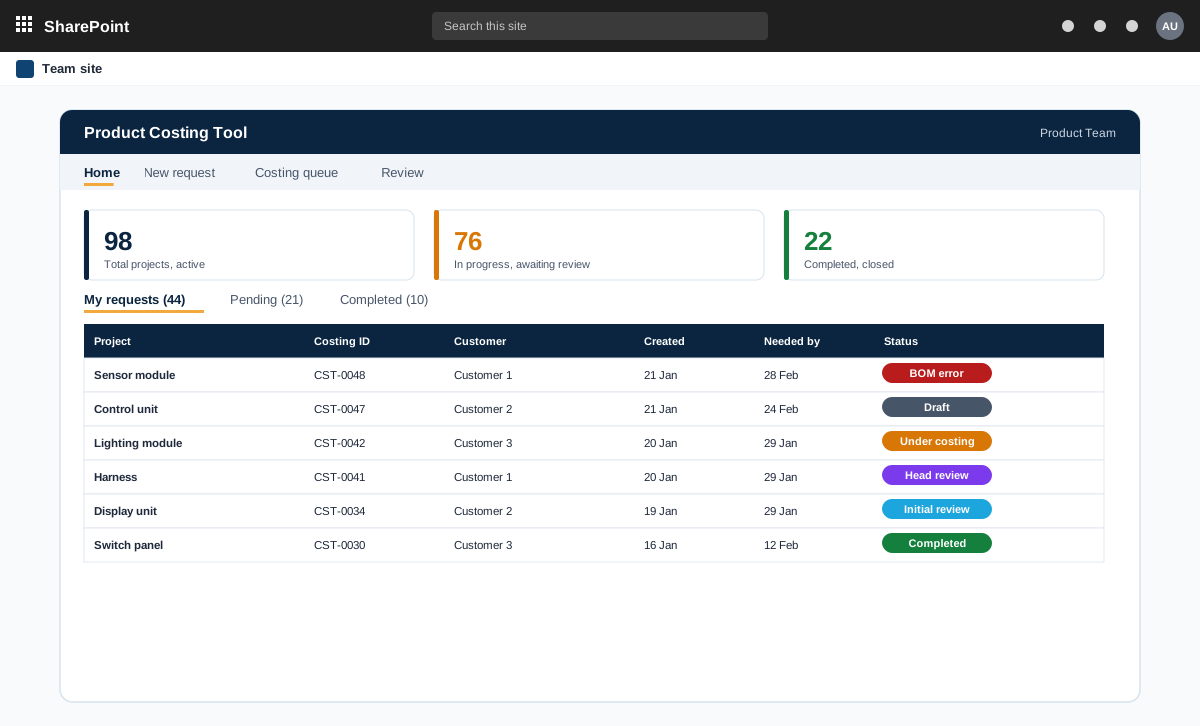
SharePoint and ASP.NET product costing tool for bills of materials
A product costing tool for an automotive component maker. Product teams raise costing requests with a bill of materials, the costing team prices every line at the lowest landed cost, and the costing head reviews and signs off.
An automotive component manufacturer with product teams and a central costing team
Read the case study →Contact