

SharePoint migration without losing what matters
We move your files, sites and workflows from file shares, Google Drive or older SharePoint to SharePoint Online. We clean up first, keep permissions and version history where we can, and test before cut-over.
Trusted by teams at












What we migrate
Where you are moving from
The approach differs by source. We confirm it in an assessment before we quote.
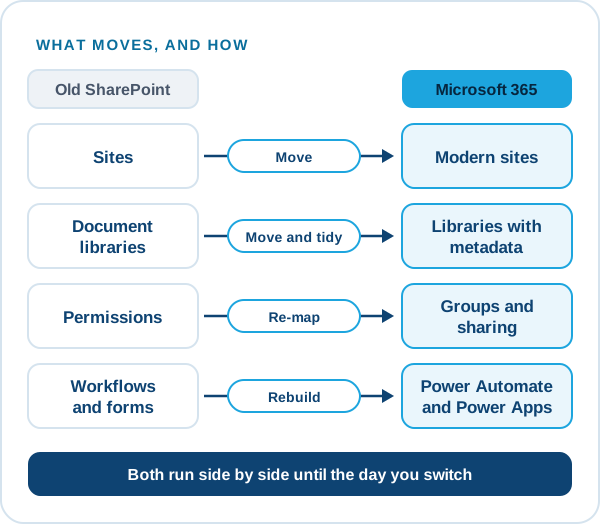
SharePoint Server 2013, 2016 and 2019
Sites, libraries, lists and permissions to SharePoint Online. Microsoft support for 2016 and 2019 ended in July 2026, and 2013 is already out of support.
File shares
Network drives restructured into libraries, with a sensible folder and metadata design instead of a copy of the old mess.
Google Drive
Files and sharing moved to SharePoint and OneDrive, with Google file types converted where needed.
Other platforms
Content from other document and intranet systems, assessed case by case.
Classic sites
Classic pages and customisations rebuilt as modern pages and SharePoint Framework solutions, ahead of Microsoft’s 2027 and 2028 changes.
Classic modernisation →Workflows
Older SharePoint 2010 and 2013 workflows and InfoPath forms rebuilt on Power Automate and Power Apps.
How we work
How a SharePoint migration runs
Most of the risk sits before the copy, so most of the work does too.
Assess
Inventory of sites, size, permissions, customisations and workflows. You get a list of what moves, what is rebuilt and what is retired.
Plan
Target structure, order of waves, a cut-over window and a plan for users who work during the move.
Test and move
A pilot wave first, then the rest in batches, with checks on counts, permissions and links.
Cut over and support
Redirect users, train owners, and support the first weeks after go-live.
Done well
What we check so the move holds up
A migration is judged on the first Monday after cut-over.
- Clean-up before the copyOld, duplicate and unused content is removed or archived, so you do not pay to move it.
- Permissions that make senseWe map groups and permissions deliberately, instead of copying years of one-off exceptions.
- Versions and metadataWe keep version history, created and modified details and metadata where the tools allow it, and tell you where they cannot.
- A way backThe source stays untouched until you have signed off the new site.
After the move
What we check once the content has moved
A migration is finished when people can find their files and the old system can be switched off safely. These six checks come before we say it is done.
Counts and sizes
Files, folders and sizes match between source and destination.
Permissions
The right people can open the right content, and no one else.
Links and shortcuts
Links inside documents and bookmarks still lead somewhere.
Metadata and dates
Authors, created and modified dates and key fields carried over where the tool allows.
People
A short walk-through for the teams that use the new site.
Switch-off
The old location set to read-only before it is retired.
Case studies
SharePoint projects we have delivered
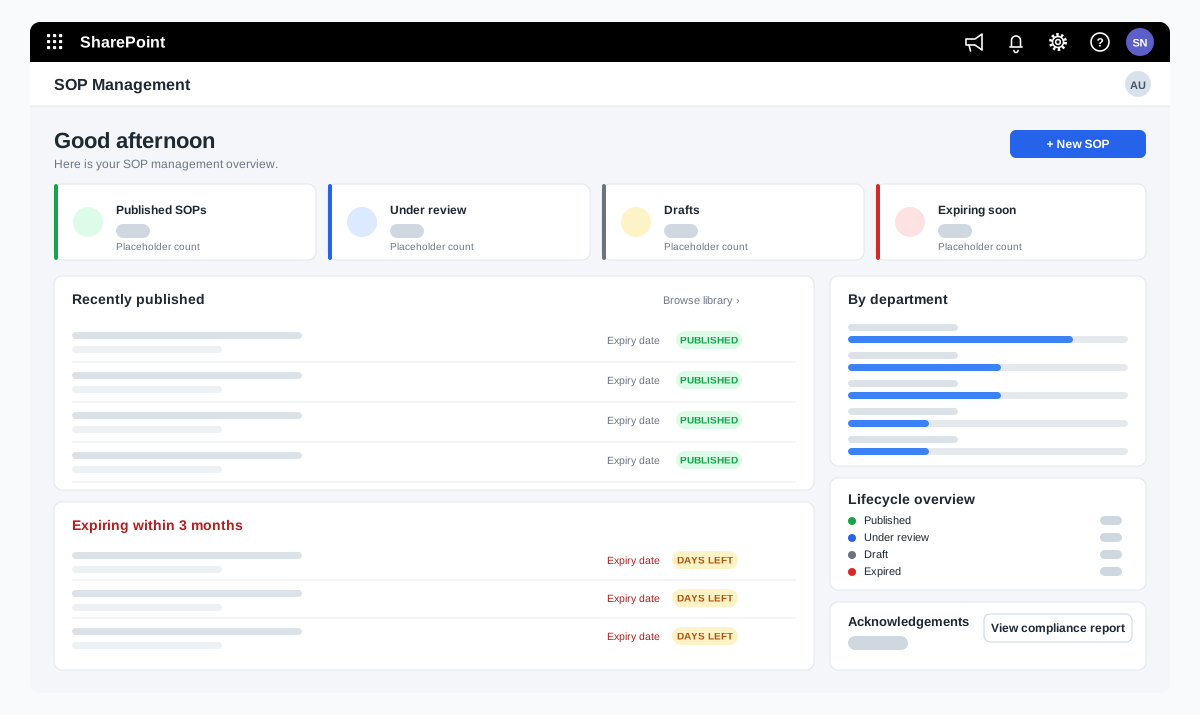
SOP management on SharePoint for a food manufacturer
A bakery ingredients manufacturer wanted procedures that are approved, read and proven to be understood. We adapted our SOP Management product on SharePoint and added reading time with a quiz, renewal and revision, and print-ready controlled copies.
A bakery ingredients manufacturer in India, part of a global group
Read the case study →SharePoint · Microsoft 365 · Technology and IT services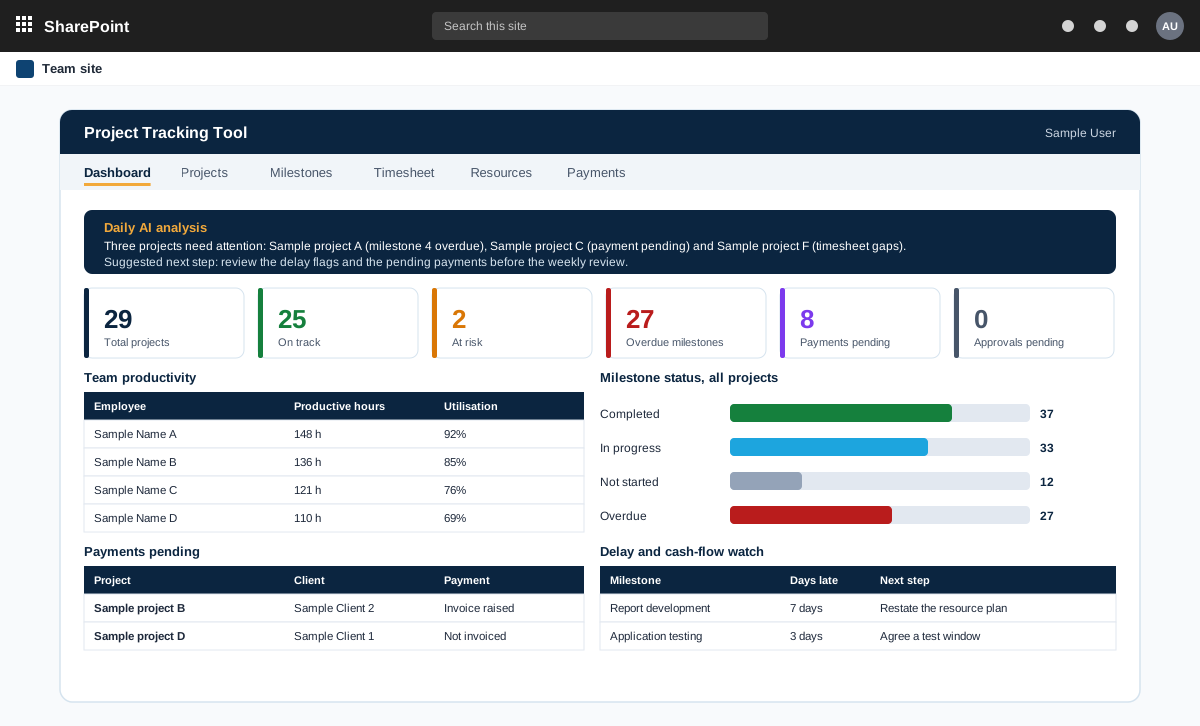
Project management tool on SharePoint with AI analysis
A project management tool built on SharePoint in the customer tenant. It tracks projects, milestones, timesheets and payments, and adds AI analysis through an n8n workflow.
A product sold to external customers. The customer is not named.
Read the case study →SharePoint · .NET and ASP.NET · Automotive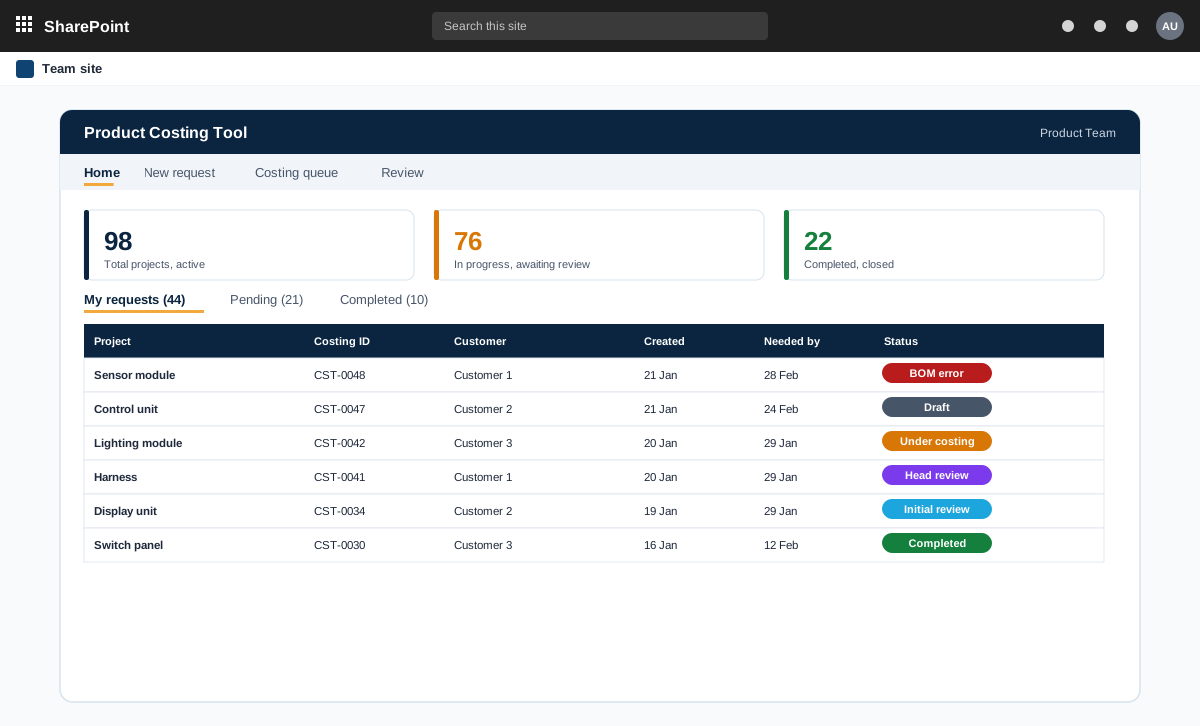
SharePoint and ASP.NET product costing tool for bills of materials
A product costing tool for an automotive component maker. Product teams raise costing requests with a bill of materials, the costing team prices every line at the lowest landed cost, and the costing head reviews and signs off.
An automotive component manufacturer with product teams and a central costing team
Read the case study →Contact