

A SharePoint intranet your people open every day
We design and build company intranets on SharePoint, inside your own Microsoft 365. News, policies, people, forms and everyday requests in one place, on desktop, mobile and Microsoft Teams.
Get a free intranet consultation
Trusted by teams at












What is included
What a SharePoint intranet can include
We start from what your people need to do each day, then add only what earns its place.
News and announcements
Leadership and department news, with targeting so people see what applies to them.
Policies and documents
One current version of each policy, with owners, review dates and easy search.
People directory
Find colleagues, teams and reporting lines from Microsoft Entra ID and Microsoft 365 profiles.
Forms and requests
Leave, IT, travel and purchase requests through Power Apps and Power Automate, with approvals.
Teams and mobile
The intranet inside Microsoft Teams and on phones, so frontline staff are not left out.
Search and navigation
Clear menus, hubs and metadata so staff find answers in a few clicks.
Why intranets fail
The common reasons an intranet goes unused
Most failures come from planning, not from the technology. We design for these from the start.
- No clear ownerWe agree who owns each section and who keeps it current, before launch.
- Built around the org chartWe organise by what people want to do, not by department names.
- Nothing worth coming back forWe include the daily tasks people already need, such as requests and approvals.
- Launched and leftWe offer support, usage review and small improvements after go-live.
How we work
How an intranet project runs with us
Working screens early, and scope agreed before we build.
Discover
A workshop with communications, HR, IT and a few staff to agree goals, content and owners.
Design
Page designs and navigation in your branding, reviewed in your own Microsoft 365.
Build
Sites, pages, news, forms and workflows built in short cycles, with content migrated.
Launch and support
Training for site owners, a staged launch and support after go-live.
Two ways to start
Custom intranet or a ready-made product
Custom intranet
Designed around your organisation, structure and branding. Best for larger or more complex needs.
Best when your needs are specific
Talk to us →Intranet Portal product
A ready-made SharePoint intranet that runs in your Microsoft 365 and is adjusted to your branding and content.
Best for a faster start
Intranet Portal product →Keeping it fresh
An intranet stays useful when publishing has an owner
The launch is the easy part. What decides whether people keep coming back is who may publish, who approves and how quickly a change goes live. We build that flow into the intranet.
- Authors draft, an approver publishes
- Home page slides and menus managed without code
- Roles decide who can change what
Case studies
SharePoint projects we have delivered
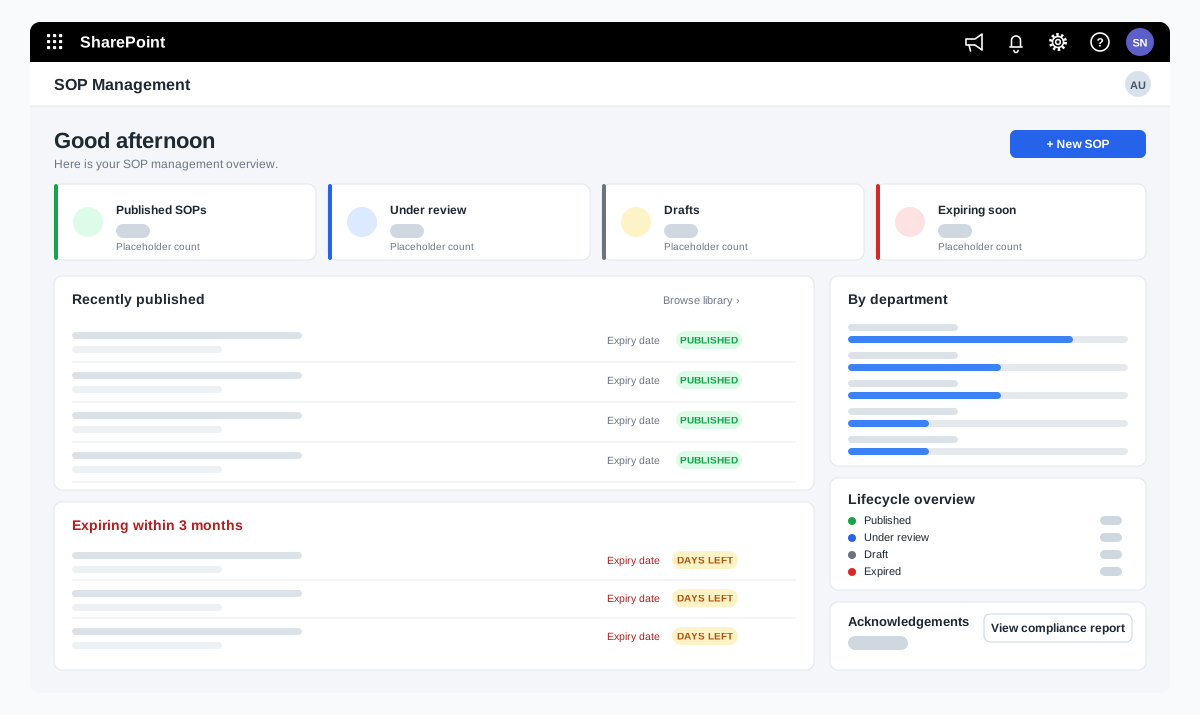
SOP management on SharePoint for a food manufacturer
A bakery ingredients manufacturer wanted procedures that are approved, read and proven to be understood. We adapted our SOP Management product on SharePoint and added reading time with a quiz, renewal and revision, and print-ready controlled copies.
A bakery ingredients manufacturer in India, part of a global group
Read the case study →SharePoint · Microsoft 365 · Technology and IT services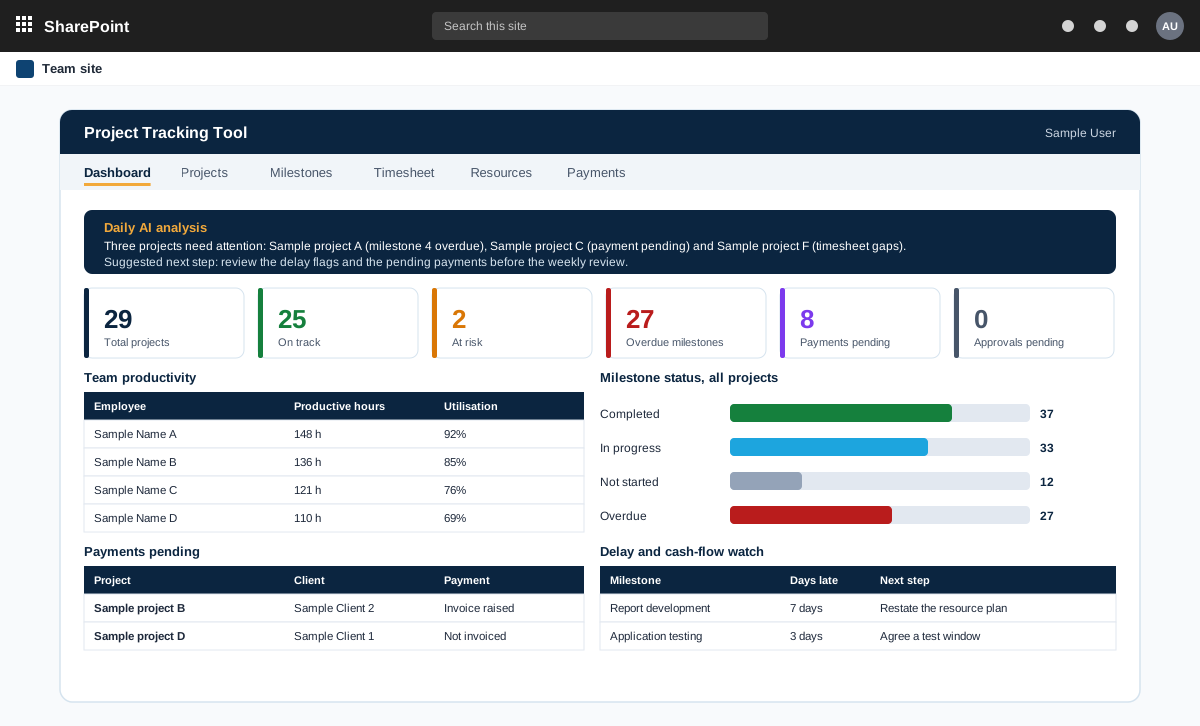
Project management tool on SharePoint with AI analysis
A project management tool built on SharePoint in the customer tenant. It tracks projects, milestones, timesheets and payments, and adds AI analysis through an n8n workflow.
A product sold to external customers. The customer is not named.
Read the case study →SharePoint · .NET and ASP.NET · Automotive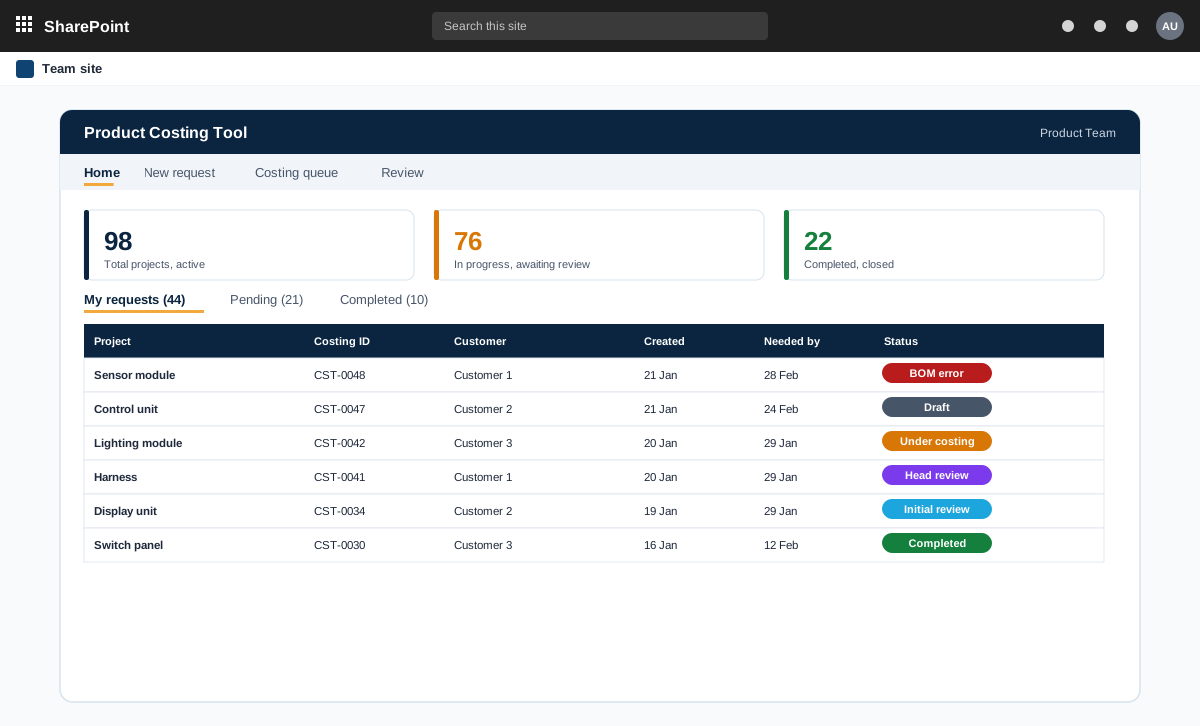
SharePoint and ASP.NET product costing tool for bills of materials
A product costing tool for an automotive component maker. Product teams raise costing requests with a bill of materials, the costing team prices every line at the lowest landed cost, and the costing head reviews and signs off.
An automotive component manufacturer with product teams and a central costing team
Read the case study →Contact