

Dataverse data models for Power Platform solutions that grow
Dataverse is the data store behind many Power Platform solutions. We design the tables, relationships and security roles, build apps and flows on top, and move your data across from SharePoint lists or Excel when the process outgrows them.
Talk to a Dataverse consultant
Trusted by teams at












What we do
Ways we work on Dataverse
Pick the one that matches where you are today. Many clients start with one and add another later.
Data model design
Tables, columns, relationships and choice lists designed around how your process really works.
Security roles and access
Decide who can see, create, change and delete which records, from the start.
Model-driven apps
Apps built on your Dataverse tables for data-heavy processes with many related records.
Power Apps development →Move from SharePoint lists and Excel
Plan and run the move of existing data into Dataverse, with checks before and after.
Read the comparison guide →Flows on your data
Power Automate flows that start from Dataverse changes, route approvals and send updates.
Power Automate →Reports and portals
Power BI reports on Dataverse data, and Power Pages portals for people outside your company.
Power BI development →Where to start
Not sure which one you need?
Match your situation to a starting point. If none fits, send us a note and we will point you the right way.
Our process outgrew SharePoint lists
Many related tables, large volumes or tight security.
Start with a data model
Power Apps use cases →Our data lives in many Excel files
Each team keeps its own copy.
Start with a move plan
Getting started with Power Apps →Different people must see different records
Regions, teams or customers with separate access.
Start with security roles
Governance and security roles →Several apps need the same data
You want one source for all of them.
Start with a shared model
Connecting your systems →Apps were built by many people
Nobody owns the tables or knows what connects to them.
Start with consulting
Power Platform consulting →We need extra hands
The roadmap is clear but you need more delivery capacity.
Add dedicated developers
Staff augmentation →How we work
Design the data first, then build on it
Apps and flows are easier to build and cheaper to change when the tables and security are right. We settle those first.
- Built in your own tenantEnvironments, data and sign-in stay in your Microsoft 365. We do not host your data.
- Security by roleAccess rules are designed with the data model, not added at the end.
- Separate environmentsDevelopment, test and production kept apart, with solutions moved between them.
- Handed over cleanlyYour team gets the model diagram, notes and training.
Case studies
Power Apps projects we have delivered
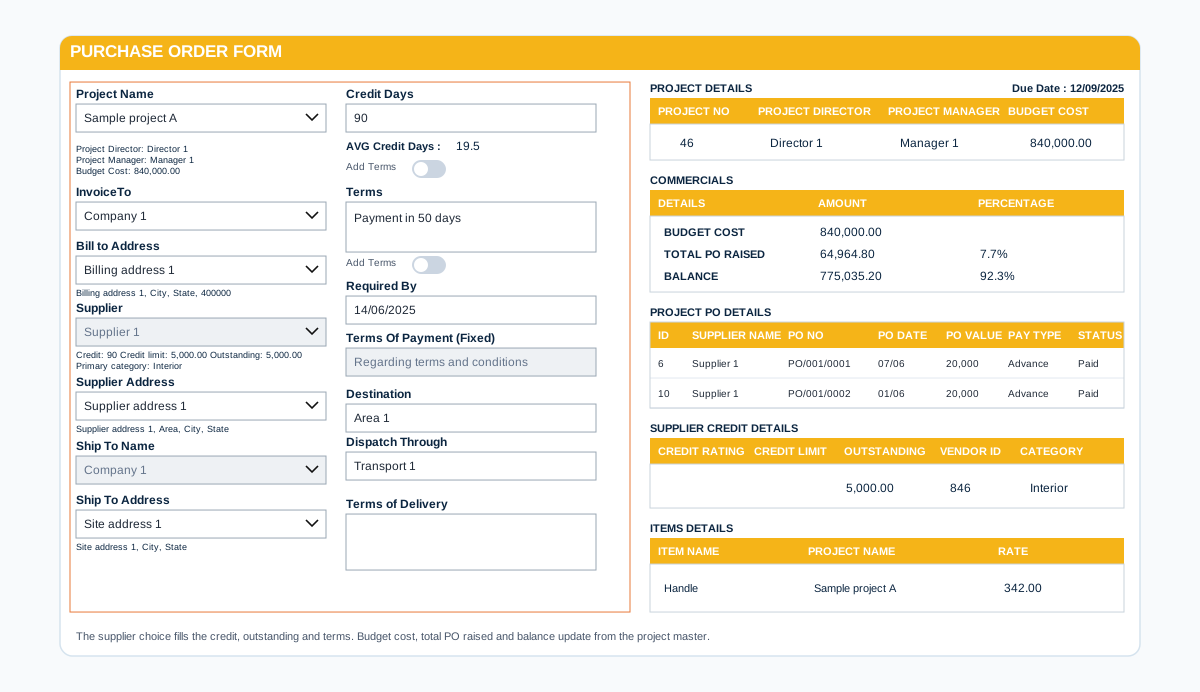
Before we build
What we settle before the data model is built
These six decisions are hard to change later, so we agree them with you first.
Tables and owners
Which tables exist and which team owns each one.
Relationships
How records link, for example one customer to many orders.
Who sees what
Security roles for each group, down to the record where needed.
Environments and solutions
Separate development, test and production, and how changes move between them.
Volume and history
How much data you expect and how long it must be kept.
Links to other systems
What feeds the data in and what reads it out.
Dataverse questions we hear often
What is Microsoft Dataverse?
Dataverse is the data platform inside Power Platform. It stores data in tables with relationships, applies security by role and works with Power Apps, Power Automate, Power BI, Power Pages and Copilot Studio.
Should we use Dataverse or SharePoint lists?
SharePoint lists suit simple processes where people already work in SharePoint. Dataverse suits processes with many related tables, tighter security or more than one app on the same data. Our guide compares the two in detail.
Are Dataverse licences included with Microsoft 365?
It depends on your plans and on how the apps use Dataverse. We check this on the first call and tell you before you commit.
Can you move our SharePoint lists or Excel files into Dataverse?
Yes. We map the columns to tables, move the data in steps and check counts and key records before the old source is retired.
Do we need Dataverse for a simple app?
No. A simple form or tracker often works well on a SharePoint list. We suggest Dataverse only when the process needs it.
How do we get a price?
Book a free consultation. After a short scoping call we send a proposal with one price for the core scope, separate prices for optional add-ons, and the assumptions written down.
Contact