

SharePoint development services, built around your business
We build intranets, document management systems, approval workflows and integrations on SharePoint, inside your own Microsoft 365, and support them after go-live. We have worked on SharePoint since 2010.
Get a free SharePoint consultation
Trusted by teams at












What we build
SharePoint solutions we design, build and support
Most projects combine two or three of these. We start from what you already have in Microsoft 365 and add only what is missing.
Intranet portals
News, policies, people, events and everyday requests in one place that staff open every morning, on desktop, mobile and Teams.
Intranet development →Document management
Libraries, metadata, version control, approvals, retention and permissions designed around how your teams actually file and find documents.
Document Management product →Workflows and approvals
Leave, purchase, invoice, contract and policy approvals with Power Automate, including escalation, reminders and a full audit trail.
Workflow automation →Integrations
Connect SharePoint with Microsoft Teams, Dynamics 365, SAP, Salesforce, Power BI and your own systems, so data is entered once.
Integration services →Migration and upgrades
Move from file shares, Google Drive or SharePoint Server 2013, 2016 and 2019 to SharePoint Online or Subscription Edition, with clean-up first.
SharePoint migration →Custom SharePoint development
Web parts, extensions and page layouts built with the SharePoint Framework (SPFx), React and Microsoft Graph, when out-of-the-box features are not enough.
Why SharePoint
Why build on SharePoint instead of a separate system
If your organisation already uses Microsoft 365, SharePoint is usually the most economical place to build document, intranet and workflow solutions, because the platform, security and sign-in are already in place.
- Your data stays in your tenantContent stays in your own Microsoft 365, under your existing security, retention and compliance settings.
- One sign-in for staffPeople use the same Microsoft account they use for Outlook and Teams. No new passwords to manage.
- Works inside Teams and CopilotSites and documents show up in Microsoft Teams, and Microsoft 365 Copilot can answer questions from SharePoint Online content your people already have access to.
- Easy to extend laterAdd a library, a workflow or a Power BI report without starting a new project or buying another system.
SharePoint Online or SharePoint Server Subscription Edition?
Most new projects run on SharePoint Online. Subscription Edition suits organisations that must keep data on their own servers. We build on both. Microsoft support for SharePoint Server 2016 and 2019 ended in July 2026, so teams still on those versions need to plan a move.
| Compared on | SharePoint Online | SharePoint Server Subscription Edition |
|---|---|---|
| Where it runs | Microsoft cloud, part of Microsoft 365 | Your own servers or private cloud |
| Updates | Automatic, managed by Microsoft | Installed and tested by your IT team |
| Custom development | SharePoint Framework (SPFx), Power Platform, Microsoft Graph | SPFx plus server-side solutions |
| Copilot and Teams | Works with Microsoft 365 Copilot and Teams | Limited, needs extra set-up |
| Best for | Most organisations already on Microsoft 365 | Strict data residency or regulated environments |
How we work
How a SharePoint project runs with us
Four steps on every project. You see working screens early and agree the scope before we build.
Discover
A free scoping call, then a short workshop to map your sites, document types, users and approvals.
Prototype
Working screens in your own Microsoft 365, so your team reacts to something real before the full build.
Build
Build in short cycles, test with your users, migrate content and train site owners, against an agreed scope.
Support
Fixes, small changes, permission reviews and upgrades after go-live under a support plan.
Ways to work with us
Pick the model that fits your project
Fixed-scope project
One agreed scope and one price for it.
Best when the requirement is clear
See services →Dedicated SharePoint developers
Developers who work as part of your team, month to month.
Best for an ongoing roadmap
Hire SharePoint developers →Support and maintenance
Ongoing care for SharePoint you already run, from fixes to governance reviews.
Best for systems already live
See support plans →- SharePoint Online
- SharePoint Server Subscription Edition
- SharePoint Framework (SPFx)
- React and TypeScript
- Microsoft Graph
- Power Automate
- Power Apps
- Power BI
- Microsoft Teams
- Microsoft Entra ID
- Microsoft Purview
- Azure
In a real project
Rules live in the workflow, not in people’s heads
In a custom SharePoint build, who approves what is stored as data. The route is chosen from the request itself, for example the amount, so nobody has to remember the policy and an auditor can read it.
- The approval route is shown to the requester before submit
- Admins change the matrix without a developer
- Every decision is recorded with date and time
Case studies
SharePoint projects we have delivered
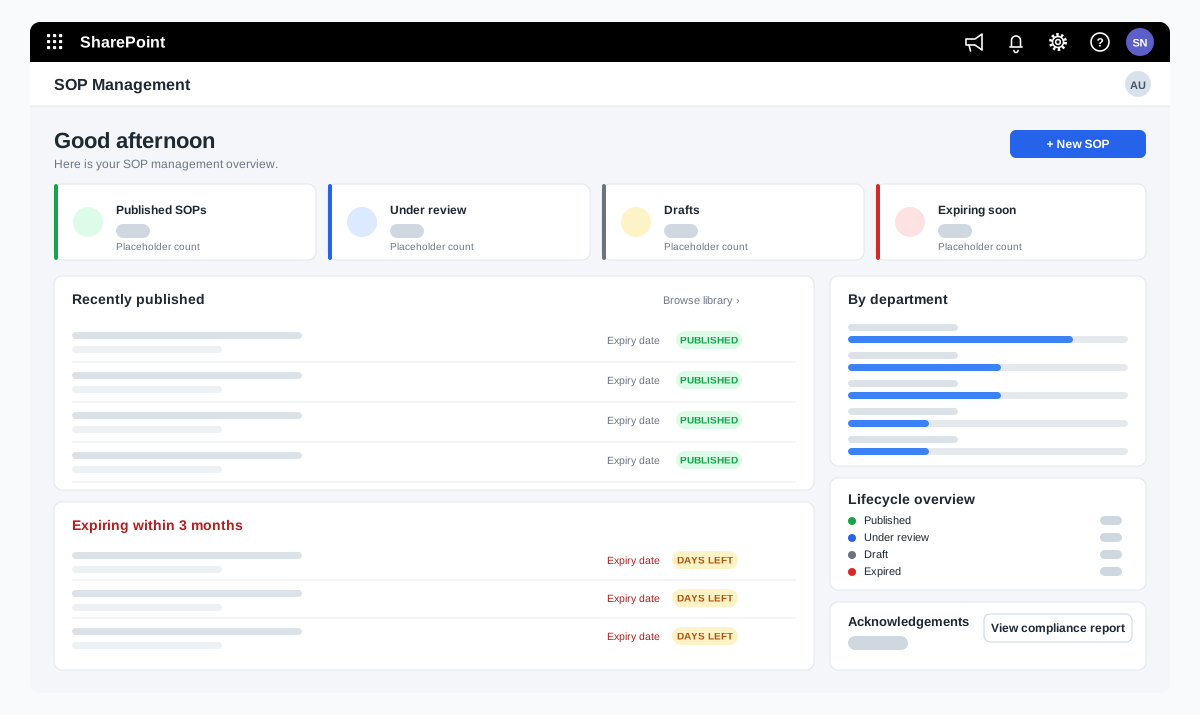
SOP management on SharePoint for a food manufacturer
A bakery ingredients manufacturer wanted procedures that are approved, read and proven to be understood. We adapted our SOP Management product on SharePoint and added reading time with a quiz, renewal and revision, and print-ready controlled copies.
A bakery ingredients manufacturer in India, part of a global group
Read the case study →SharePoint · Microsoft 365 · Technology and IT services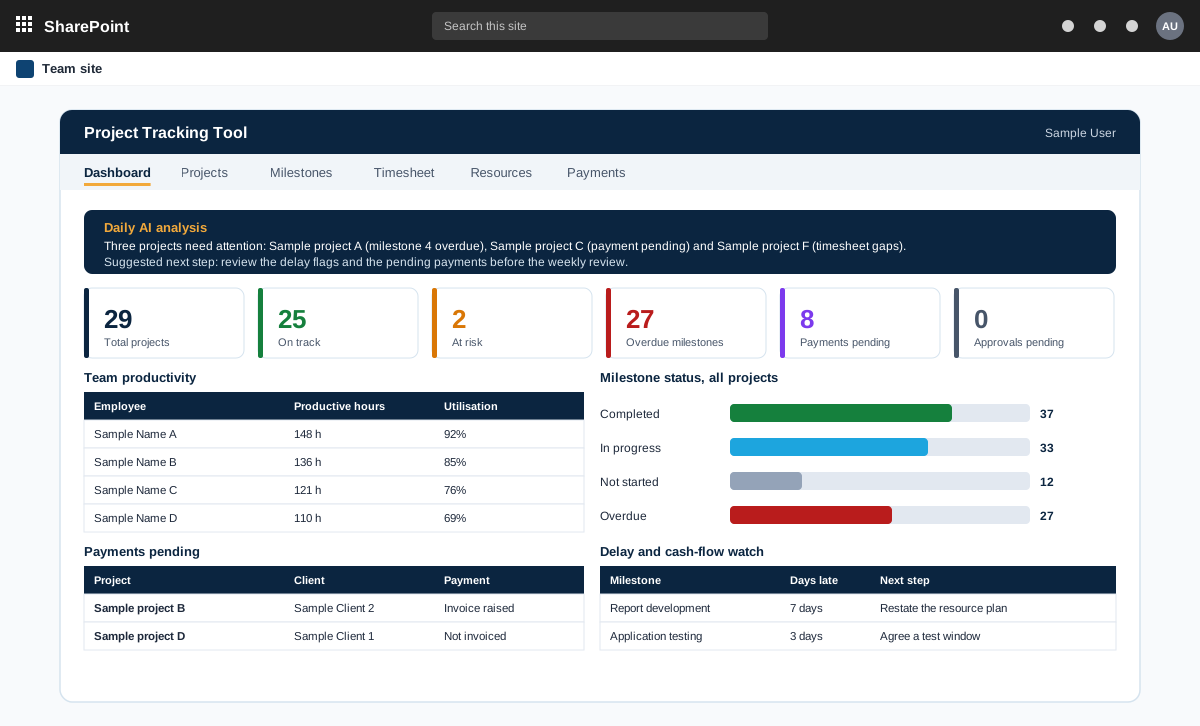
Project management tool on SharePoint with AI analysis
A project management tool built on SharePoint in the customer tenant. It tracks projects, milestones, timesheets and payments, and adds AI analysis through an n8n workflow.
A product sold to external customers. The customer is not named.
Read the case study →SharePoint · .NET and ASP.NET · Automotive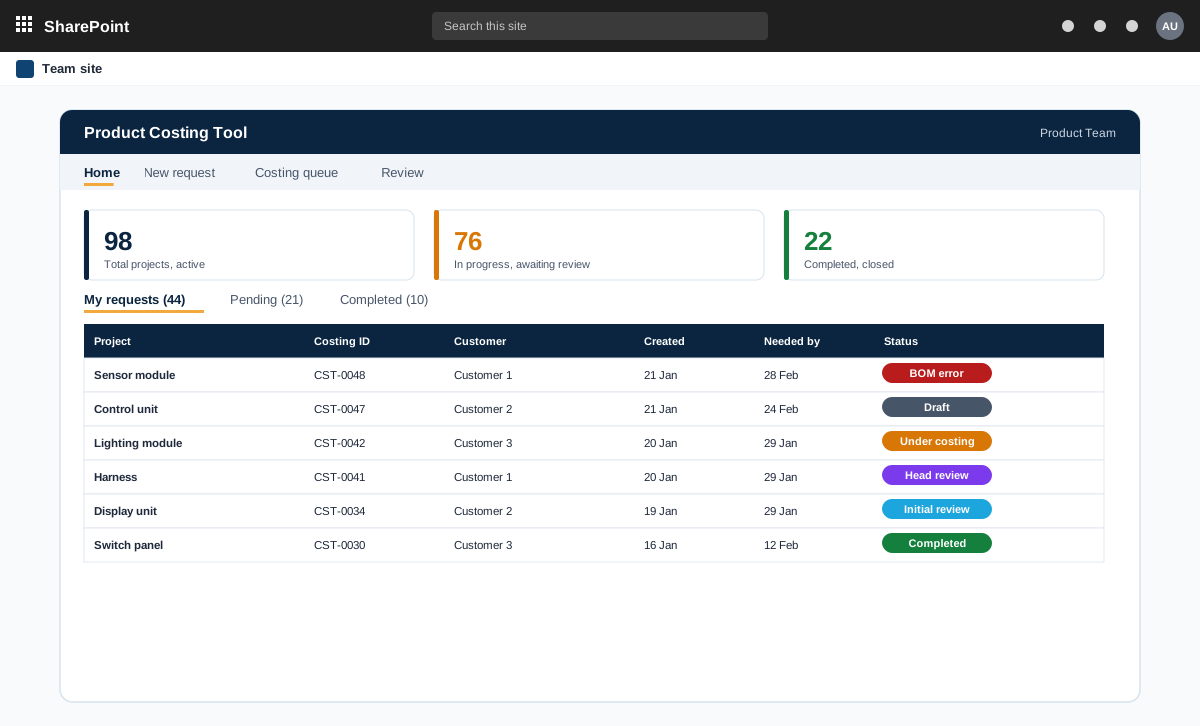
SharePoint and ASP.NET product costing tool for bills of materials
A product costing tool for an automotive component maker. Product teams raise costing requests with a bill of materials, the costing team prices every line at the lowest landed cost, and the costing head reviews and signs off.
An automotive component manufacturer with product teams and a central costing team
Read the case study →Contact