

Microsoft 365 Copilot that your teams can use with confidence
We get your content, permissions and people ready for Microsoft 365 Copilot, run a pilot, and help teams use it well, so it answers from the right content and helps real work.
Talk to a Microsoft 365 Copilot consultant
Clients using Microsoft 365 Copilot












What we do
Ways we work on Microsoft 365 Copilot
Copilot works best when content and permissions are tidy first, so readiness comes before the rest. Pick the one that matches where you are today.
Copilot implementation
Readiness check, pilot, rollout and adoption, in that order.
Copilot implementation →SharePoint readiness
Tighten permissions and remove out-of-date content so Copilot answers from the right place.
SharePoint consulting →Agents
Agents that answer from your documents and start requests.
Copilot Studio →Power BI and Copilot
Get your data models ready so Copilot answers questions about your numbers correctly.
Power BI Copilot →AI strategy
Decide which teams get Copilot first, what it should help with, and how you will check it is working.
AI strategy →Where to start
Where to start with Copilot
Tell us what worries you about Copilot today. If none of these fits, send us a note and we will point you the right way.
We are worried about what Copilot can see
Files are shared too widely.
Start with a readiness check
Classic SharePoint modernization →We want to try it with a small group
Before spending more.
Start with a pilot
Copilot readiness guide →We want agents for our own processes
HR, IT or customer questions.
Start with Copilot Studio
Copilot Studio services →We do not know which teams should use Copilot first
Many possible uses, no clear order.
Start with a priority review
AI strategy →We need help running the rollout
The plan is agreed but your IT team has little time to run it.
Add delivery capacity
Staff augmentation →How we work
Tidy first, then switch it on
Copilot answers from content a person already has access to. Getting that content and access right first is what makes it useful and safe.
- Readiness before rolloutWe check sharing, labels and old content before Copilot makes them easier to find.
- A pilot firstA small group tries Copilot on real work, and we learn what helps before you roll out wider.
- Training that fits the jobExamples for finance, HR, sales and operations, not generic demos.
- Honest about limitsCopilot can be wrong. We help your teams know what to check.
Case studies
Microsoft 365 Copilot projects we have delivered
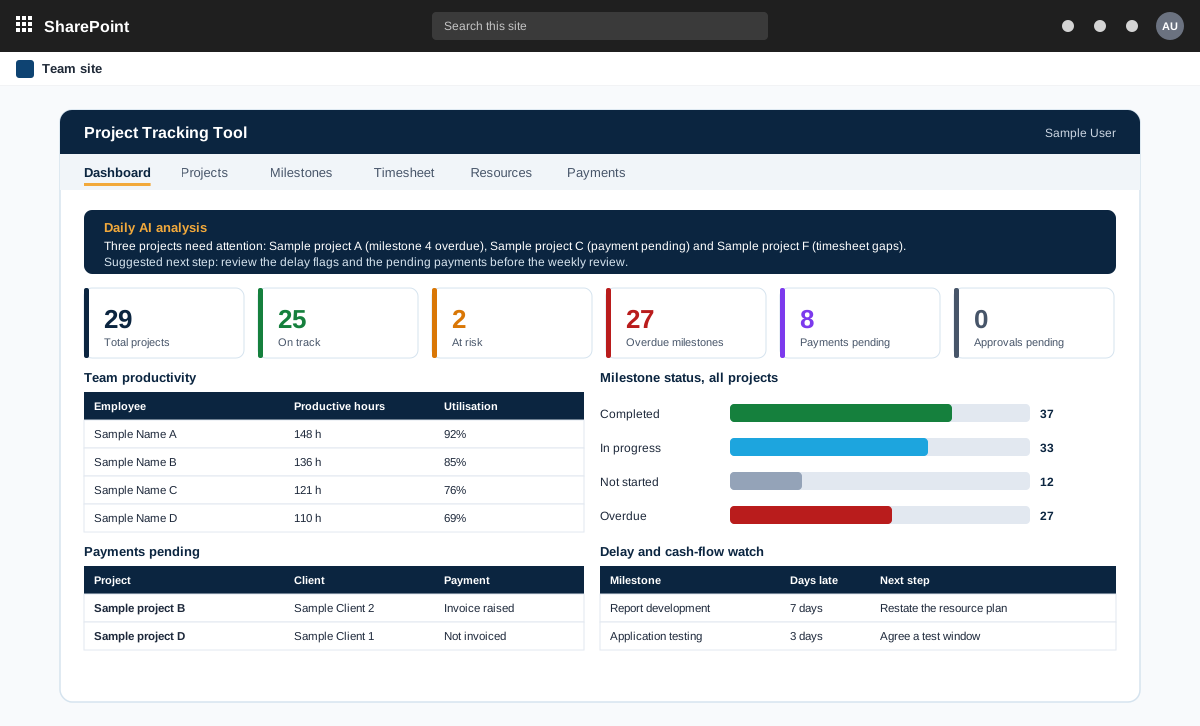
Project management tool on SharePoint with AI analysis
A project management tool built on SharePoint in the customer tenant. It tracks projects, milestones, timesheets and payments, and adds AI analysis through an n8n workflow.
Read the case study →SharePoint · Power Automate · Food and beverage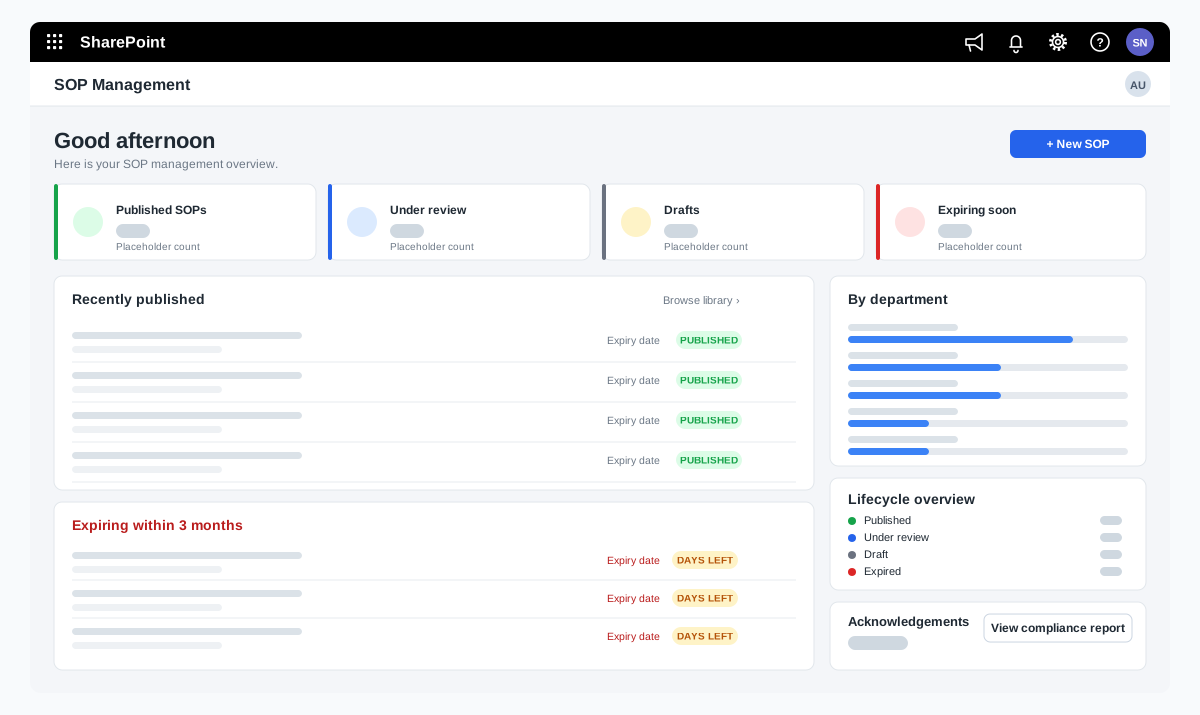
SOP management on SharePoint for a food manufacturer
A bakery ingredients manufacturer wanted procedures that are approved, read and proven to be understood. We adapted our SOP Management product on SharePoint and added reading time with a quiz, renewal and revision, and print-ready controlled copies.
Read the case study →Power BI · SharePoint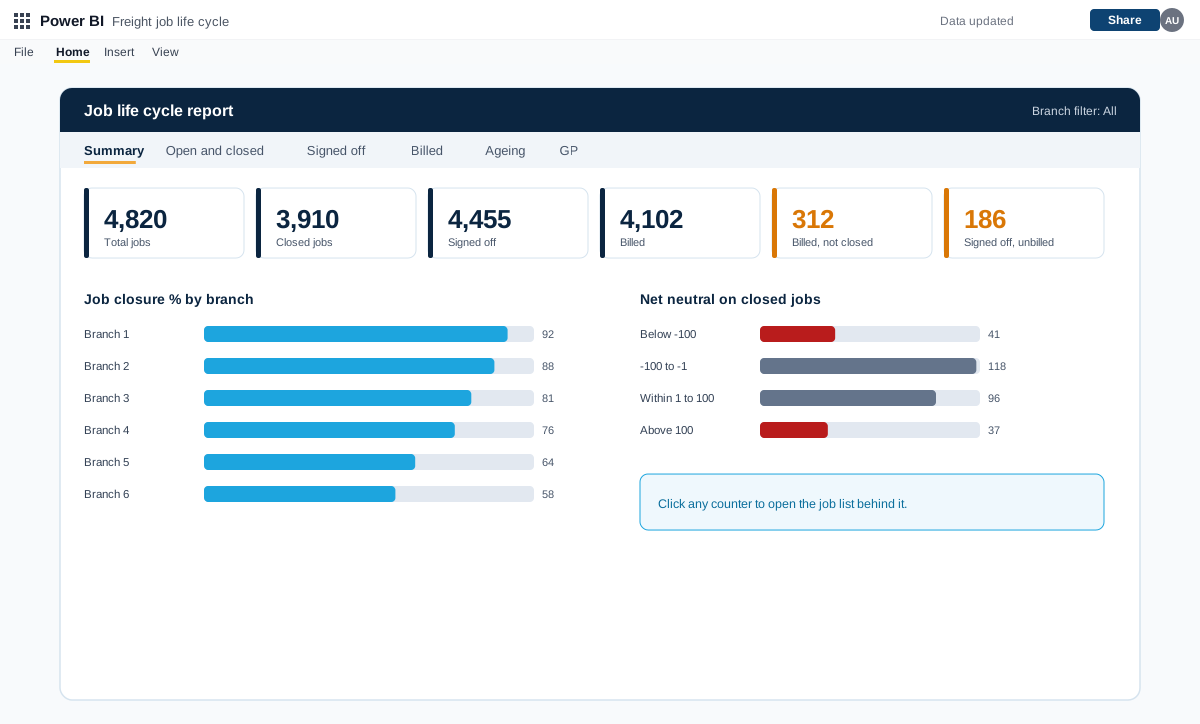
Power BI job life cycle, exception and debtors reports for a freight forwarder
A set of Power BI reports for a freight forwarding and customs clearing company with many branches. They follow every job from creation to closure and flag exceptions, pending billing, debtors and profit.
Read the case study →Readiness first
Copilot answers from what it can already see
Copilot uses the access your files already have. We check that access before you switch it on for everyone.
- Oversharing found and fixedFiles shared too widely are found and corrected before rollout.
- Sensitive content labelledLabels applied so confidential material is handled correctly.
- A small pilot groupA group with clear goals tests the work before a wider launch.
- Training from your own documentsExamples taken from your processes, so people learn on familiar work.
Microsoft 365 Copilot questions we hear often
What is Microsoft 365 Copilot?
Microsoft 365 Copilot is an AI assistant built into Microsoft 365 apps such as Word, Excel, Outlook, Teams and PowerPoint. It helps draft, summarise and answer questions using content the person already has access to.
Do we need to prepare before we turn it on?
It helps a lot. Copilot can surface any content a person can access, so wide sharing and old files lead to confusing answers. A readiness check before rollout avoids that.
Does Copilot use our data to train the models?
Microsoft documents how Copilot handles your data inside your tenant. We walk through Microsoft's current documentation with you and check your own settings.
Do we need a separate licence?
Microsoft 365 Copilot is licensed separately from Microsoft 365. We check your current licences on the first call and tell you what applies.
How do we know it is working?
We agree simple measures with you before the pilot, such as which tasks people use it for and what they say is saved or improved.
What affects the cost of a Copilot rollout?
The main factors are how many people and teams are included, how much content needs tidying first, and how much training you want. Microsoft licences are bought separately. After a short scoping call we send a proposal with one price for the core scope, separate prices for optional add-ons, and the assumptions written down.
Related
More ways we can help
Contact