

Classic SharePoint pages are changing. Plan the move now
Microsoft is retiring classic publishing sites and classic pages in two phases. From 1 March 2027 new classic publishing sites cannot be created. From 1 October 2028 classic pages in existing tenants become read-only. We find what you have, decide what to keep, and modernise it.
Book a free first call
The timeline
Two dates to plan around
Source: Microsoft Learn, checked on 29 October 2026. Your own Microsoft 365 Message Center notices take precedence for your tenant.
1 March 2027: Phase 1
Creating new classic publishing sites is disabled for all tenants, and so is turning on classic publishing features. Ten publishing related site templates can no longer be used to create sites.
From 1 March 2027: new tenants
Tenants created on or after this date get the classic page and custom script restrictions from the first day.
1 October 2028: Phase 2
Classic user-created pages in remaining existing tenants become read-only, and the custom script restrictions extend to them. Pages stay viewable but can no longer be edited.
What is affected
Five kinds of classic page become read-only
These are the page types Microsoft lists. They stay viewable after the change, so the risk is not losing content. The risk is not being able to maintain it.
- Wiki pagesClassic wiki pages in team sites and knowledge bases.
- Web Part pagesOlder pages assembled from classic web parts.
- Blog pagesClassic blog sites and posts.
- Publishing pagesPages in classic publishing portals, including intranet home pages and news pages.
- Custom ASPX pagesPages built in SharePoint Designer or with third-party tools.
What does not change
This is not a deletion, and not every classic feature
The announcement is narrower than it sounds. We work out where your real exposure is before we recommend anything.
- Your content is not deletedExisting classic sites and pages are not scheduled for removal by these changes.
- List and library views stay editableMicrosoft says list views, library views and list form pages are not made read-only at this time.
- Scripts are still a riskCustom scripts inside those views and forms fall under the custom script restrictions, so they still need review.
- No full rebuild by defaultSome pages can be transformed in place. Heavily customised portals may need a new modern design.
Readiness check
How exposed are you? Six questions
Answer Yes, No or Not sure. You get an indicative result with an explanation of each answer straight away. Contacting us is optional.
How we work
From inventory to a modern, signed off site
We start with what you have, not with a bulk migration. Pages are grouped by how much they are used and how much they matter, then moved in waves with a test and a sign-off at each step.
- An inventory of pages, owners, scripts and dependencies
- Priority by use and business importance, not by age alone
- Pilot pages first, then batches of similar pages
- A fallback documented before each wave goes live
What we do
Six services for classic modernisation
Take one, or the whole path. After a free first call we scope and price an assessment, then agree the rest from its findings.
Inventory and assessment
Find the classic pages, page types, scripts and owners, using Microsoft tools your administrator approves, and agree what each page should become.
Page modernisation
Transform suitable classic pages into modern pages, and rebuild the rest by hand. Every result is checked, because conversion is never perfect.
Scripts and customisations
Replace Script Editor and Content Editor code with supported modern web parts or SharePoint Framework solutions.
Publishing portal redesign
Redesign a classic publishing portal as a modern communication site or a set of hub-connected sites.
Migration to SharePoint Online
Move from SharePoint Server 2013, 2016 or 2019, with clean-up first, so you do not pay to move what nobody uses.
SharePoint migration →Governance and support
Agree who owns which sites, set standards for new pages, and support your team after go-live.
Why not wait
What waiting costs
Pages you cannot update
Once a page is read-only, a wrong phone number or an expired policy stays on screen until it is rebuilt.
Scripts you cannot change
Custom scripts cannot be added or updated by default after the change, so a fix to one becomes a project.
No new classic sites
Plans that depend on creating a classic publishing site need a modern design from 1 March 2027.
A compressed finish
Inventory, owner decisions, testing and sign-off take time. Starting early leaves room for them before each date.
Case studies
SharePoint projects we have delivered
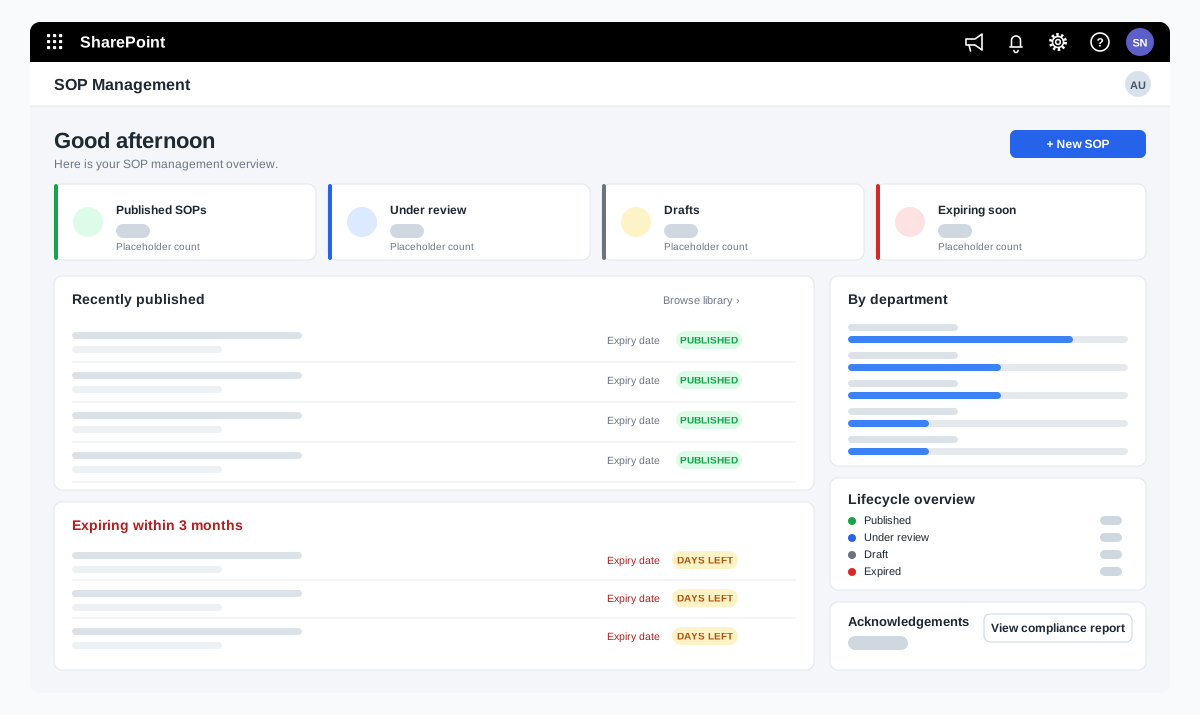
SOP management on SharePoint for a food manufacturer
A bakery ingredients manufacturer wanted procedures that are approved, read and proven to be understood. We adapted our SOP Management product on SharePoint and added reading time with a quiz, renewal and revision, and print-ready controlled copies.
A bakery ingredients manufacturer in India, part of a global group
Read the case study →SharePoint · Microsoft 365 · Technology and IT services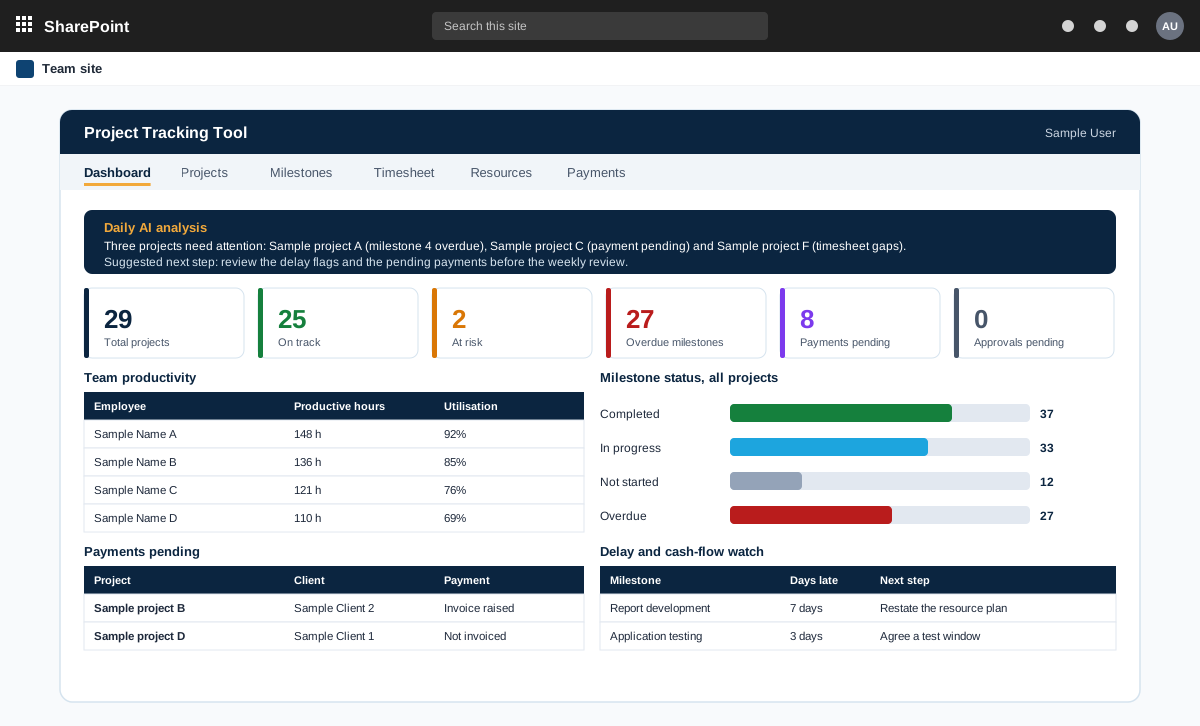
Project management tool on SharePoint with AI analysis
A project management tool built on SharePoint in the customer tenant. It tracks projects, milestones, timesheets and payments, and adds AI analysis through an n8n workflow.
A product sold to external customers. The customer is not named.
Read the case study →SharePoint · .NET and ASP.NET · Automotive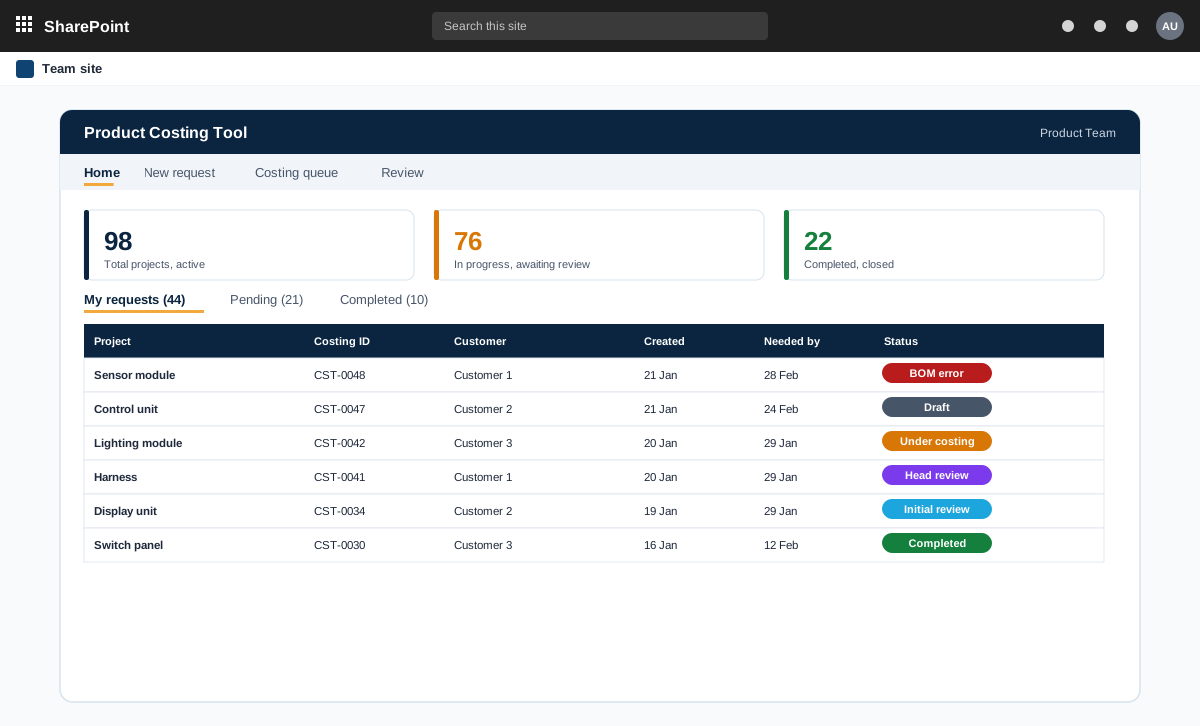
SharePoint and ASP.NET product costing tool for bills of materials
A product costing tool for an automotive component maker. Product teams raise costing requests with a bill of materials, the costing team prices every line at the lowest landed cost, and the costing head reviews and signs off.
An automotive component manufacturer with product teams and a central costing team
Read the case study →Contact