Maintaining consistent product quality is essential for customer satisfaction and regulatory compliance. The Quality Control Approval Workflow, built on Microsoft Power Automate and SharePoint, helps organizations automate the process of submitting, reviewing, and approving quality control checklists and reports. It eliminates manual reviews, improves traceability, and ensures faster approvals, enabling manufacturing and operations teams to maintain high-quality standards efficiently and transparently.
Get a Free Demo of M365 based Approval Workflow
Approval Workflow Features
Customizable Approval
Automated Notifications
Audit Trail and Reporting
Approval Decision Options
Query Handling
Add Additional Approvers
Automate Your Quality Control and Approval Process
The Quality Control Approval Workflow automates every stage of the quality inspection cycle — from test data submission to supervisor approvals and final quality sign-off. It ensures accuracy, compliance, and faster turnaround times by integrating all steps within Microsoft 365’s ecosystem.
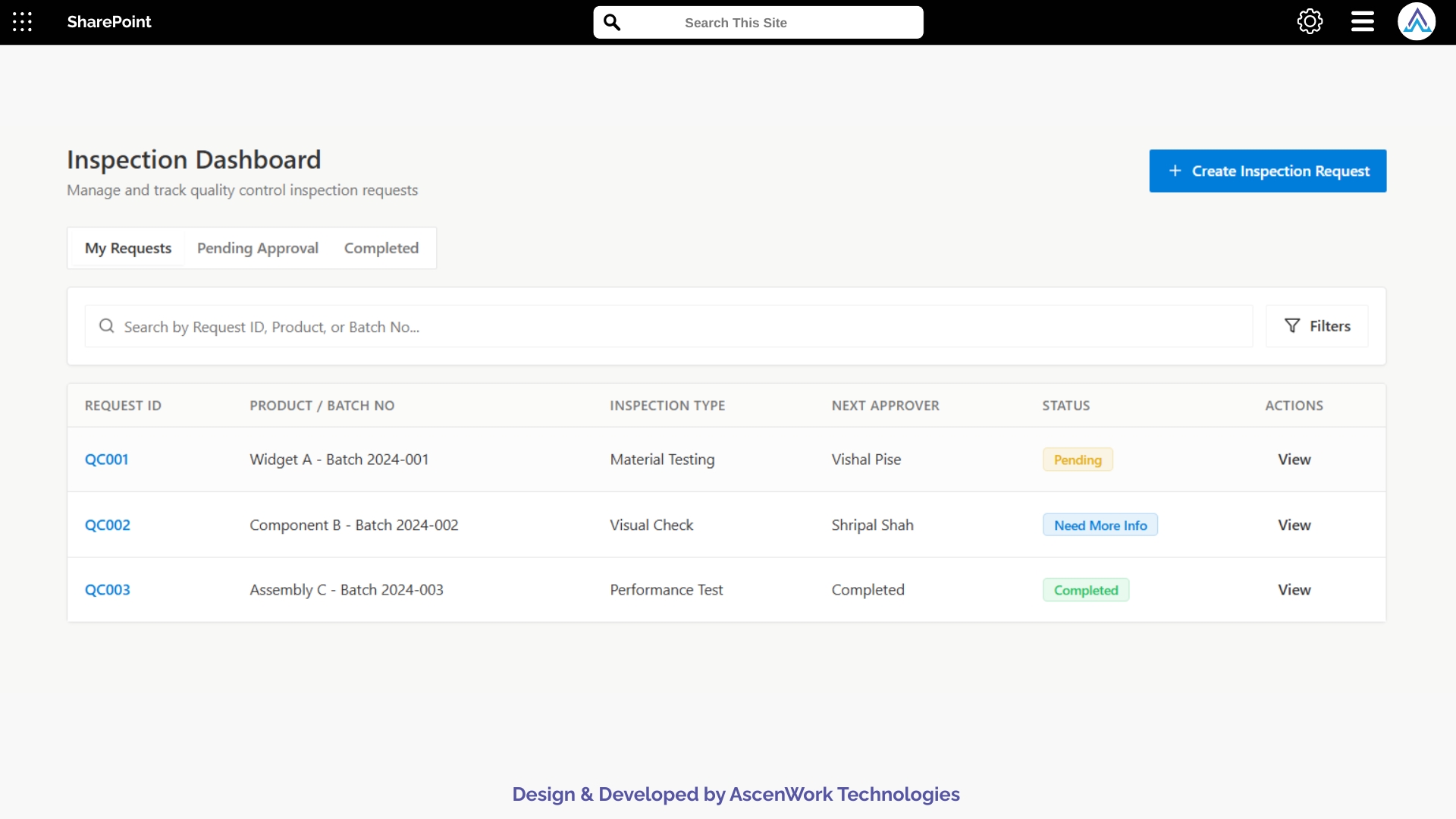
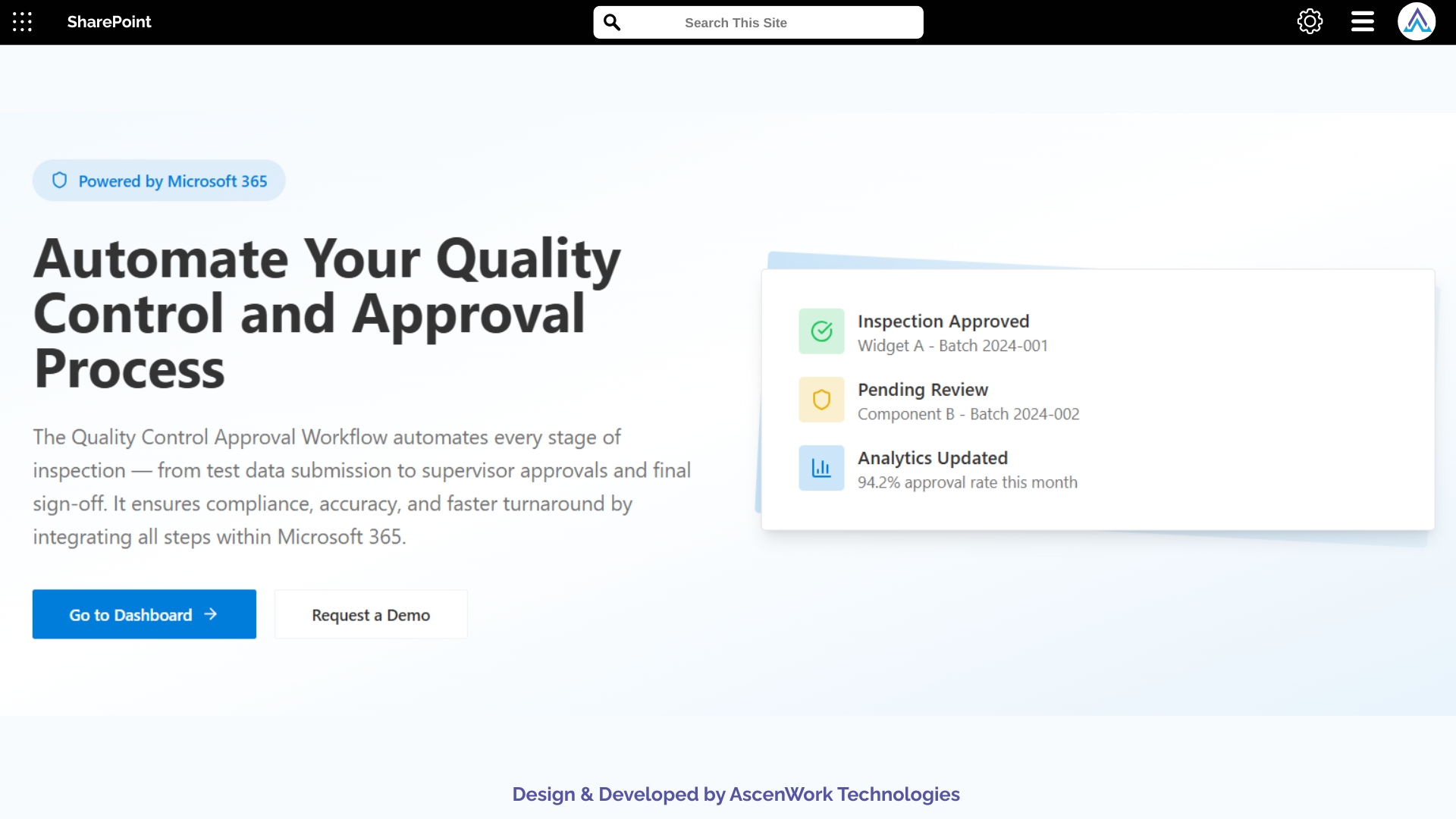
Simplify your operations with AscenWork’s Quality Control Approval Workflow built on Power Automate and SharePoint.
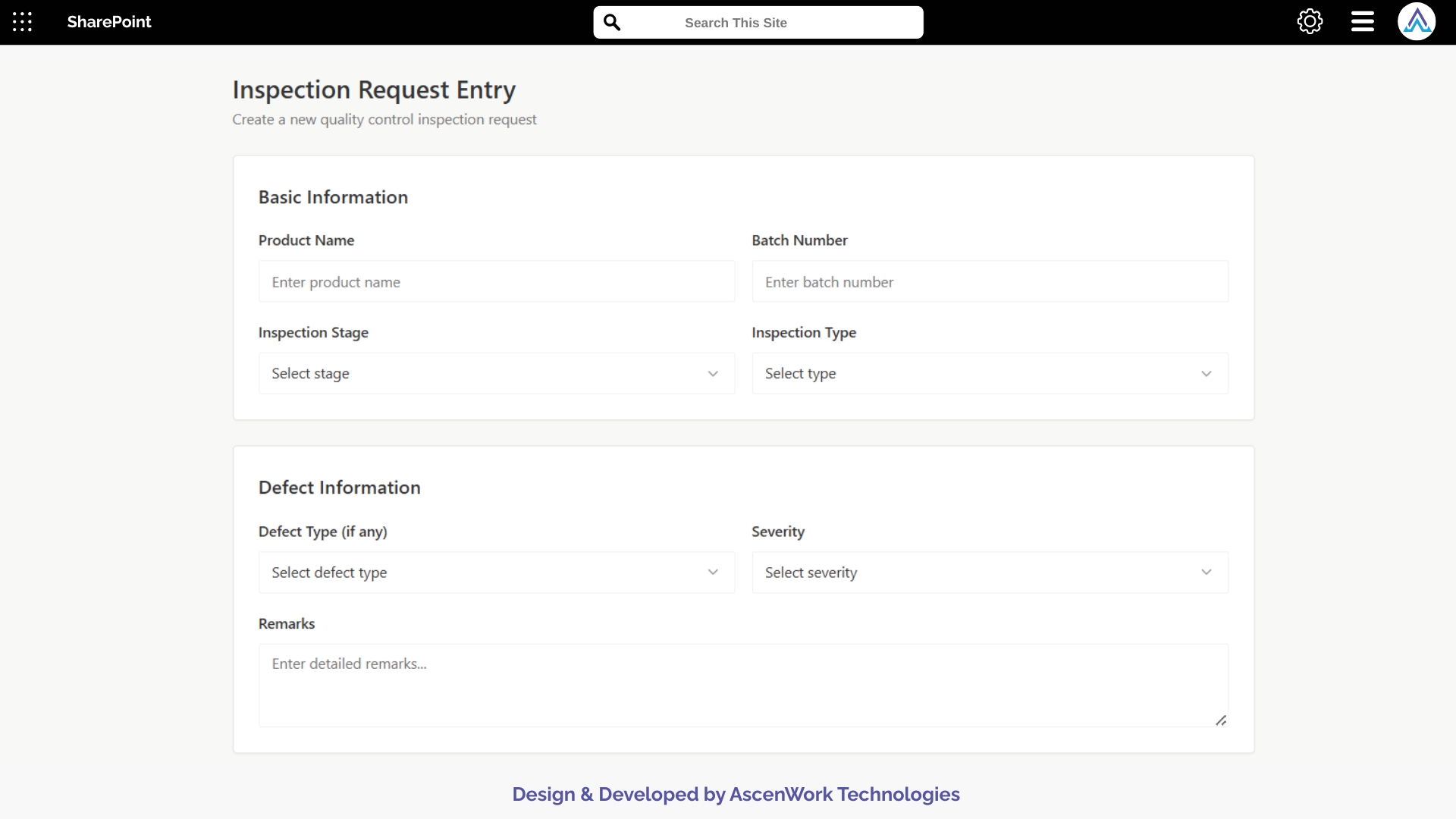
1. Configurable Quality Inspection Form
Our SharePoint-based Quality Inspection Form allows teams to record product defects, test results, and corrective actions with precision. Each form can be customized according to product category, inspection stage, or plant location. This flexibility ensures consistent quality data capture and eliminates manual paperwork. Integration with existing SharePoint lists and Power Automate ensures real-time data updates, improving inspection accuracy and traceability across departments.
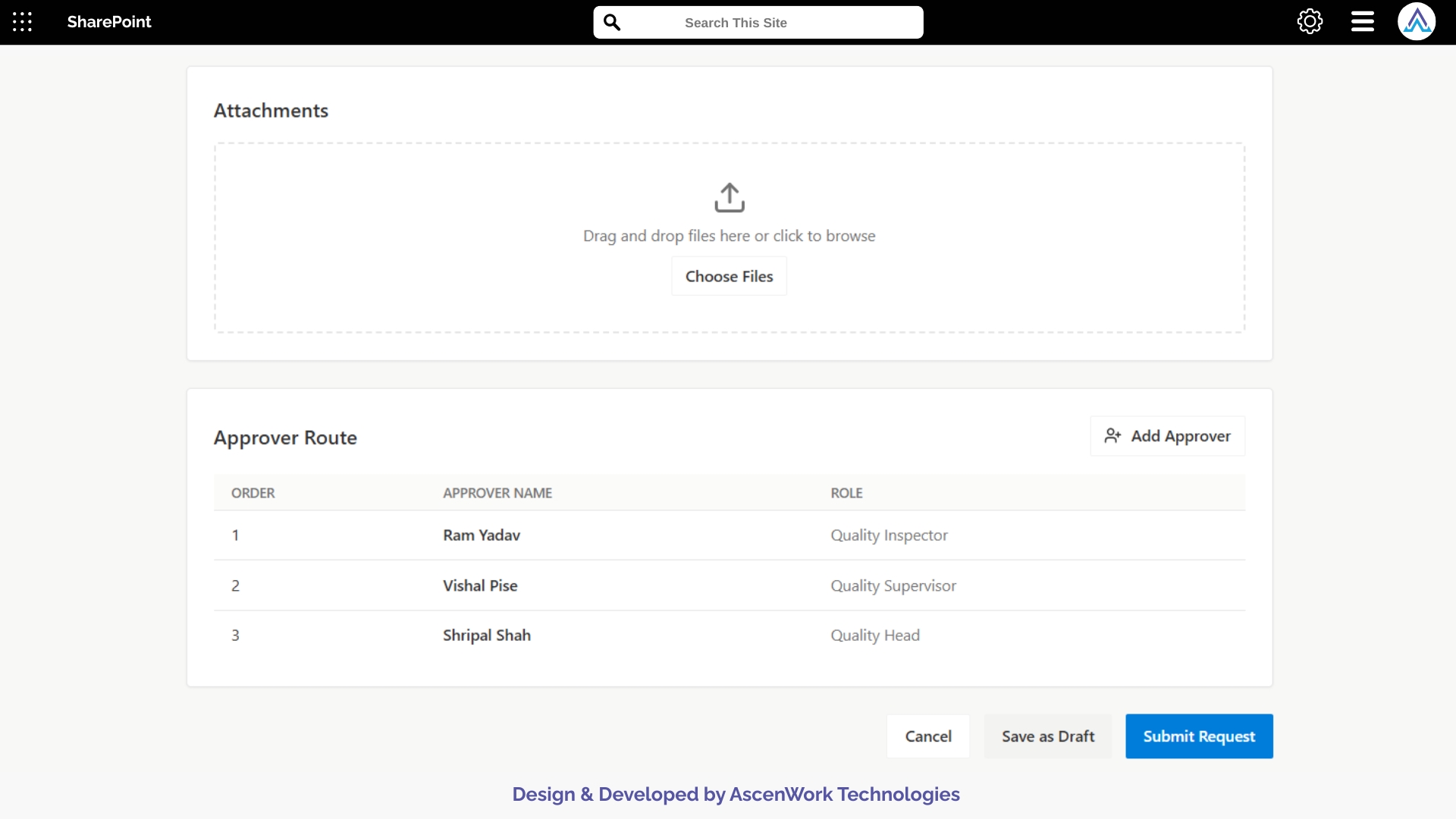
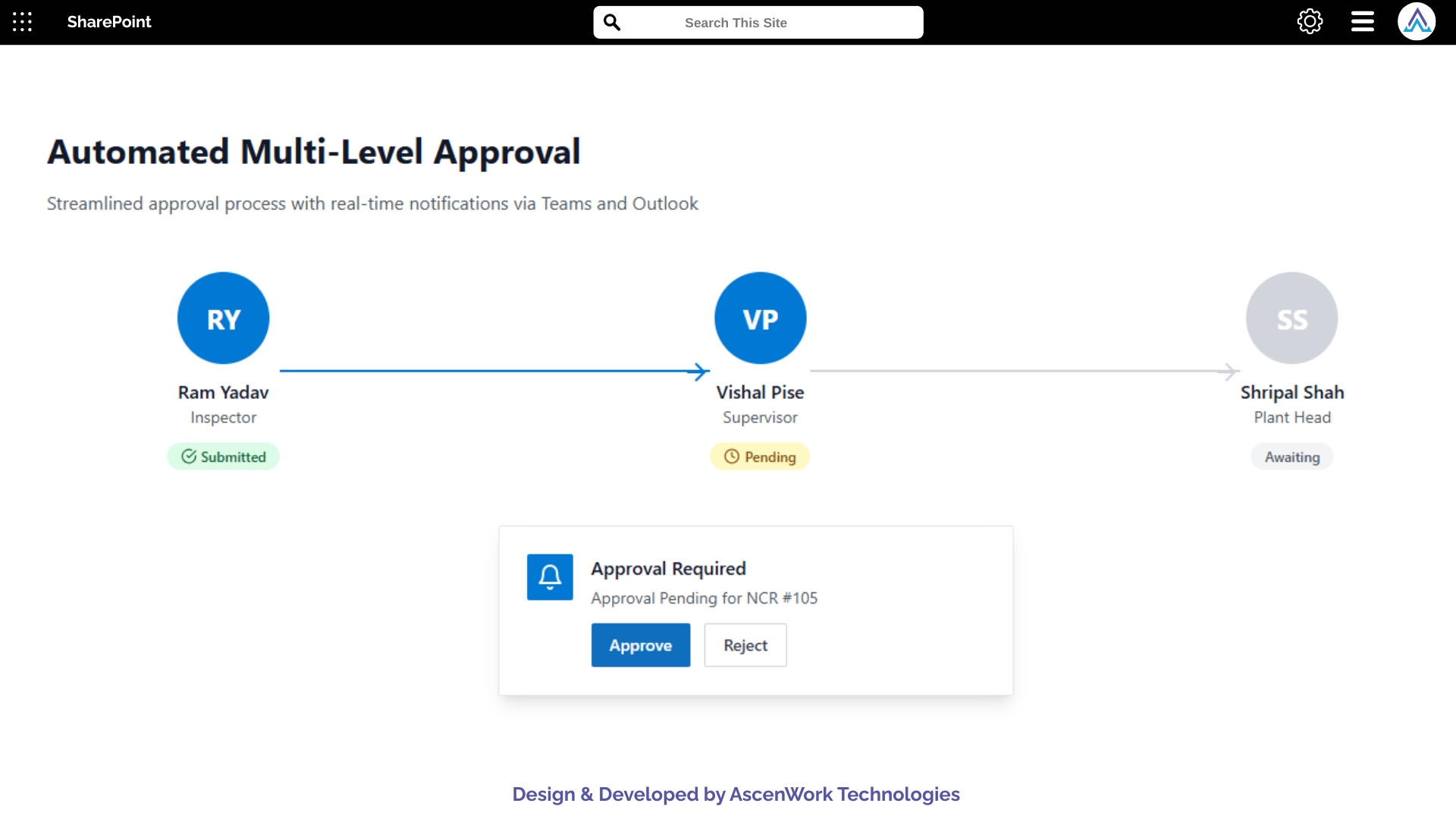
2. Automated Multi-Level Approval
The Quality Control Approval Workflow automates every step of the review chain. Once inspection data is submitted, Power Automate intelligently routes it to quality supervisors, managers, or plant heads for verification. Multi-level approval ensures accountability and consistency across production sites. Configurable rules define escalation timelines, while notifications keep all stakeholders informed. This structured process accelerates approvals, reduces bottlenecks, and strengthens compliance with internal and external quality standards.
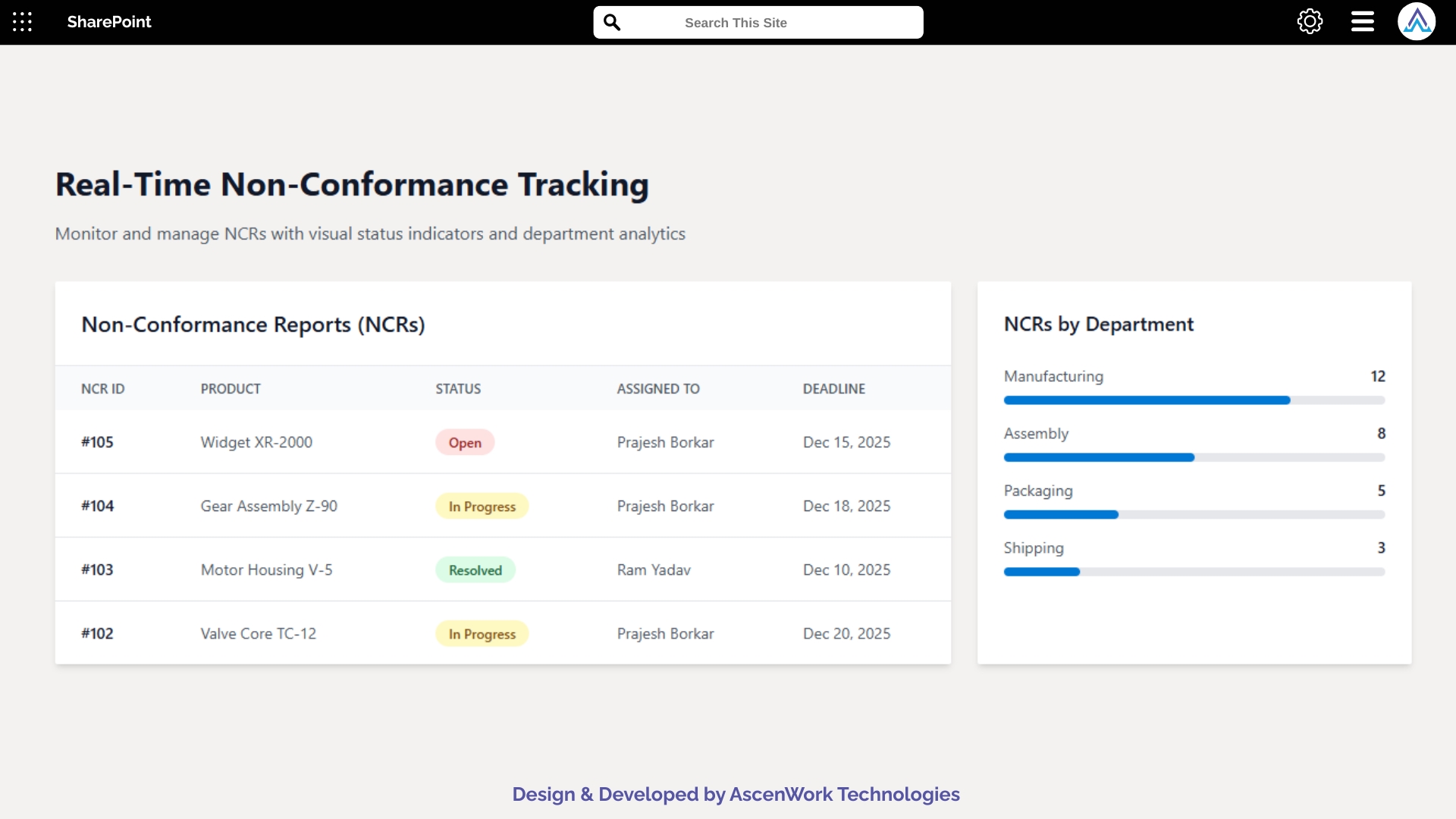
3. Real-Time Non-Conformance Tracking
When a defect or non-conformance is identified, the system instantly generates a Non-Conformance Report (NCR) and assigns it to responsible personnel for resolution. All NCRs are tracked in real-time within SharePoint, ensuring transparent monitoring and timely corrective actions. Managers can view open cases, track root causes, and verify closure. This proactive approach prevents repeated issues, enhances accountability, and ensures consistent product quality and regulatory compliance.
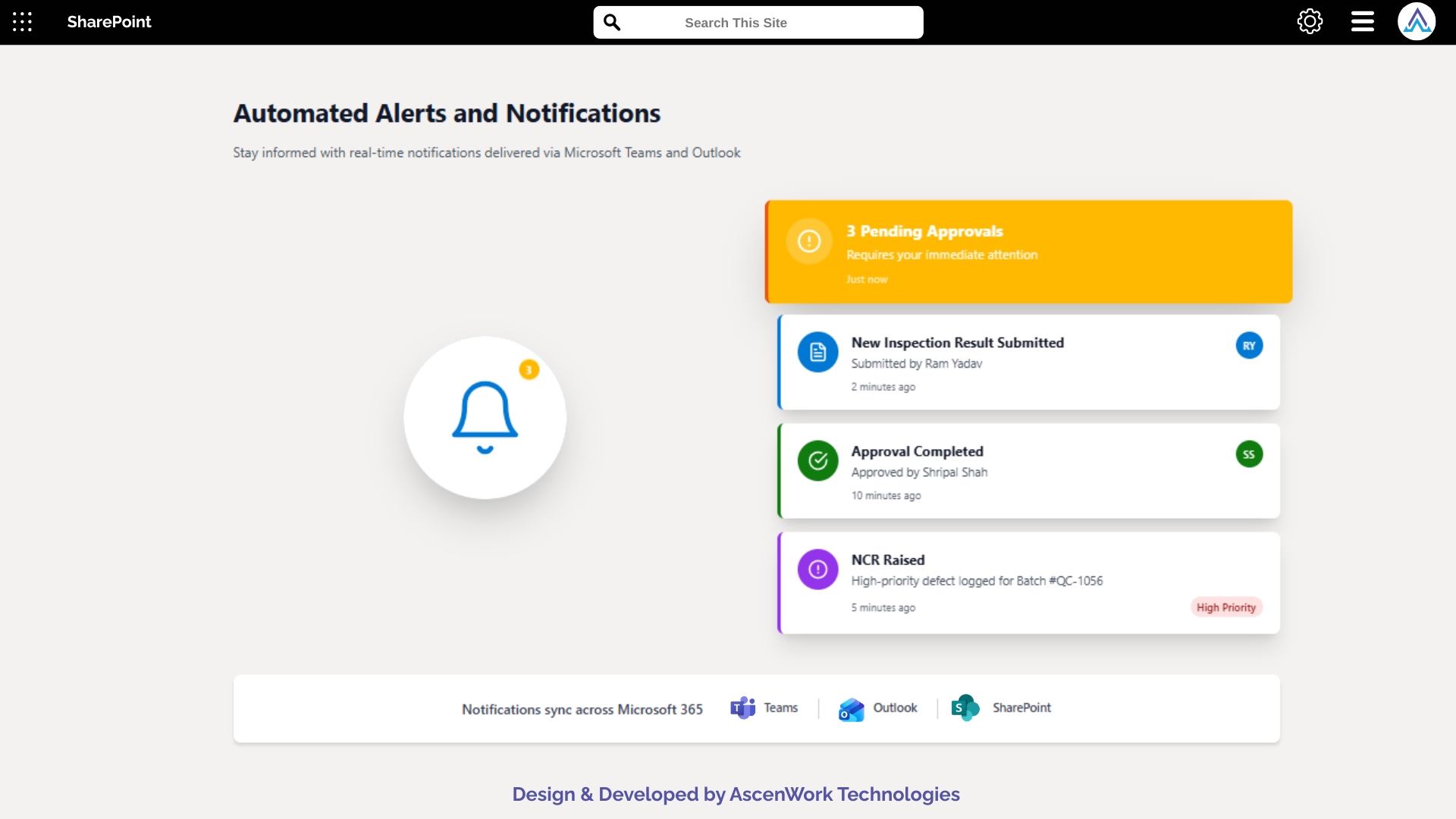
4. Automated Alerts and Notifications
Timely communication is key in quality management. With integrated Microsoft Teams and Outlook notifications, the workflow instantly alerts approvers when new inspection results or NCRs are submitted. Automatic reminders are sent for pending or delayed approvals, ensuring timely response. These alerts help streamline collaboration, reduce oversight, and accelerate decision-making between inspectors, quality managers, and department heads — all within your existing Microsoft 365 environment.
5. Role-Based Permissions
The workflow incorporates role-based permissions within SharePoint, allowing only authorized users to access or edit inspection data. Quality engineers can enter findings, while supervisors can review and approve reports. This controlled access protects sensitive data and ensures compliance with company security policies. Administrators can also audit activity logs to maintain accountability, enabling a secure and reliable environment for quality assurance and approval management.
Join leading finance and procurement teams using our workflow automation to eliminate bottlenecks and gain full control over spending.
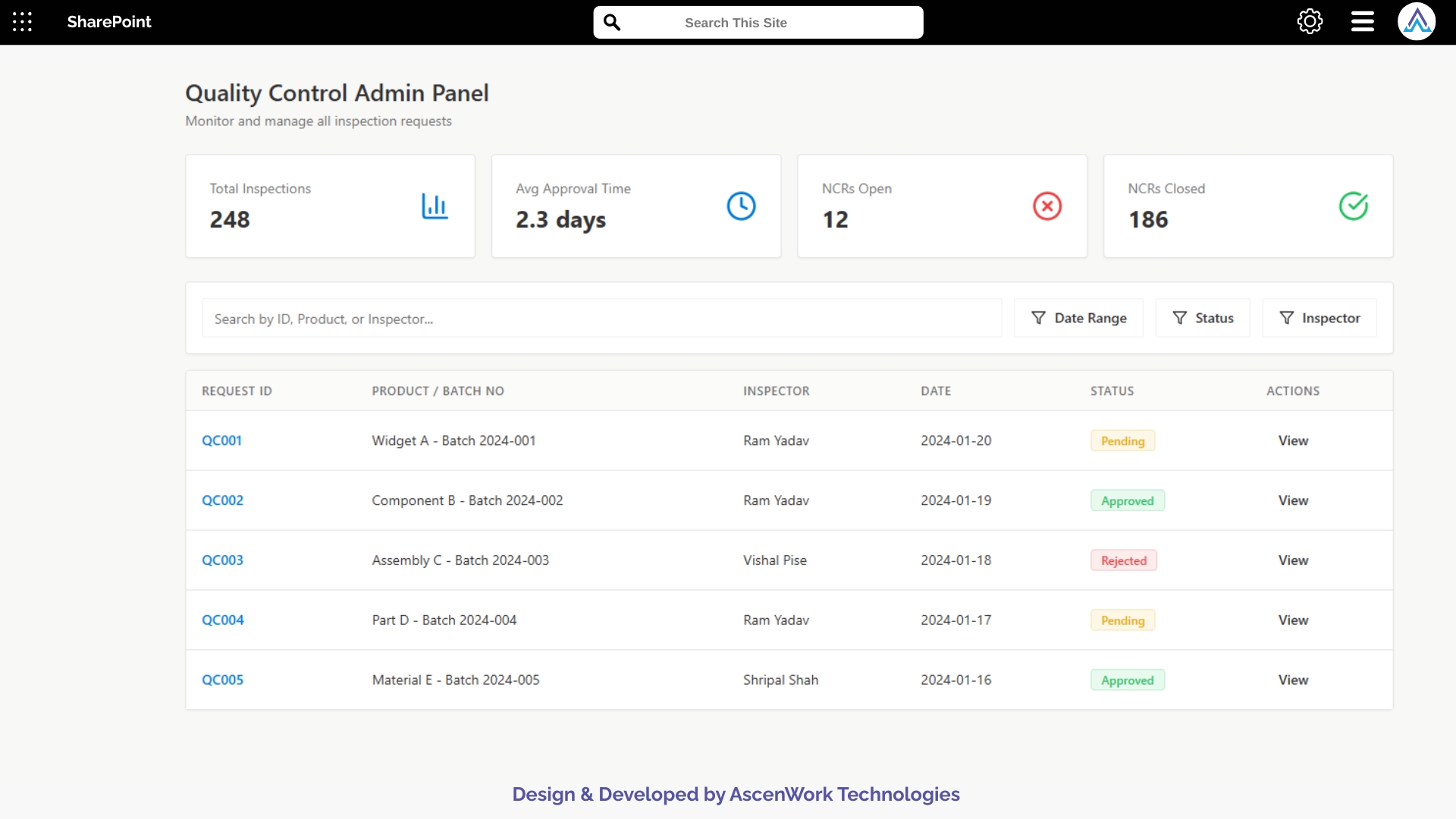
6. Quality Metrics and Analytics
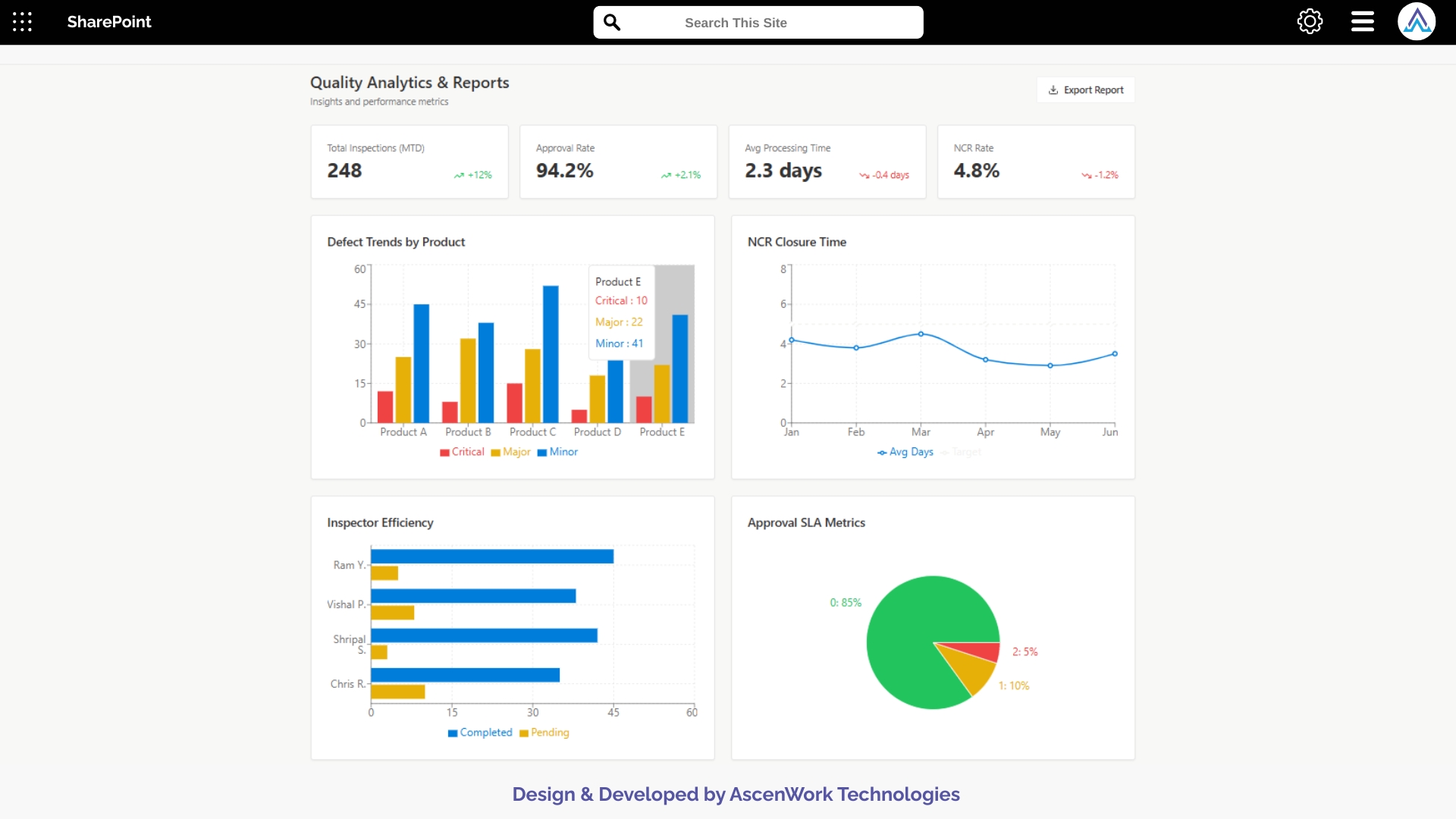
Gain complete visibility into your quality performance using Power BI analytics integrated within the workflow. Dashboards display trends in defects, inspection completion rates, and approval timelines. Management can identify recurring issues, underperforming areas, and compliance gaps instantly. These real-time insights help drive continuous improvement, minimize product defects, and enhance operational efficiency — all while maintaining a single source of truth for quality performance data.
7. Audit Trail and Compliance Reporting
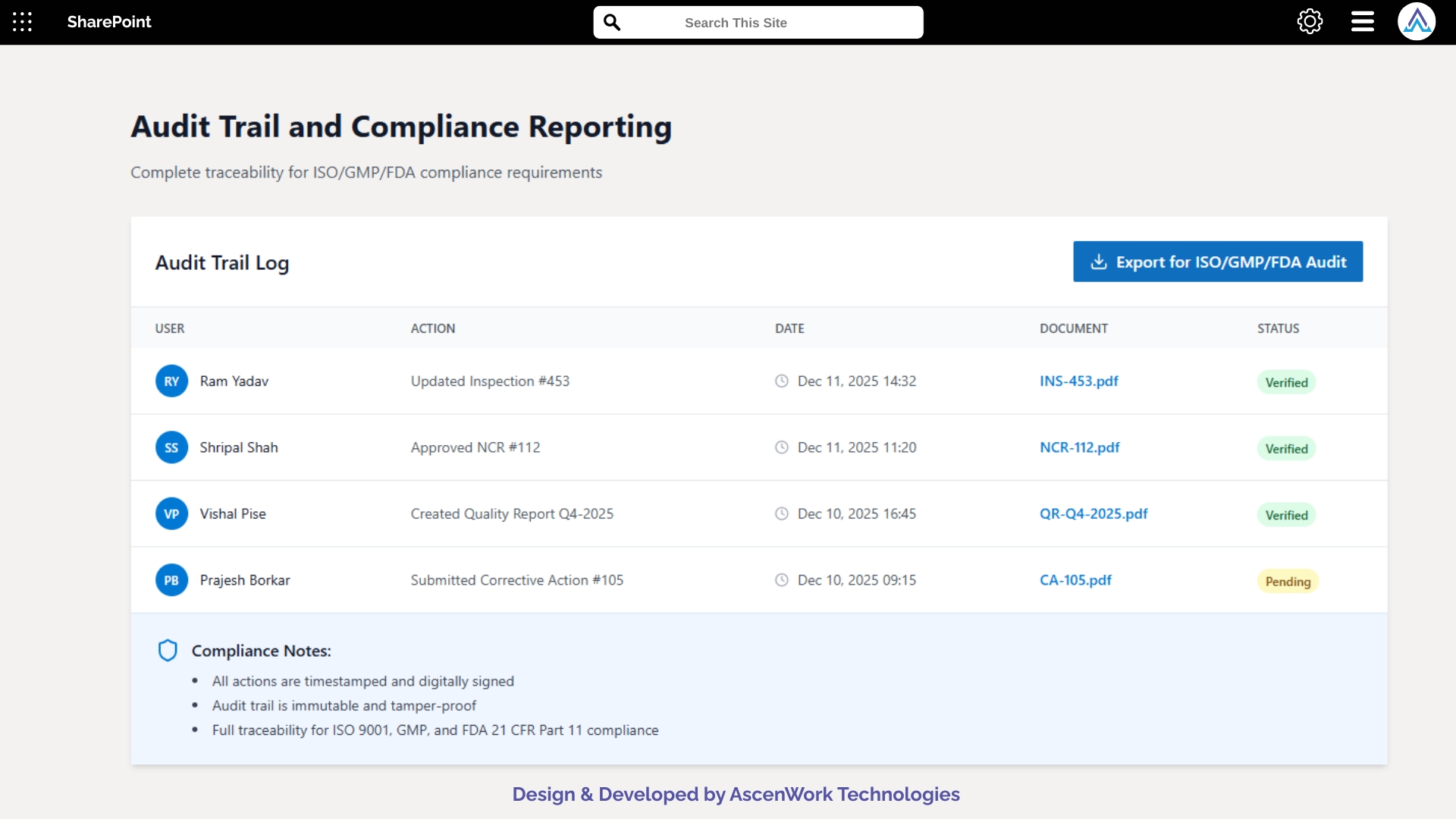
Every inspection entry, approval, or modification is logged automatically in an audit trail for transparency and compliance. Reports can be exported for ISO, GMP, or FDA audits with complete traceability of user actions. This helps organizations meet industry standards effortlessly while maintaining accountability. Built-in reporting tools simplify compliance management, ensuring data integrity and reliability for all quality control documentation.
8. Mobile Accessibility
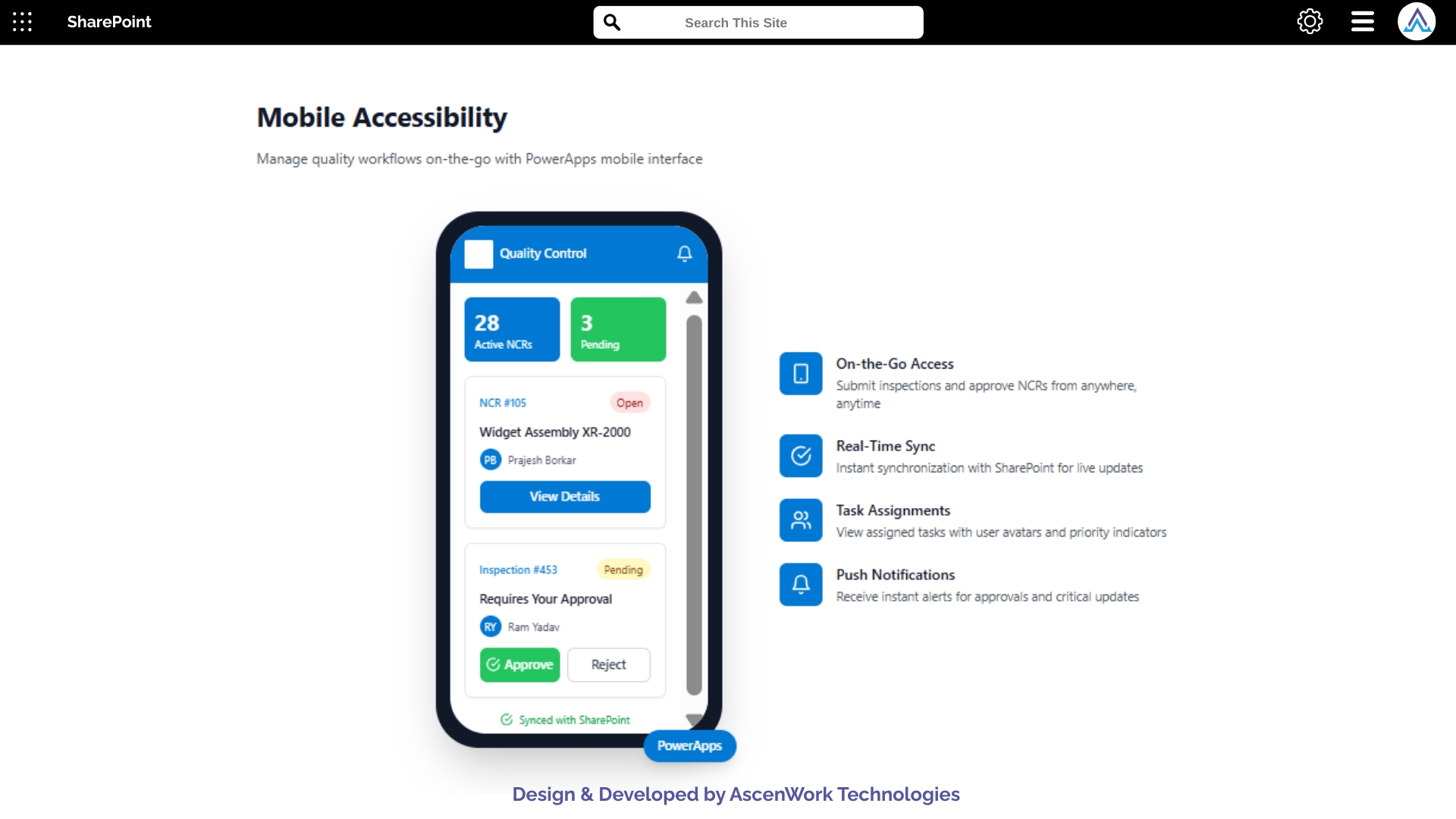
The mobile-ready design of this workflow empowers inspectors and managers to access forms, approve reports, or review NCRs directly from their smartphones or tablets. It ensures quality checks continue smoothly even on production floors or remote sites. The responsive PowerApps interface provides real-time synchronization with SharePoint data, minimizing downtime and enabling faster decisions while keeping your entire quality process connected and agile.

AscenWork Technologies has extensive experience developing Power Automate and SharePoint-based workflows that optimize and simplify complex quality control approval processes for enterprise clients.
We tailor every QC workflow to match your organization’s inspection hierarchy, approval matrix, and compliance standards, ensuring seamless adoption and long-term efficiency.
Our workflows connect with Teams, Outlook, Power BI, and other Microsoft 365 tools, providing a centralized ecosystem for collaboration and performance visibility.
Built on Microsoft Power Platform, our solutions ensure enterprise-level security, audit control, and scalability suitable for multi-location manufacturing operations.
We provide ongoing support, optimization, and maintenance, ensuring your Quality Control Approval Workflow remains stable, compliant, and continuously improved with evolving business requirements.
AscenWork has built world class products on Microsoft 365
Have a question? check these answers.
Approval workflow software automates the process of reviewing and approving business requests — such as purchase orders, expense claims, or HR forms — ensuring transparency, accuracy, and faster decision-making.
Approval workflow routes requests automatically through predefined approval levels. Each approver gets instant notifications via email or Teams, and all actions are tracked within the system for full visibility.
Absolutely. Our approval software integrates natively with SharePoint, Power Automate, Outlook, and Teams, allowing your users to work within familiar Microsoft 365 apps.
Yes, administrators can modify the approver list anytime without interrupting existing workflows, making it flexible for organizational changes.
Your data is securely hosted on Microsoft’s trusted cloud infrastructure, with role-based permissions, encryption, and detailed audit trails ensuring full compliance and protection.
We offer prebuilt approval templates for common processes like purchase orders and HR requests, which can be customized further as per your business requirements.
Yes. The system sends automatic notifications to approvers and reminders for pending requests, ensuring no approval gets missed or delayed.
Implementation typically takes 2–4 weeks, depending on the complexity of your existing processes and integration requirements.
Finance, HR, Legal, Procurement, Manufacturing, and IT teams benefit the most — any process requiring sign-offs or compliance checks can be automated.
We offer both. AscenWork specializes in custom workflow development using SharePoint, Power Automate, and Power Apps to match your exact needs.
Yes. You can view detailed audit logs, approval histories, and performance analytics to ensure transparency and compliance during internal or external audits.
Yes, we provide video training, live workshops, and documentation so your team can confidently use the approval system from day one.
Yes. You can easily configure multi-level approvals, set conditions like amount limits, and define department-based approvers using our customizable workflow builder.
You can automate purchase orders, expense approvals, HR requests, vendor onboarding, document reviews, and more — all using the same platform.
Yes. Every request can be tracked in real time through your dashboard. Users can view who has approved, who’s pending, and the overall progress instantly.
Yes. Our workflows can be deployed both on Microsoft SharePoint Online or On-Premises, depending on your company’s IT policies and infrastructure.
Yes, we develop custom Power BI dashboards that visualize approval performance, pending requests, turnaround times, and departmental insights.
Because we combine Microsoft 365 expertise, custom development, and long-term support, ensuring you get a secure, scalable, and business-ready workflow solution tailored to your organization.
Yes. Our approval workflow software supports multi-department setups, allowing each department to have its own approval rules and processes.
Yes, we offer ongoing support, user training, and workflow optimization after deployment to ensure long-term success and user adoption.